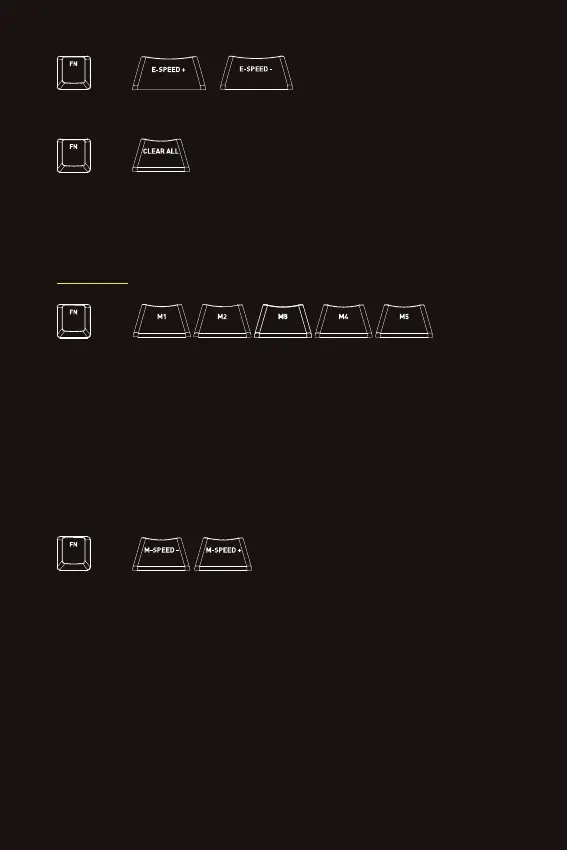
= LED EFFECT SPEED
UP/DOWN
Press FN + one of these keys repeatedly to increase or decrease the speed of the LED effects.
+
=
To record a macro, press and hold FN + one of the M1/M2/M3/M4/M5 keys for 2 seconds. One of
the lights in the right corner will start blinking, indicating that it is recording. Enter the sequence
of keys that you want to record, and then press FN again. Your keystrokes are now saved to the
selected macro button.
To play a macro, press FN + the M1/M2/M3/M4/M5 key on which your macro is saved.
+
MACROS
RECORD AND PLAY MACROS
= MACRO SPEED
UP/DOWN
Press FN + one of these keys repeatedly to increase or decrease the speed of the last
played macro.
+
= CLEAR YOUR LED SETTINGS
Press FN + CLEAR ALL to clear your LED settings, which are visible in K-LED mode. This key
combination takes you to K-LED mode, with the settings cleared and a typing effect active.
+
6


 To Next Page