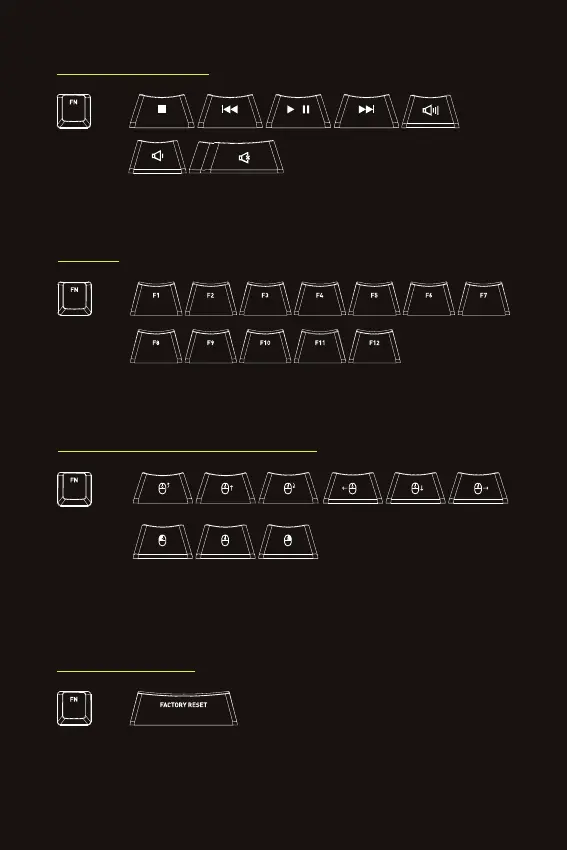
MEDIA CONTROLS
+
Press FN in combination with these keys for media controls such as stop, play, mute and
volume control.
F1–F12
+
For F1–F12, press FN in combination with these keys.
CONTROL THE MOUSE CURSOR
+
Press FN in combination with these keys to control the mouse cursor, scroll wheel as well as
left and right click.
7
FACTORY RESET
= FACTORY RESET
+
To reset the keyboard and clear all settings, press and hold FN + FACTORY RESET for 2 seconds.


 To Next Page