EasyManua.ls Logo

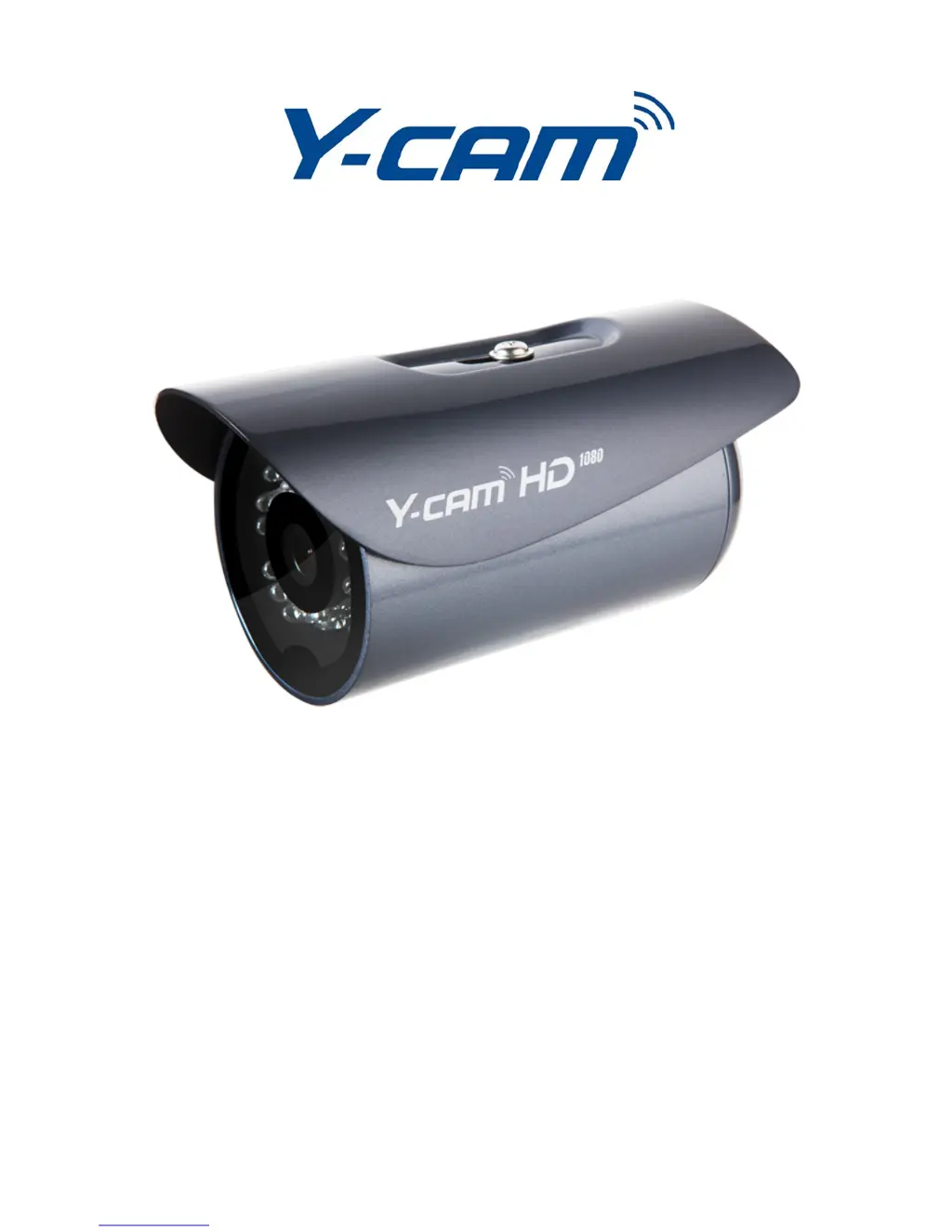
Y-cam Bullet HD 1080 - User Manual

Y-cam Bullet HD 1080
68 pages
Print Icon
To Next Page IconTo Next Page
Loading...
User Manual - English
This manual applies to the following Y-cam products:
Y-cam Bullet HD 1080
Please read this manual carefully before attempting to install or operate this product.
Please retain this manual for your future reference. This User Manual is a work-in-progress and is constantly being
updated. You are invited to check the website regularly for updated versions.
v1.0

Table of Contents

Questions and Answers

  • M
    Mary GarciaAug 13, 2025
    Why doesn't my Y-cam Security Camera connect to Wi-Fi?
    • R
      Rachel RamosAug 13, 2025
      If your Y-cam Security Camera isn't connecting to Wi-Fi, the signal strength might be weak. Try relocating the camera closer to your router or removing any obstacles between them. Also, ensure your wireless network SSID and encryption settings are identical to those of your network. Finally, check for any interference from other equipment.
  • W
    wdicksonAug 17, 2025
    What to do if motion detection on Y-cam Security Camera doesn't send email alerts?
    • D
      David ThorntonAug 17, 2025
      If the motion detection feature on your Y-cam Security Camera isn't sending email alerts, first check that the email alert feature is properly configured. If it is configured correctly, try using a different SMTP server or contact your ISP to see if SMTP access is being blocked. Also, ensure that your Primary DNS IP Address is set.
  • J
    Jamie OconnorAug 21, 2025
    How to reset password on Y-cam Security Camera?
    • L
      Linda Thompson DDSAug 21, 2025
      If you've forgotten your password to access the Settings menu on your Y-cam Security Camera, you will need to press the RESET button. Please note that all configuration settings will be lost.
  • J
    James VasquezAug 25, 2025
    What to do if the picture viewing interface doesn't appear on my Y-cam Security Camera?
    • C
      Christine Mendez MDAug 26, 2025
      If the picture viewing interface for your Y-cam Security Camera doesn't appear, check that your Internet Explorer settings allow you to download and install ActiveX controls. Note that a maximum of 16 users are allowed to access the camera simultaneously through the network. Network traffic may also prevent the viewing interface from appearing quickly, so wait for a while. You can also try refreshing the page.
  • S
    Samantha CastroAug 28, 2025
    Why does motion detection trigger unexpectedly on my Y-cam Security Camera?
    • D
      Dakota SmithAug 28, 2025
      Motion detection is based on changes in pixels in the image. To avoid unexpected triggers on your Y-cam Security Camera, lower the sensitivity setting.
  • E
    elizabethgarciaSep 1, 2025
    Why is the color of the picture strange on my Y-cam Security Camera?
    • G
      garciarobertSep 1, 2025
      If the color of the picture on your Y-cam Security Camera appears strange, confirm the color setting of your PC is 16 bits or more. Also, if you have an infrared version of the camera, shades of the color spectrum may alter the images the camera displays due to the Infrared LEDs. Identify which Y-cam model you have.
  • T
    Theresa MarshallSep 5, 2025
    What to do if I cannot see the controls of the Live Feed on my Y-cam Security Camera?
    • M
      Michael MartinezSep 5, 2025
      If you cannot see the controls of the Live Feed on your Y-cam Security Camera because the pictures go over them, reset your browser's Zoom setting or text size setting. Pressing Ctrl and “0” (zero) at the same time should do this. You can also try to find settings that reset your page zoom or text zoom.
  • A
    Allison RamirezSep 8, 2025
    How to fix unreadable characters displayed on Y-cam Security Camera?
    • K
      Kenneth GarciaSep 8, 2025
      If unreadable characters are displayed on your Y-cam Security Camera, set the Encoding or the Character Set of the selected language on the web browser.

Summary

Introduction to Y-Cam Bullet HD 1080

Minimum System Requirements

Specifies the necessary hardware and software requirements for both PC and Mac for initial Y-cam setup.

Exploring Your Y-Cam

MicroSD Card Installation

Explains the importance of microSD cards for recording and provides detailed instructions and important notes for installation.

Y-Cam Installation Guide

Hardware Installation

Details the physical installation process, including securing the camera and re-assembling components for water resistance.

Y-Cam Software Installation

Windows Software Setup

Step-by-step guide for installing the Y-cam Setup utility on Windows operating systems.

Mac Software Setup

Instructions for installing the Y-cam Setup utility on Mac OS, including firewall configuration.

Welcome and Live View

Y-Cam Settings Configuration

Quick Setup with SMART SETUP

Introduces the SMART SETUP utility for a streamlined configuration of network and camera settings.

Motion Recording Menu

Configures motion detection, privacy masking, and alarm triggers for recording and sending alerts.

Advanced Settings and Connectivity

Y-cam Bullet HD 1080 Specifications

General IconGeneral
BrandY-cam
ModelBullet HD 1080
CategorySecurity Camera
LanguageEnglish

Related product manuals