EasyManua.ls Logo

Yaber Y21 - Option Menu Settings

Yaber Y21
19 pages
Print Icon
To Next Page IconTo Next Page
To Previous Page IconTo Previous Page
Loading...
TIME
MENU
|
MODE
FUNCTION
Clock
Setting
time.
Off
Time
|
Once/Every
Day
/Mon-~Fr./Sat~Sun
/Sundayetc._|
Auto
Power
Off
Time
On
Time
|
Once/Every
Day
/Mon.~Fri./SatSun
/Sundaytc._|
Auto
Power
On
Time,
Sieep
Timer
|
Off/
10min/
20/
min,etc.
Shut
off
e
proecor
fter
s
set
AutoSieep
|
AutoSieep:
Never-
4Hours.
6Hours.
8Hours
|
Automatic
sleep
time
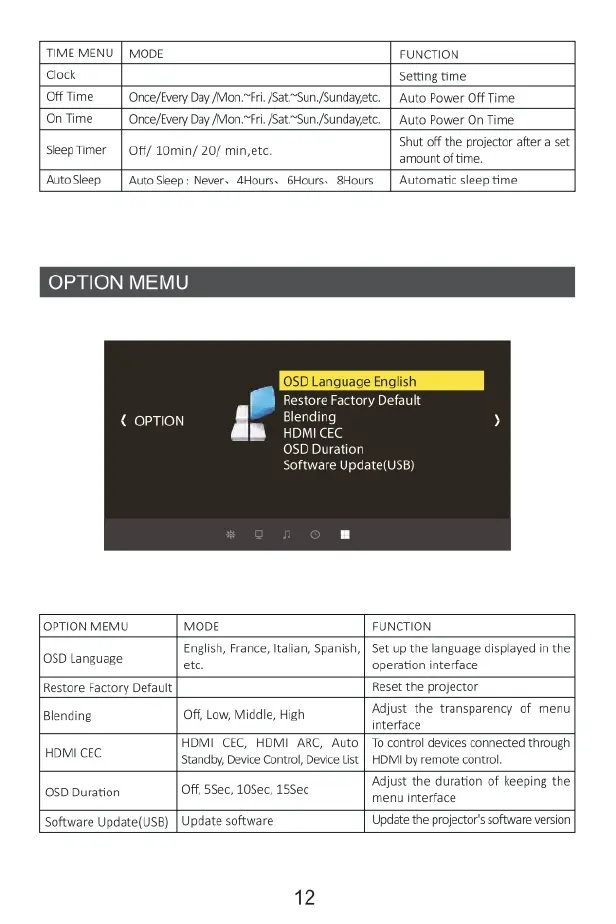
OPTION
MEM!
<
OPTION
I
&
SD
Duration
Restore
Factory Default
Software
Update(UsB)
OPTION
MEMU
MODE
FUNCTION
05D
Language
English,
France,
Italian,
Spanish,
etc
Set
up
the
language
displayed
in
the
operation
interface
Restore
Factory
Default
Reset
the
projector
Blending
Off,
Low,
Middle,
High
Adjust
the
transparency
of
menu
interface
HDMI
CEC
HDMI
CEC,
HDMI
ARC,
Auto
Standby,
Device
Control,
Device
List
"o
control
devices
connected
through
HDMI
by
remote
control,
05D
Duration
Off,
55ec,
105ec,
15Sec
Adjust
the
duration
of
keeping
the
menu
interface
Software
Update{USB)
Update
software
Update
the
projector's
software
version
12

Related product manuals