EasyManua.ls Logo

Yaber Y21 - Connectivity; Connecting to the Computer; Connecting to the Mobile Device; Connecting to the DVD Player

Yaber Y21
19 pages
Print Icon
To Next Page IconTo Next Page
To Previous Page IconTo Previous Page
Loading...
Connecting
to
the
Computer
Using
the
HDMI
or
VGA
cable
in
the
package
to
connect
with
projector.
(An
HDMI
connection
is
recommended
for
projecting
movies,
videos, and
other
files
which
need
to
be
HD.)
(1)Turn
on
your
computer
and
the
projector;
(2)Connect
the
HOMI/VGA
cable
to
your
computer's
HDMI/VGA
port;
(3)Connect
the
other
end
to
any
available
HDMI/VGA
port
on
your
projector;
(4)Press
the
“Source”
button
to
enter
the
interface
of
Input
Source;
(5)Select
HOMI/
PC-RGB
source
to
project
any
files
on
your
computer;
(6)On
your
laptop,
hold
down
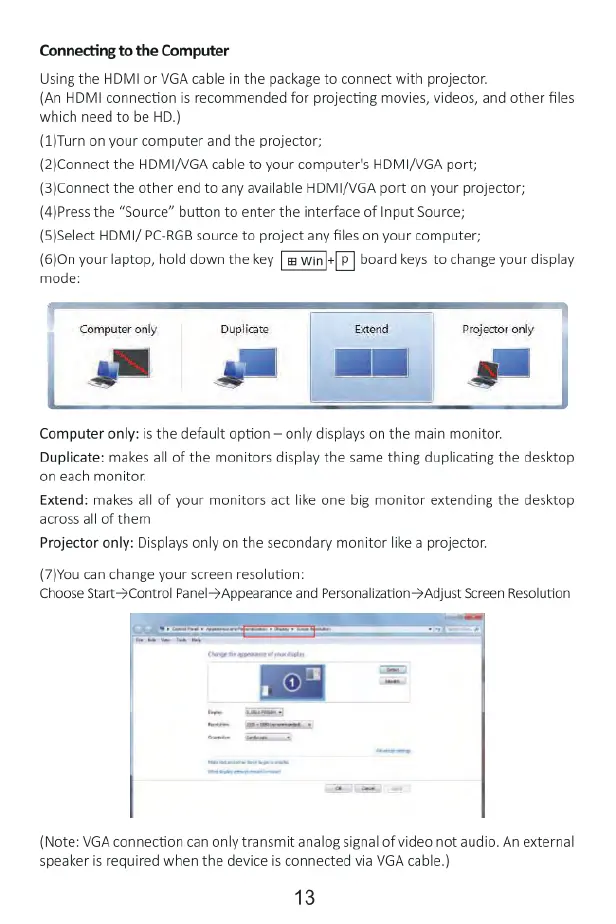
the key [P]
board
keys
to
change
your
display
mode:
Computer
only
Duplicare
Projector
only
|
Computer
only:
is
the
default
option
only
displays
on
the
main
monitor.
Duplicate:
makes
all
of
the
monitors
display
the
same
thing
duplicating
the
desktop
on
each
monitor.
Extend:
makes
all
of
your
monitors
act
like
one
big
monitor extending
the
desktop
across
all
of
them
Projector
only:
Displays
only
on
the
secondary
monitor
like
a
projector.
(7)You
can
change
your
screen
resolution:
Choose
Start->Control
Panel->Appearance
and
Personalization>Adjust
Screen
Resolution
(Note:
VGA
connection
can
only
transmit
analog
signal
of
video
not
audio.
An
external
speaker
is
required
when
the
device
is
connected
via
VGA
cable.)
13

Related product manuals