14
Android Device
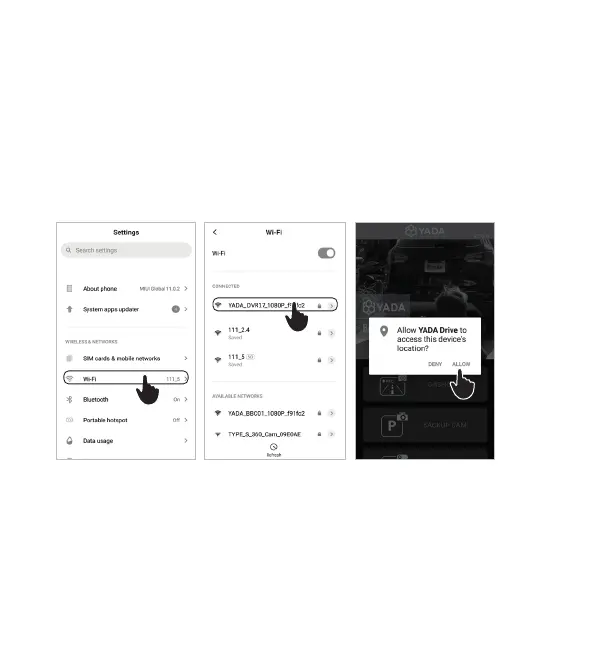
3. Navigate to the WiFi setting page on your device.
4. Connect to “YADA_DVR17_1080P_xxxxxx” with the default password
“12345678”.
5. Run the YADA Drive APP. Click “Allow” in the pop-up message when
prompted to allow the APP to access your location.
Auto-sync with the camera
1. Open the camera’s menu and navigate to the system setting page.
2. Go to “WiFi Control” and turn it on.
NOTE: WiFi is ON by default.
SETTING UP THE APP
3
4
5




 To Next Page