16
iOS Device (Follow Steps 1-2 from previous instructions)
3. Please make sure Bluetooth, Location Services and Local Network
Access are enabled on your device.
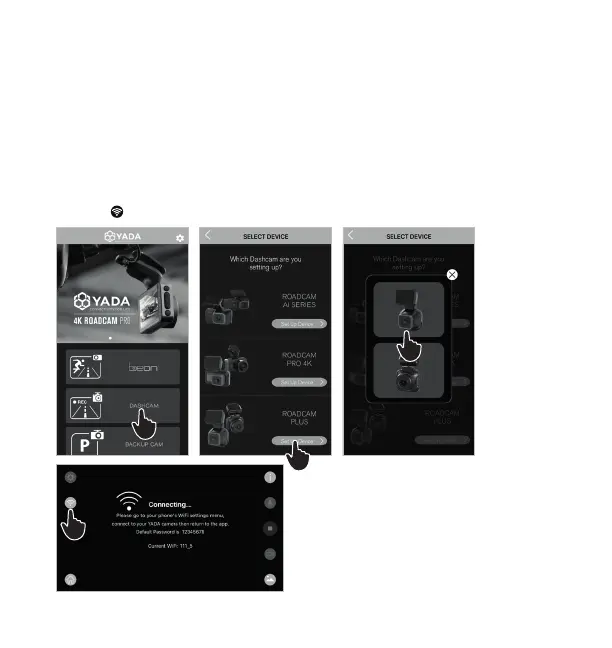
4. Run the YADA Drive APP and select the “DASHCAM” category.
5. Select ROADCAM PLUS and click “Set Up Device”.
6. Select product from the list of devices.
7. Click to go to APP permissions setting page.
4
5
6
7




 To Next Page