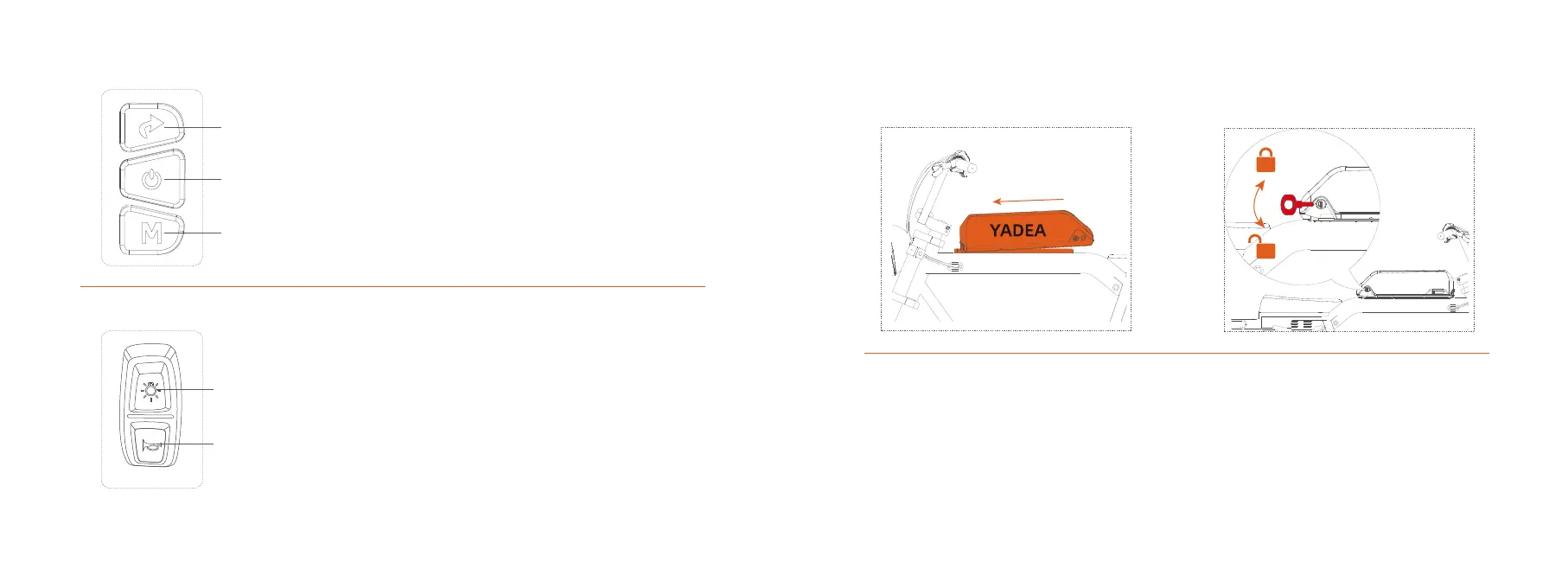
Display Buttons
Headlight&horn switch
Shift Button
Power Button
Menu Button
1.Shift button: click the button to shift ECO/MID/HIGH
2.Power button: Hold the button for 1.5s to power on/power off
3.Menu button: click to toggle between ODO/TRIP/VOL. Hold M
to enter push assistance mode,the bike will go forward at
5km/h.
1.Headlight switch:click to turn on/turn off headlight
2.Horn switch:Click to sound the horn
Headlight switch
Horn switch
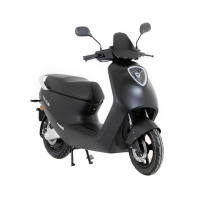
6.Battery Installation
Put the battery on the battery holder,push the battery
forward to fix it.
Insert the key, turn it clock wire to lock the battery
Insert the key, turn it counterclockwise to unlock the
battery. Push the battery backward to remove the
battery.
13 14



 To Next Page