EasyManua.ls Logo

Yaesu G-800DXA - User Manual

Yaesu G-800DXA
20 pages
Print Icon
To Next Page IconTo Next Page
Loading...
G-800DXA
G-1000DXA
G-2800DXA
Antenna Rotator & Controller
User Manual
Question and Answer IconNeed help?

Do you have a question about the Yaesu G-800DXA and is the answer not in the manual?

Summary

Important Safety Precautions

Product Overview and Features

Rotator Design and Construction

Details the clamshell design, ball bearings, and DC motor for durability and low stress.

Controller Functionality

Highlights the 360° azimuth indicator, variable speed, and preset heading capabilities.

G-2800 DXA Specific Enhancements

Explains 'auto slow start' and 'auto slow stop' features for the G-2800DXA model.

Installation and Optional Components

Advises on tower mounting and optional thrust bearings like GS-680U.

Computer Control Integration

Introduces the optional GS-232B Computer Control Unit for PC operation.

Controller Front Panel Overview

Power Switch Operation

Details the function of the POWER switch to turn the controller on or off.

Directional Control Switch

Explains using the seesaw switch for counter-clockwise (LEFT) and clockwise (RIGHT) rotation.

Preset Heading and Start Function

Describes setting a desired heading and activating automatic rotation with START.

Rotation Speed Adjustment

Explains how to set the desired rotating speed for the antenna.

Overlap Indicator Functionality

Details the LED indicator for rotation beyond 180° and its implications.

Controller Rear Panel Features

External Control Connector

Describes the 6-pin mini-DIN connector for the GS-232B Computer Control Unit.

Mode Selection Switch

Explains the SELECT SWITCH for ADJ. MODE and OPERATION MODE.

Full Scale Adjustment Control

Calibrates the maximum rotation angle of the azimuth indicating needle.

Overlap LED Adjustment

Calibrates the OVERLAP Indicator LED to match the needle.

Preset Angle Calibration Controls

Calibrates the PRESET control angles to match the azimuth needle.

Output Voltage Adjustment Control

Presets voltage for A-to-D converter calibration of GS-232B.

Rotator Cable Connection Jack

Jack for connecting the control cable from the rotator unit.

Fuse Holder and AC Power

Specifies fuse ratings and AC power connection point.

Antenna Considerations for Pole Mounting

Pole Mount Wind Load Calculation

Explains the formula [Area] x [Height] for safe pole mounting.

Pole Mount Safety Margin

Recommends not exceeding 60% of the maximum rating for safety margin.

Antenna Considerations for Tower Mounting

Tower Mount Wind Load and K Factor Limits

Specifies maximum Wind Loading Area and 'K' factor for tower mounting.

K Factor Calculation Example

Demonstrates calculating the total K factor for stacked antennas.

Tower Mount Safety Margin

Advises keeping antenna/mast load within 60% of maximum rating.

Control Cable Installation Procedures

Control Cable Specifications

Details required conductor diameter based on cable length (e.g., #20 AWG or #18 AWG).

Rotator End Plug Preparation

Step-by-step guide to disassembling and preparing the 7-pin round plug.

Wiring the Rotator Connector

Instructions for stripping wires and soldering them to the rotator end plug pins.

Controller End Connection

Guide for crimping pins and connecting wires to the rectangular controller plug.

Initial System Test Steps

Steps to power on the controller and test rotator direction with the seesaw switch.

Control Cable Wiring Diagrams

Controller Connector Assembly

Diagram showing the assembly of the 6-pin plastic connector.

Rotator Connector Assembly

Diagram for assembling the 7-pin metal connector, noting unused terminal.

Control Cable Wiring Connections

Illustrates the pin-to-pin wiring for the control cable.

Indoor Performance Check and Alignment

Initial Setup and Mode Selection

Connect cable, set SELECT SWITCH to ADJ. MODE, and turn on power.

Indicator Needle Alignment Procedure

Aligning the indicator needle to 180° (South) using bezel and FULL SCALE ADJ.

Rotation Range and Overlap Verification

Checking 360° rotation, OVERLAP LED illumination, and stop points.

Preset Function Calibration Steps

Calibrating PRESET ADJ A and B potentiometers for accurate stopping.

Final Mode Setting and Test Completion

Switching SELECT SWITCH to OPERATION MODE and powering off.

Dial Heading and Preset Knob Calibration

Dial Heading Sheet Installation Guide

Procedure for installing the clear plastic dial heading sheet for desired orientation.

Alternative Preset Knob Calibration Method

Method for aligning the PRESET knob stopper if potentiometer adjustment is insufficient.

Tower Installation: G-800 DXA;G-1000 DXA

Mast Preparation for Anti-Twist Bolt

Drilling a 9 mm hole in the mast for the anti-twist support bolt.

Rotator to Mounting Plate Attachment

Securing the rotator unit to the tower's mounting plate using M8 bolts.

Optional Thrust Bearing Installation

Mounting the optional thrust bearing (e.g., GS-065) on the tower.

Mast Clamp and Antenna Mast Securing

Attaching the mast clamp to the rotator and inserting the antenna mast.

Rotator Control Cable Connection

Installing the control cable plug into the rotator's jack and securing it.

Coaxial Cable Slack Management

Providing sufficient slack for the coaxial cable to allow full antenna rotation.

Final Installation Testing Procedures

Testing rotator operation and checking for obstructions or binding.

Guy Bearing Installation Recommendation

Recommendation for using Guy Bearings with long masts for stability.

Tower Installation: G-2800 DXA

G-2800 DXA Mast Preparation

Drilling a 9 mm hole in the mast for the anti-twist support bolt (82 mm from bottom).

G-2800 DXA Rotator Mounting

Attaching the G-2800DXA rotator to the tower mounting plate.

G-2800 DXA Thrust Bearing Installation

Mounting the optional thrust bearing for the G-2800DXA.

G-2800 DXA Mast Clamp and Antenna Mast Securing

Securing the antenna mast to the G-2800DXA rotator using mast clamps.

G-2800 DXA Control Cable Connection

Connecting the control cable to the G-2800DXA rotator unit.

G-2800 DXA Coaxial Cable Slack Management

Ensuring adequate slack for the coaxial cable during G-2800DXA rotation.

G-2800 DXA Final Installation Testing

Testing the G-2800DXA rotator's full range of operation after installation.

G-2800 DXA Guy Bearing Installation Note

Guidance on using Guy Bearings with the G-2800DXA on long masts.

External Computer Control Interface

GS-232 B Interface Unit Overview

Introduction to the optional GS-232B unit for PC control of the rotator.

GS-232 B Connector Pin Functions

Details the function of each pin on the GS-232B interface connector.

Rotation Angle Output Adjustment

Adjusting the OUT VOL ADJ for the rotor rotation angle detection output.

Comprehensive Product Specifications

Power and Rotation Specifications

Details power supply, rotor voltage, rotation time, range, and torque for all models.

Load and Braking Specifications

Covers maximum vertical load, braking torque, and braking type for each model.

Dimensions, Weight, and Wind Loading

Provides physical specs, weights, K factor, and wind loading area limits.

Operating Temperature and Continuous Duty

Lists operating temperature range and maximum continuous duty cycle.

Included Accessories and Optional Items

Unpacking Inspection Checklist

Lists items to check when unpacking the G-800DXA/G-1000DXA and G-2800DXA.

Optional Accessories Catalog

Details optional accessories like mast clamps, thrust bearings, and control units.

Summary

Important Safety Precautions

Product Overview and Features

Rotator Design and Construction

Details the clamshell design, ball bearings, and DC motor for durability and low stress.

Controller Functionality

Highlights the 360° azimuth indicator, variable speed, and preset heading capabilities.

G-2800 DXA Specific Enhancements

Explains 'auto slow start' and 'auto slow stop' features for the G-2800DXA model.

Installation and Optional Components

Advises on tower mounting and optional thrust bearings like GS-680U.

Computer Control Integration

Introduces the optional GS-232B Computer Control Unit for PC operation.

Controller Front Panel Overview

Power Switch Operation

Details the function of the POWER switch to turn the controller on or off.

Directional Control Switch

Explains using the seesaw switch for counter-clockwise (LEFT) and clockwise (RIGHT) rotation.

Preset Heading and Start Function

Describes setting a desired heading and activating automatic rotation with START.

Rotation Speed Adjustment

Explains how to set the desired rotating speed for the antenna.

Overlap Indicator Functionality

Details the LED indicator for rotation beyond 180° and its implications.

Controller Rear Panel Features

External Control Connector

Describes the 6-pin mini-DIN connector for the GS-232B Computer Control Unit.

Mode Selection Switch

Explains the SELECT SWITCH for ADJ. MODE and OPERATION MODE.

Full Scale Adjustment Control

Calibrates the maximum rotation angle of the azimuth indicating needle.

Overlap LED Adjustment

Calibrates the OVERLAP Indicator LED to match the needle.

Preset Angle Calibration Controls

Calibrates the PRESET control angles to match the azimuth needle.

Output Voltage Adjustment Control

Presets voltage for A-to-D converter calibration of GS-232B.

Rotator Cable Connection Jack

Jack for connecting the control cable from the rotator unit.

Fuse Holder and AC Power

Specifies fuse ratings and AC power connection point.

Antenna Considerations for Pole Mounting

Pole Mount Wind Load Calculation

Explains the formula [Area] x [Height] for safe pole mounting.

Pole Mount Safety Margin

Recommends not exceeding 60% of the maximum rating for safety margin.

Antenna Considerations for Tower Mounting

Tower Mount Wind Load and K Factor Limits

Specifies maximum Wind Loading Area and 'K' factor for tower mounting.

K Factor Calculation Example

Demonstrates calculating the total K factor for stacked antennas.

Tower Mount Safety Margin

Advises keeping antenna/mast load within 60% of maximum rating.

Control Cable Installation Procedures

Control Cable Specifications

Details required conductor diameter based on cable length (e.g., #20 AWG or #18 AWG).

Rotator End Plug Preparation

Step-by-step guide to disassembling and preparing the 7-pin round plug.

Wiring the Rotator Connector

Instructions for stripping wires and soldering them to the rotator end plug pins.

Controller End Connection

Guide for crimping pins and connecting wires to the rectangular controller plug.

Initial System Test Steps

Steps to power on the controller and test rotator direction with the seesaw switch.

Control Cable Wiring Diagrams

Controller Connector Assembly

Diagram showing the assembly of the 6-pin plastic connector.

Rotator Connector Assembly

Diagram for assembling the 7-pin metal connector, noting unused terminal.

Control Cable Wiring Connections

Illustrates the pin-to-pin wiring for the control cable.

Indoor Performance Check and Alignment

Initial Setup and Mode Selection

Connect cable, set SELECT SWITCH to ADJ. MODE, and turn on power.

Indicator Needle Alignment Procedure

Aligning the indicator needle to 180° (South) using bezel and FULL SCALE ADJ.

Rotation Range and Overlap Verification

Checking 360° rotation, OVERLAP LED illumination, and stop points.

Preset Function Calibration Steps

Calibrating PRESET ADJ A and B potentiometers for accurate stopping.

Final Mode Setting and Test Completion

Switching SELECT SWITCH to OPERATION MODE and powering off.

Dial Heading and Preset Knob Calibration

Dial Heading Sheet Installation Guide

Procedure for installing the clear plastic dial heading sheet for desired orientation.

Alternative Preset Knob Calibration Method

Method for aligning the PRESET knob stopper if potentiometer adjustment is insufficient.

Tower Installation: G-800 DXA;G-1000 DXA

Mast Preparation for Anti-Twist Bolt

Drilling a 9 mm hole in the mast for the anti-twist support bolt.

Rotator to Mounting Plate Attachment

Securing the rotator unit to the tower's mounting plate using M8 bolts.

Optional Thrust Bearing Installation

Mounting the optional thrust bearing (e.g., GS-065) on the tower.

Mast Clamp and Antenna Mast Securing

Attaching the mast clamp to the rotator and inserting the antenna mast.

Rotator Control Cable Connection

Installing the control cable plug into the rotator's jack and securing it.

Coaxial Cable Slack Management

Providing sufficient slack for the coaxial cable to allow full antenna rotation.

Final Installation Testing Procedures

Testing rotator operation and checking for obstructions or binding.

Guy Bearing Installation Recommendation

Recommendation for using Guy Bearings with long masts for stability.

Tower Installation: G-2800 DXA

G-2800 DXA Mast Preparation

Drilling a 9 mm hole in the mast for the anti-twist support bolt (82 mm from bottom).

G-2800 DXA Rotator Mounting

Attaching the G-2800DXA rotator to the tower mounting plate.

G-2800 DXA Thrust Bearing Installation

Mounting the optional thrust bearing for the G-2800DXA.

G-2800 DXA Mast Clamp and Antenna Mast Securing

Securing the antenna mast to the G-2800DXA rotator using mast clamps.

G-2800 DXA Control Cable Connection

Connecting the control cable to the G-2800DXA rotator unit.

G-2800 DXA Coaxial Cable Slack Management

Ensuring adequate slack for the coaxial cable during G-2800DXA rotation.

G-2800 DXA Final Installation Testing

Testing the G-2800DXA rotator's full range of operation after installation.

G-2800 DXA Guy Bearing Installation Note

Guidance on using Guy Bearings with the G-2800DXA on long masts.

External Computer Control Interface

GS-232 B Interface Unit Overview

Introduction to the optional GS-232B unit for PC control of the rotator.

GS-232 B Connector Pin Functions

Details the function of each pin on the GS-232B interface connector.

Rotation Angle Output Adjustment

Adjusting the OUT VOL ADJ for the rotor rotation angle detection output.

Comprehensive Product Specifications

Power and Rotation Specifications

Details power supply, rotor voltage, rotation time, range, and torque for all models.

Load and Braking Specifications

Covers maximum vertical load, braking torque, and braking type for each model.

Dimensions, Weight, and Wind Loading

Provides physical specs, weights, K factor, and wind loading area limits.

Operating Temperature and Continuous Duty

Lists operating temperature range and maximum continuous duty cycle.

Included Accessories and Optional Items

Unpacking Inspection Checklist

Lists items to check when unpacking the G-800DXA/G-1000DXA and G-2800DXA.

Optional Accessories Catalog

Details optional accessories like mast clamps, thrust bearings, and control units.

Overview

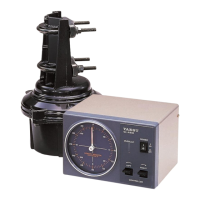
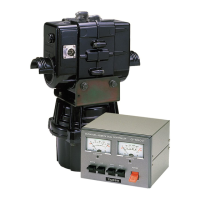
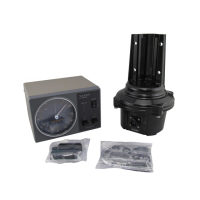
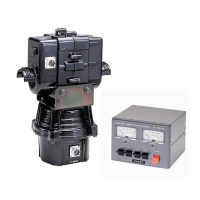
The Yaesu G-800DXA, G-1000DXA, and G-2800DXA are antenna rotators and controllers designed for amateur and professional antenna arrays. These systems allow for remote control of large tower-mounted antennas from a station operating position.

Function Description:

The core function of these devices is to rotate an antenna array to a desired azimuth. The controller provides a 360° radial indication of the actual antenna bearing. Users can select a rotating speed and preset a desired heading for automatic rotation. The G-2800DXA model includes "auto slow start" and "auto slow stop" features to prevent sharp jolts to the antenna array and tower, ensuring a gentle start and stop. The rotator allows for 90° overlapping rotation, enabling a total rotation of 450°. An optional GS-232B Computer Control Unit is available for antenna positioning via a personal computer using an RS-232 serial interface.

Important Technical Specifications:

General:

  • Power Supply Voltage: 117/220 VAC, 50/60 Hz (G-800DXA), 117 VAC, 50/60 Hz (G-1000DXA, G-2800DXA)
  • Power Supply Current Consumption: 1 A (117 VAC), 0.5 A (220 VAC) (G-800DXA), 1.5 A (G-1000DXA, G-2800DXA)
  • Rotor Voltage: 11 ~ 24 VDC
  • Operating Temperature Range: 0 °C to +40 °C (Controller), -20 °C to +40 °C (Rotator)
  • Maximum Continuous Duty: 3 minutes

Rotator Performance:

  • 360° Rotation Time (Non Loaded):
    • G-800DXA/G-1000DXA: 100 ± 10 sec to 40 ± 5 sec (Variable)
    • G-2800DXA: 120 ± 10 sec to 50 ± 5 sec (Variable)
  • Rotation Range: 450°±3°
  • Rotation Torque:
    • G-800DXA: 600 to 1,100 kgf-cm (43 to 80 ft-lbs)
    • G-1000DXA: 6,000 kgf-cm (434 ft-lbs)
    • G-2800DXA: 800 to 2,500 kgf-cm (57 to 180 ft-lbs)
  • Braking Torque:
    • G-800DXA: 4,000 kgf-cm (289 ft-lbs)
    • G-1000DXA: 6,000 kgf-cm (434 ft-lbs)
    • G-2800DXA: 25,000 kgf-cm (1800 ft-lbs)
  • Maximum Vertical Load:
    • Continuous: 200 kg (441 lbs) (G-800DXA/G-1000DXA), 300 kg (661 lbs) (G-2800DXA)
    • Momentary: 800 kg (1764 lbs) (G-800DXA/G-1000DXA), 1,200 kg (2646 lbs) (G-2800DXA)
  • Mast Outside Diameter: φ38 to φ63 (G-800DXA/G-1000DXA), φ48 to φ63 (G-2800DXA)
  • Braking Type: Mechanical and Electrical stoppers
  • Antenna K Coefficient: 180 or less (G-800DXA), 230 or less (G-1000DXA), 950 or less (G-2800DXA)
  • Wind Loading Area:
    • Pole Type: 0.75 m² x 0.6 m or less (G-800DXA/G-1000DXA), 1 m² x 0.8 m or less (G-2800DXA)
    • Tower Type: 2 m² or less (G-800DXA), 2.2 m² or less (G-1000DXA), 3 m² or less (G-2800DXA)

Physical Dimensions:

  • Rotator Dimensions: φ186 x 300 mm (G-800DXA/G-1000DXA), φ200 x 345 mm (G-2800DXA)
  • Rotator Weight: Approx. 3.6 kg (G-800DXA/G-1000DXA), Approx. 6.5 kg (G-2800DXA)
  • Controller Dimensions (W x H x D): 200 x 130 x 193 mm (7.8 x 5.1 x 7.6 inch)
  • Controller Weight: Approx. 2.8 kg (G-800DXA/G-1000DXA), Approx. 3.8 kg (G-2800DXA)

Usage Features:

  • Clamshell Rotator Design: Utilizes 98 3/8-inch dual-stacked circumferential ball bearings for load distribution, minimizing stress and wear. This design also prevents water entry as there is no shaft hole on top.
  • DC Motor Drive: Employs a variable-voltage DC motor, eliminating the need for a large starting capacitor and its associated failure potential due to temperature variations.
  • Durable Construction: The rotator unit is housed in melamine resin-coated die-cast aluminum, designed for maintenance-free operation in all climatic conditions.
  • Mast Alignment Gauge: A gauge on the rotator housing simplifies accurate mechanical alignment during installation.
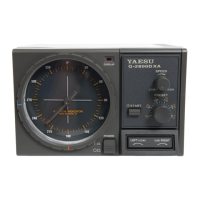
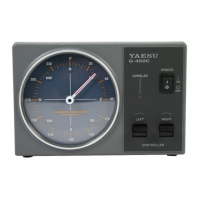
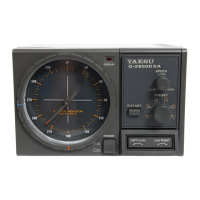
  • Desktop Controller: Features a modern design with a 360° radial azimuth indicator.
  • Speed Control: A SPEED control allows users to adjust the rotating speed between approximately 30 and 100 seconds per 360° revolution (G-800DXA/G-1000DXA) or 50 to 120 seconds per 360° revolution (G-2800DXA).
  • Preset Function: A PRESET control allows setting a desired antenna heading for automatic rotation. The START switch activates this function. The LEFT/RIGHT seesaw switch can abort preset operation.
  • Overlap Indicator: A red LED glows when the antenna rotates beyond 180° from its original installation direction (180°), indicating an overlap in rotation. This helps prevent accidental over-rotation.
  • Stopper Heading Selection: The operator can select the most convenient stopper heading (the bearing through which the rotator cannot be turned) for their location and operation, allowing full rotation through north, south, or both.
  • Control Cable: The G-800DXA and G-1000DXA require the user to supply and prepare a six-conductor control cable. The G-2800DXA includes a 40 m length control cable for simplified installation.
  • External Control Connector: A 6-pin mini-DIN connector is provided for connection to the optional GS-232B Computer Control Unit, enabling PC-based antenna positioning.

Maintenance Features:

  • Factory-Lubricated Rotator: The rotator unit is factory-lubricated for maintenance-free operation.
  • Fuse Holder: The controller includes a fuse holder (2 A for 117 V AC, 1 A for 220 V AC) for easy replacement if the fuse blows.
  • Calibration Potentiometers:
    • FULL SCALE ADJ: Calibrates the maximum rotation angle of the azimuth indicating needle.
    • OVERLAP LED ADJ: Calibrates the OVERLAP Indicator to match the azimuth indicating needle.
    • PRESET ADJ (A & B): Calibrates the PRESET control angle on the front panel to match the azimuth indicating needle, with separate adjustments for near 180° and 270° (450°) positions.
    • OUT VOL ADJ: Presets the voltage range at pin 4 of the EXT CONTROL Connector for calibration of the A-to-D converter on the GS-232B.
  • Indoor Performance Check and Alignment: The manual outlines a detailed procedure for ground-based testing and alignment of the rotator and controller before tower installation, including adjusting the indicator needle, rotation range, and preset accuracy.
  • Dial Heading Sheet Installation: A clear plastic round dial heading sheet is provided, allowing users to customize the upmost compass direction (north, south, east, or west) on the dial.
  • PRESET Knob Calibration: A procedure is provided to align the PRESET knob tracking if necessary, involving removing the knob, setting the potentiometer shaft, and re-attaching the knob.
  • Lightning Protection: Yaesu strongly recommends installing suitable lightning arrestors on all control and coaxial lead-in cables to protect against lethal voltages from lightning strikes.
  • Electrical Storm Precautions: Users are advised to unplug the control cable and AC cable from the wall outlet, and disconnect coaxial cables from antennas during electrical storms if lightning is not in the immediate area.

Yaesu G-800DXA Specifications

General IconGeneral
BrandYaesu
ModelG-800DXA
CategoryController
LanguageEnglish

Related product manuals