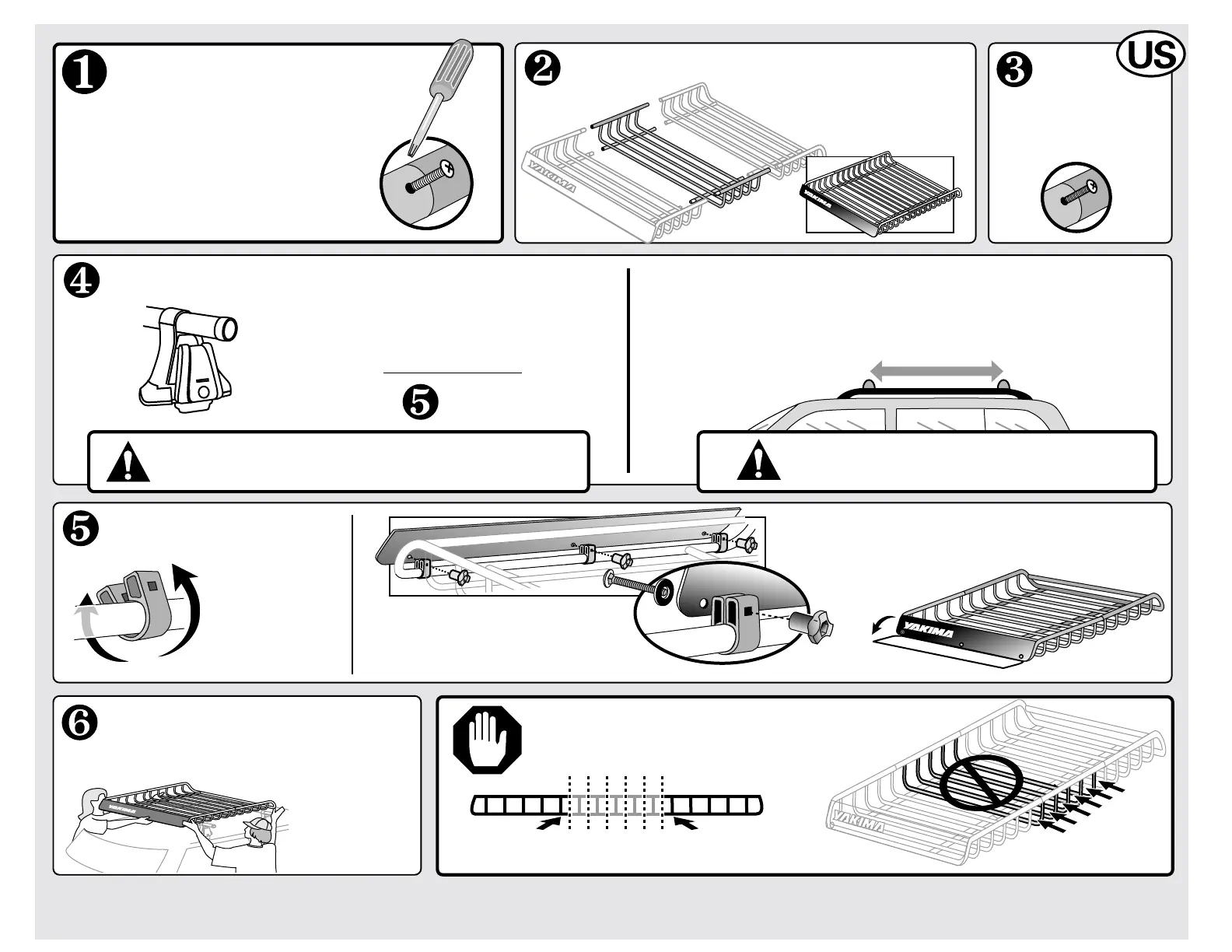
Reassemble hardware and install the Extended LoadWarrior — OR — continue with step 6 of the
LoadWarrior instructions.
IF YOU ALREADY HAVE A
LOADWARRIOR INSTALLED:
Insert screws into
each of the 8 joints
and tighten them.
INSERT THE LOADWARRIOR EXTENSION.
IF YOU HAVE BARS THAT CAN BE MOVED…
Move the bars apart to a minimum of 30".
ATTACH FAIRING.
Pry open the
SnapArounds,
attach them
to the LOWER
FRONT BAR.
• Insert bolts through washers,
fairing and SnapArounds.
• Attach knobs and TIGHTEN.
NOTE: The fairing can fold
down when carrying long
slender loads.
LOAD BASKET ONTO RACKS.
Center basket over your
rack’s crossbars.
DO NOT ATTACH BRACKETS
TO UNSTABLE POINTS.
Do not attach brackets at these locations.
•IF YOU HAVE FIXED BARS: •IF YOUR BARS MOVE:
(SIDE VIEW)
A friend
would make
this easier .
Q TOWER OWNERS:
NEVER REPOSITION THE Q TOWERS!
TIGHTEN YOUR CROSSBARS
IF YOU LOOSENED THEM.
IF YOU HAVE “Q TOWERS”
OR BARS THAT
CANNOT MOVE…
Continue to STEP
.
• Remove it from your car.
• Disassemble the brackets and set
them aside.
• Separate the two basket halves by
removing the screws at the joints.



 To Next Page