Input Channels
9
Studio Manager for 01V96—Owner’s Manual
Input Channels
A
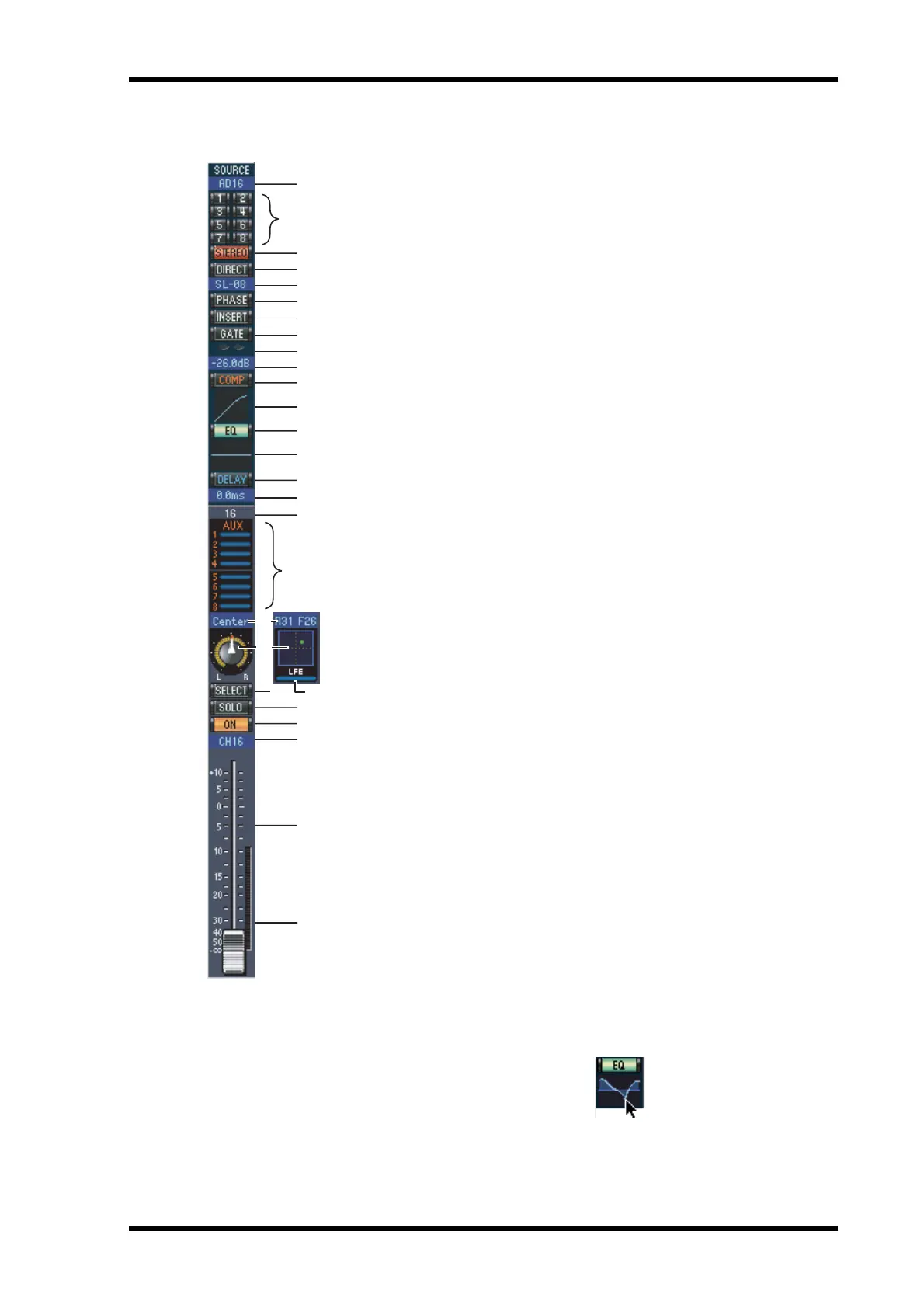
SOURCE parameter
This parameter is used to select an Input source. To select an
Input source, click the parameter and choose from the list that
appears.
B
Routing buttons
These buttons are used to route the Input Channel to the Bus
Outs.
C
STEREO button
This button is used to route the Input Channel’s signal to the
Stereo Out.
D
DIRECT button
This button turns on and off the Input Channel’s routing to its
Direct Out.
E
Direct Out parameter
This parameter is used to select the Direct Out destination. To
select a destination, click the parameter and choose from the list
that appears.
F
PHASE button
This button is used to reverse the signal phase of the channel.
G
INSERT button
This button is used to turn on and off the Input Channel’s
Insert.
H
GATE button
This button is used to turn on and off the Input Channel’s Gate.
I
Gate open/close indicators
These indicators display whether the Gate is open (green) or
closed (red).
J
Gate threshold
This displays the Gate Threshold, which can be set by dragging.
K
COMP button
This button is used to turn on and off the Input Channel’s Com-
pressor.
L
Compressor curve
This display shows the Compressor’s curve.
M
EQ button
This button is used to turn on and off the Input Channel’s EQ.
N
EQ curve
This display shows the Equalizer’s curve, which can be set by
dragging.
O
DELAY button
This button is used to turn on and off the Input Channel’s Delay
function.
B
C
D
6
7
9
K
J
L
M
N
O
P
Q
R
W
X
Y
Z
8
5
a
1
T
V
U
S


 To Next Page