EasyManua.ls Logo

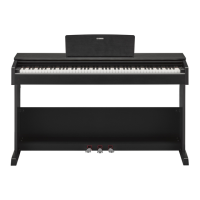
Yamaha Arius YDP-103 - User Manual

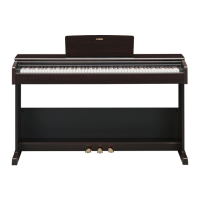
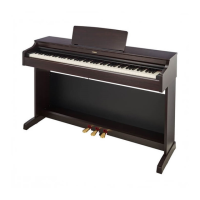
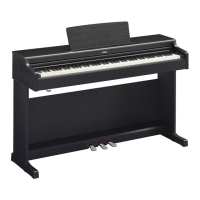
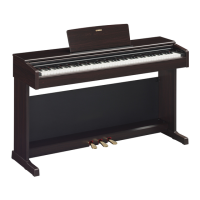
Yamaha Arius YDP-103
28 pages
Print Icon
To Next Page IconTo Next Page
Loading...
EN
YDP
-
103
Owner’s Manual
Before using the instrument, be sure to read “PRECAUTIONS” on pages 5-7.
For information on assembling the instrument, refer to the instructions at the end of this
manual.

Questions and Answers

  • J
    Julia JordanJul 27, 2025
    Why is the volume low or no sound on my Yamaha Arius YDP-103?
    • J
      John BurkeJul 27, 2025
      If the overall volume is low or no sound is heard on your Yamaha Musical Instrument, the Master Volume might be set too low. Adjust it to an appropriate level using the [MASTER VOLUME] knob. Also, ensure that headphones or a conversion adapter are not connected to the [PHONES] jack.
  • T
    Tyrone SchmidtJul 31, 2025
    How to fix a Yamaha Arius YDP-103 Musical Instrument that does not turn on?
    • D
      Donald KlineJul 31, 2025
      If your Yamaha Musical Instrument doesn't turn on, the plugs might not be properly connected. Ensure the DC plug is securely inserted into the DC IN jack on the instrument and the AC plug is securely inserted into the AC outlet.
  • M
    Mr. Mark BatesAug 4, 2025
    Why is there noise from the speakers or headphones of my Yamaha Arius YDP-103 Musical Instrument?
    • W
      William CamposAug 4, 2025
      Noise from the speakers or headphones of your Yamaha Musical Instrument may be due to interference caused by a mobile phone nearby. Try turning off the mobile phone or moving it further away from the instrument.
  • R
    Rebecca GarciaAug 8, 2025
    What to do if the pedals do not function on my Yamaha Musical Instrument?
    • K
      kelly06Aug 8, 2025
      If the pedals do not function on your Yamaha Musical Instrument, the pedal cord may not be securely connected to the [TO PEDAL] jack. Ensure you insert the pedal cord all the way until the metal part of the cord plug disappears from view.
  • S
    shellylangAug 13, 2025
    How to stop my Yamaha Arius YDP-103 Musical Instrument from turning off unexpectedly?
    • W
      walshjasonAug 13, 2025
      If your Yamaha Musical Instrument unexpectedly turns off, you can disable the Auto Power Off function.
  • C
    Crystal AndrewsAug 17, 2025
    What to do if the damper pedal does not function as expected on Yamaha Arius YDP-103?
    • L
      Lynn SmithAug 17, 2025
      If the damper pedal on your Yamaha Musical Instrument isn't functioning as expected, it might have been pressed when the power was turned on. Release the pedal and press it again to reset the function.
  • J
    Jeffrey MorrisAug 21, 2025
    How to avoid noise when using Yamaha Arius YDP-103 Musical Instrument with iPhone/iPad app?
    • D
      Dwayne ShafferAug 21, 2025
      When using your Yamaha Musical Instrument with an application on an iPhone/iPad, set “Airplane Mode” to “ON” to avoid noise caused by communication.

Summary

Safety Precautions

AC Adaptor Safety

Safety warnings and precautions for the AC adapter.

General Instrument Safety

Core safety warnings for the YDP-103, including power, water, and fire hazards.

Power & Connection Safety

Precautions for power supply, AC adapter, and connecting other equipment.

Assembly and Placement

Guidelines for safe assembly and choosing a suitable location for the instrument.

Handling and Usage Cautions

Advice on safe operation, handling, and using accessories like the bench.

Panel Controls and Terminals

Power Controls

The standby/on switch and master volume knob for instrument power and audio.

Function and Voice Buttons

Button for recalling Grand Piano voice and accessing various functions.

Power and Volume Control

Turning the Power On

Steps for connecting the AC adapter and powering up the instrument.

Selecting and Playing Voices

Pedal Functions

Explanation of the damper, soft, and sostenuto pedals and their effects.

Connecting Other Equipment

MIDI Settings Configuration

Configuring MIDI transmit channels and other MIDI parameters.

Data Backup and Initializing

Initializing Backup Data

Instructions on how to reset the instrument's backup data to factory settings.

Troubleshooting

Power Issues

Solutions for power suddenly turning off or the instrument not turning on.

Audio and Noise Problems

Troubleshooting audio issues like clicks, pops, and unwanted noise.

Pedal Malfunctions

Solutions for pedals not functioning correctly or as expected.

Keyboard Stand Assembly

Assembling the Stand Base

Step-by-step instructions for assembling the main base structure of the stand.

Attaching the Main Unit Support

Securing the part that supports the main keyboard unit onto the base.

Yamaha Arius YDP-103 Specifications

General IconGeneral
TypeDigital Piano
Keyboard88-key Graded Hammer Standard (GHS) keyboard
Sound EngineAWM Stereo Sampling
Polyphony64
Voices10
Amplifiers6W x 2
Speakers12cm x 2
Pedals3 (Damper, Sostenuto, Soft)
Dual/LayersYes
Duo ModeYes
Number of Preset Songs10 Demo Songs, 10 Piano Preset Songs
MetronomeYes
USB to HostYes
Headphone Jacks2
Touch SensitivityHard/Medium/Soft/Fixed
Weight37.5 kg (82 lbs., 11 oz)
ReverbYes
TransposeYes
Tuning414.8 - 440.0 - 466.8 Hz
Included AccessoriesOwner's Manual
Recorder1-track, 1-song

Related product manuals