EasyManua.ls Logo

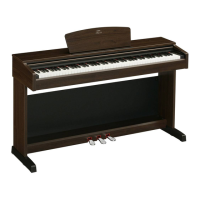
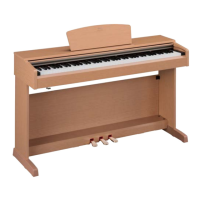
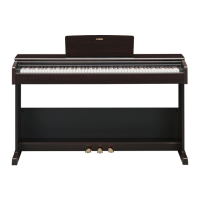
Yamaha ARIUS YDP-145 - User Manual

Yamaha ARIUS YDP-145
48 pages
Print Icon
To Next Page IconTo Next Page
Loading...
Owner’s Manual
Before using the instrument, be sure to read “PRECAUTIONS” on pages 4-5.
For information on assembling the instrument, refer to the instructions at the end of this
manual.
EN
YDP
-
165
YDP
-
145
YDP
-
S55
YDP
-
S35
DIGITAL PIANO

Table of Contents

Other manuals for Yamaha ARIUS YDP-145

Questions and Answers

  • M
    Melissa CookAug 14, 2025
    How to fix low volume on Yamaha ARIUS YDP-145 Musical Instrument?
    • M
      Michael WoodsAug 14, 2025
      If the overall volume is low or no sound is heard on your Yamaha Musical Instrument, ensure the Master Volume isn't set too low by adjusting the [MASTER VOLUME] knob. Also, check that headphones or a conversion adapter aren't connected to the [PHONES] jack. Verify that the Speaker setting is set to 'Normal' or 'On,' and the Volume Limiter setting is set to 'Off'. Finally, ensure that Local Control is On.
  • K
    Krista TrujilloAug 17, 2025
    What to do if I hear noise from Yamaha Musical Instrument speakers?
    • N
      Nicholas TuckerAug 17, 2025
      If you're hearing noise from the speakers or headphones of your Yamaha Musical Instrument, the noise may be due to interference caused by a mobile phone nearby. Try turning off the mobile phone or moving it further away from the instrument. Alternatively, when using the instrument with an application on your smart device, set “Airplane Mode” to “ON” on your smart device to avoid communication-related noise.
  • J
    James SmithAug 21, 2025
    Why won't my Yamaha ARIUS YDP-145 Musical Instrument turn on?
    • D
      Dominique MurphyAug 21, 2025
      If your Yamaha Musical Instrument isn't turning on, make sure that the DC plug is securely inserted into the DC IN jack on the instrument, and that the AC plug is securely inserted into the AC outlet.
  • L
    Luis LynchAug 26, 2025
    How to troubleshoot Yamaha ARIUS YDP-145 pedals that don't work?
    • A
      ashleynewtonAug 26, 2025
      If the pedals on your Yamaha Musical Instrument aren't functioning, ensure that the pedal cord is securely connected to the [TO PEDAL] jack. Be sure to insert the pedal cord all the way until the metal part of the cord plug disappears from view.
  • W
    whendersonAug 28, 2025
    How to stop my Yamaha ARIUS YDP-145 Musical Instrument from turning off unexpectedly?
    • M
      Matthew KennedyAug 28, 2025
      If your Yamaha Musical Instrument is unexpectedly turning off, you can disable the Auto Power Off function.
  • K
    Kaitlin BarrettSep 1, 2025
    Why are the [+R] and [?L] lamps flashing on my Yamaha Musical Instrument?
    • C
      claytonprestonSep 1, 2025
      The [+R] and [?L] lamps may flash on your Yamaha Musical Instrument when the internal processing of the product is taking a long time. This is normal.
  • J
    Jessica WebsterSep 5, 2025
    Why does the Yamaha ARIUS YDP-145 piano voice sound wrong?
    • S
      Sara MartinSep 5, 2025
      This is no problem. Yamaha develops the Piano Voices so that the original piano sound is reproduced as faithfully as possible.
  • D
    David TranSep 8, 2025
    Why does my Yamaha ARIUS YDP-145 Musical Instrument make a rattling noise when I play the keys?
    • M
      Mrs. Michelle Guerra DDSSep 9, 2025
      This is no problem. The keyboard mechanism of this product is designed to simulate the actual noises of an acoustic piano.

Summary

Safety Instructions

AC Adaptor Safety

Specific safety precautions for the AC adaptor.

Precautions

Power Supply Safety

Guidelines for safe power supply connection and usage.

Water, Fire, and Bench Warnings

Warnings related to water, fire, and safe bench usage.

Handling and Location Precautions

Panel Controls and Terminals

YDP-165;YDP-145 Controls Overview

Layout and function of controls for YDP-165/145.

YDP-S55;YDP-S35 Controls Overview

Layout and function of controls for YDP-S55/S35.

Basic Operations

Setting Up the Instrument

Initial setup procedures for the digital piano.

Turning the Power On and Off

Audio Output Settings

Intelligent Acoustic Control (IAC)

Playing the Piano

Using the Pedals

Explanation of Damper, Sostenuto, and Soft pedal functions.

Piano Performance Features

VRM Lite Function

Virtual Resonance Modeling Lite for realistic piano sound.

Touch Sensitivity Settings

Adjusting how playing strength affects sound volume.

Using the Metronome

Advanced Operations

Playing Various Musical Instrument Sounds (Voices)

How to select and use different instrument voices.

Pitch Adjustment

Transposing the Pitch in Semitones

Shifting the keyboard's pitch in semitones.

Fine-tuning the Pitch

Adjusting the pitch in small increments.

Layering Two Voices (Dual mode)

Playing Duo

Song Playback and Practice

Practice Features

Recording Your Performance

Managing Recorded Songs

Computer and Smart Device Connectivity

Data Management and Initialization

Appendix

Troubleshooting Common Issues

Solutions for common instrument problems.

Keyboard Stand Assembly

YDP-165, YDP-145 Assembly Steps

YDP-S55, YDP-S35 Assembly Steps

Specifications

Yamaha ARIUS YDP-145 Specifications

General IconGeneral
Keyboard88-key Graded Hammer Standard (GHS) keyboard
Sound EngineYamaha CFX
Voices10
Amplifiers8W x 2
Speakers12cm x 2
Reverb4 types
Intelligent Acoustic Control (IAC)Yes
Stereophonic OptimizerYes
Damper ResonanceYes
Number of Preset Songs10 Voice Demo Songs + 50 Classics
MetronomeYes
Tempo Range5 - 280
Transpose-6 to 0, 0 to +6
Tuning414.8 - 440.0 - 466.8 Hz
Auto Power OffYes
Touch SensitivityHard/Medium/Soft/Fixed
Polyphony192
Weight38.0 kg
Recording1-track, 1 song
Data CapacityApprox. 11, 000 notes
ConnectivityUSB TO HOST
Power Consumption9W
Included AccessoriesOwner's Manual, Song Book

Related product manuals