EasyManua.ls Logo

Yamaha ARIUS YDP-165 - User Manual

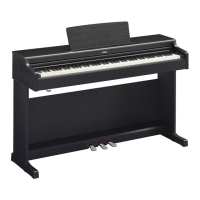
Yamaha ARIUS YDP-165
48 pages
Print Icon
To Next Page IconTo Next Page
Loading...
Owner’s Manual
Before using the instrument, be sure to read “PRECAUTIONS” on pages 4-5.
For information on assembling the instrument, refer to the instructions at the end of this
manual.
EN
YDP
-
165
YDP
-
145
YDP
-
S55
YDP
-
S35
DIGITAL PIANO

Table of Contents

Other manuals for Yamaha ARIUS YDP-165

Questions and Answers

  • E
    Eric TaylorAug 12, 2025
    How to fix low volume on Yamaha ARIUS YDP-165?
    • M
      Michael AustinAug 12, 2025
      If the overall volume is low or no sound is heard on your Yamaha Musical Instrument, ensure the Master Volume isn't set too low by adjusting the [MASTER VOLUME] knob. Also, check that headphones or a conversion adapter aren't connected to the [PHONES] jack. Verify that the Speaker setting is set to 'Normal' or 'On,' and the Volume Limiter setting is set to 'Off'. Finally, ensure that Local Control is On.
  • R
    rsheltonAug 16, 2025
    What to do if I hear noise from Yamaha Musical Instrument speakers?
    • V
      Valerie CastilloAug 16, 2025
      If you're hearing noise from the speakers or headphones of your Yamaha Musical Instrument, the noise may be due to interference caused by a mobile phone nearby. Try turning off the mobile phone or moving it further away from the instrument. Alternatively, when using the instrument with an application on your smart device, set “Airplane Mode” to “ON” on your smart device to avoid communication-related noise.
  • G
    Gavin SpenceAug 20, 2025
    Why won't my Yamaha ARIUS YDP-165 turn on?
    • J
      James ClarkAug 20, 2025
      If your Yamaha Musical Instrument isn't turning on, make sure that the DC plug is securely inserted into the DC IN jack on the instrument, and that the AC plug is securely inserted into the AC outlet.
  • S
    Sheryl BurgessAug 23, 2025
    How to troubleshoot Yamaha ARIUS YDP-165 pedals that don't work?
    • M
      michael85Aug 23, 2025
      If the pedals on your Yamaha Musical Instrument aren't functioning, ensure that the pedal cord is securely connected to the [TO PEDAL] jack. Be sure to insert the pedal cord all the way until the metal part of the cord plug disappears from view.
  • A
    averyjoshuaAug 27, 2025
    How to stop my Yamaha ARIUS YDP-165 from turning off unexpectedly?
    • G
      Gabriella OneillAug 27, 2025
      If your Yamaha Musical Instrument is unexpectedly turning off, you can disable the Auto Power Off function.
  • Z
    Zachary CooperAug 30, 2025
    Why are the [+R] and [?L] lamps flashing on my Yamaha ARIUS YDP-165 Musical Instrument?
    • A
      Alicia SandovalAug 30, 2025
      The [+R] and [?L] lamps may flash on your Yamaha Musical Instrument when the internal processing of the product is taking a long time. This is normal.
  • C
    carlos68Sep 4, 2025
    Why does the Yamaha ARIUS YDP-165 Musical Instrument piano voice sound wrong?
    • J
      James SmithSep 4, 2025
      This is no problem. Yamaha develops the Piano Voices so that the original piano sound is reproduced as faithfully as possible.
  • N
    Nicholas CampbellSep 7, 2025
    Why does my Yamaha Musical Instrument make a rattling noise when I play the keys?
    • S
      Shannon LeonardSep 7, 2025
      This is no problem. The keyboard mechanism of this product is designed to simulate the actual noises of an acoustic piano.

Summary

IMPORTANT SAFETY INSTRUCTIONS

CAUTION

Warning about electric shock and not opening the cover. No user-serviceable parts inside.

Explanation of Graphical Symbols

Explains the meaning of electrical safety symbols used in the manual.

PRECAUTIONS

Power supply

Precautions related to power cord, plug, voltage, and electrical storms.

Water warning

Warnings against exposing the instrument to rain, water, or wet environments.

Fire warning

Advice against placing flammable items or open flames near the product.

Using the bench (if included)

Safety guidelines for using the piano bench to prevent accidents or injury.

Panel Controls and Terminals

YDP-165, YDP-145 Panel Controls

Details the controls and terminals for the YDP-165 and YDP-145 models.

YDP-S55, YDP-S35 Panel Controls

Details the controls and terminals for the YDP-S55 and YDP-S35 models.

Basic Operations

Setting Up

Instructions for initial setup, including key cover and music rest.

Turning the Power On

Step-by-step guide for connecting the AC adaptor and turning the instrument on.

Auto Power Off Function

Explains how to enable or disable the automatic power-off feature.

Volume Limiter Function

Describes the function to limit the maximum volume output.

Using Headphones

Guidance on connecting headphones and adjusting settings for headphone use.

Speaker On;Off setting

How to control whether the instrument's speakers are active.

Playing the Piano

Intelligent Acoustic Control (IAC)

Describes IAC function for automatic sound quality adjustment based on volume.

Using the Pedals

Explains the function and usage of the damper, sostenuto, and soft pedals.

Using the VRM Lite Function

Details the VRM Lite function for realistic string resonance simulation.

Changing the Touch Sensitivity

How to adjust the keyboard's response to playing strength.

Using the Metronome

Guide to using the metronome for practice, including tempo and beat settings.

Advanced Operations

Playing Various Musical Instrument Sounds (Voices)

Guide to selecting and exploring different instrument sounds available on the piano.

Listening to the Demo Songs

Instructions for playing the built-in demonstration songs.

Adding Variations to the Sound (Reverb)

Explains how to add reverb effects to enhance the instrument's sound.

Transposing the Pitch in Semitones

How to shift the keyboard pitch up or down in semitones.

Layering Two Voices (Dual mode)

How to combine two different instrument voices for a richer sound.

Playing Duo

Feature allowing two people to play the instrument simultaneously.

Song Playback and Practice

Listening to Preset Songs

How to play back built-in preset songs, including music books.

Practicing a One-Hand Part

Method for practicing songs by isolating either the left or right hand part.

Playing Back Immediately from the First Note (Quick Play)

Feature to control whether playback starts immediately or waits for rests.

Recording Your Performance

Recording Your Performance

Instructions for recording keyboard performances as User Songs.

Changing the Initial Settings of the Recorded Song

How to modify parameters like voice and reverb after recording.

Deleting Recorded Data

Procedures for deleting recorded songs or specific parts.

Using with a Computer or a Smart Device

Using an App on Your Smart Device

Guide to using smart device apps like "Smart Pianist" for enhanced control.

Playback;Recording of Audio Data (USB Audio Interface)

How to play back or record audio data via USB connection.

Backing up Data and Initializing the Settings

Initializing the Settings

How to reset all settings to factory defaults, except User Songs.

Confirming the firmware version of this instrument

Method to check the instrument's current firmware version.

Appendix

Troubleshooting

Common problems and their possible causes and solutions.

Keyboard Stand Assembly

YDP-165, YDP-145 Assembly

Step-by-step instructions for assembling the keyboard stand for specific models.

YDP-S55, YDP-S35 Assembly

Step-by-step instructions for assembling the keyboard stand for specific models.

Specifications

Song List

U.S. LIMITED WARRANTY for Customers in the United States

Yamaha ARIUS YDP-165 Specifications

General IconGeneral
Sound EngineYamaha CFX
Voices10
Amplifiers20W x 2
Speakers12cm x 2
Reverb4 types
Intelligent Acoustic Control (IAC)Yes
Stereophonic OptimizerYes
Damper ResonanceYes
Number of Preset Songs10 Voice Demo Songs + 50 Classics
MetronomeYes
Touch SensitivityHard/Medium/Soft/Fixed
Polyphony256
Weight42 kg (92 lbs. 10 oz.)
ConnectivityUSB to Host
Recording2-track recording
TransposeYes (-6 to 0, 0 to +6)
Tuning414.8 - 440.0 - 466.8 Hz
EffectsReverb, Damper Resonance, Stereophonic Optimizer
Included AccessoriesSong Book
Keyboard88 keys, Graded Hammer 3 (GH3) keyboard with synthetic ebony and ivory keytops

Related product manuals