EasyManua.ls Logo

Yamaha Arius YDP-105 - User Manual

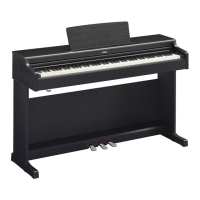
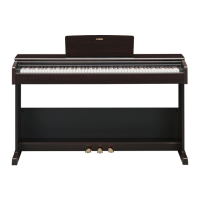
Yamaha Arius YDP-105
24 pages
Print Icon
To Next Page IconTo Next Page
Loading...
ES
Owner’s Manual
Mode d’emploi
Manual de instrucciones
Before using the instrument, be sure to read “PRECAUTIONS” on pages 4-5.
For information on assembling the instrument, refer to the instructions at the end of this
manual.
Avant d’utiliser l’instrument, lisez attentivement la section « PRÉCAUTIONS D’USAGE »
aux pages 4 et 5.
Pour plus d’informations sur l’assemblage de l’instrument, reportez-vous aux instructions
figurant à la fin de ce manuel.
Antes de utilizar el instrumento, lea las “PRECAUCIONES”, en las páginas 4-5.
Para obtener más informacn sobre el montaje del instrumento, consulte las
instrucciones que encontrará al final de este manual.
EnglishFrançaisEspañol
FR
EN
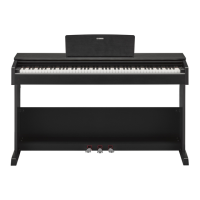
YDP
-
105
DIGITAL PIANO
PIANO NUMÉRIQUE
PIANO DIGITAL

Other manuals for Yamaha Arius YDP-105

Questions and Answers

  • T
    Tyler CrosbyJul 28, 2025
    Why is the volume low or no sound is heard on my Yamaha Arius YDP-105 Musical Instrument?
    • J
      jared99Jul 28, 2025
      There are several reasons why the volume might be low or absent. First, check the [MASTER VOLUME] knob and ensure it's set to an appropriate level. Second, make sure that headphones or a conversion adaptor aren't connected to the [PHONES] jack. Finally, verify that the Volume Limiter setting is 'Off', as it may be set to 'On'.
  • A
    Ashley BurtonAug 2, 2025
    How to stop noise from Yamaha Arius YDP-105 Musical Instrument speakers or headphones?
    • L
      Leslie GregoryAug 2, 2025
      The noise you're hearing might be due to interference from a nearby mobile phone. Try turning off your mobile phone or moving it further away from the instrument. Also, when using the instrument with an application on your smart device, setting 'Airplane Mode' to 'ON' on your smart device can help avoid noise caused by communication.
  • P
    Patrick SmithAug 7, 2025
    What to do if my Yamaha Arius YDP-105 does not turn on?
    • J
      joseph14Aug 7, 2025
      If your instrument isn't turning on, ensure that the DC plug is securely inserted into the DC IN jack on the instrument, and that the AC plug is securely inserted into the AC outlet.
  • R
    Randy Miller MDAug 13, 2025
    Why does my Yamaha Arius YDP-105 Musical Instrument power suddenly turn off?
    • V
      Vicki FrederickAug 13, 2025
      The sudden power off is normal; the Auto Power Off function may have been activated. If you prefer, you can disable the Auto Power Off function.
  • A
    Amanda ThomasAug 17, 2025
    How to fix Yamaha Musical Instrument pedals that don't function?
    • C
      Charles BestAug 18, 2025
      If the pedals aren't functioning, the pedal cord may not be securely connected to the [TO PEDAL] jack. Ensure you insert the pedal cord all the way until the metal part of the cord plug disappears from view.
  • K
    Kathryn MarksAug 22, 2025
    What to do if Yamaha Arius YDP-105 Musical Instrument damper pedal does not function as expected?
    • J
      Joshua PadillaAug 23, 2025
      If the damper pedal isn't working as expected, and it was pressed when the power was turned on, release the pedal and press it again to reset the function. This is not a malfunction.

Summary

Important Safety Instructions

Precautions for Safe Operation

Power Supply Safety Precautions

Guidelines for safe use of the power cord and AC adaptor to prevent electric shock and fire.

Water and Fire Hazard Warnings

Warnings against exposing the instrument to water, moisture, or flammable materials.

Handling Abnormalities and General Usage

Moving and Installing the Instrument

Panel Controls and Terminals Overview

Power, Volume, and Function Controls

Explanation of the power switch, master volume knob, and Grand Piano/Function button.

Headphone and Pedal Jacks

Details on headphone output and pedal connection jacks.

AC Adaptor Input and Pedal Functions

Information on the DC IN jack for power and the functions of the left, center, and right pedals.

Setting Up Your Digital Piano

Power On Procedure

Step-by-step instructions for connecting the AC adaptor and turning on the instrument.

Operational Functions Management

Instrument Functions Explained

Touch Sensitivity and Transpose

Adjusting how the instrument responds to playing touch and transposing the pitch.

Smart Pianist App Integration

Using the Piano Pedals

Damper Pedal Functions

Detailed explanation of the damper pedal, including half-pedal and Damper Resonance.

Soft and Sostenuto Pedal Usage

How to use the soft pedal for timbre changes and the sostenuto pedal for sustaining notes.

Data Lists and Settings Reference

Keyboard Stand Assembly Guide

Data Management and Troubleshooting

Data Backup and Initialization Procedures

Instructions for backing up settings and initializing the instrument to factory defaults.

Instrument Troubleshooting Guide

Common problems and their solutions for the digital piano.

Yamaha Arius YDP-105 Specifications

General IconGeneral
Keyboard TypeGraded Hammer Standard (GHS) keyboard
Number of Keys88
Polyphony64
Voices10
Speakers12 cm x 2
TypeDigital Piano
Reverb4 types
ChorusNo
Dual/LayersYes
MetronomeYes
TransposeYes
Touch SensitivityHard/Medium/Soft/Fixed
EffectsReverb
Weight37.5 kg
Demo/Preset Songs10 Voice Demo Songs
Power SupplyPA-150 or an equivalent recommended by Yamaha
Sound EngineYamaha CFX
Included AccessoriesOwner's Manual
ConnectivityUSB TO HOST
Dimensions1, 357 x 815 x 422 mm (with stand)

Related product manuals