EasyManua.ls Logo

Yamaha AX-1090 - User Manual

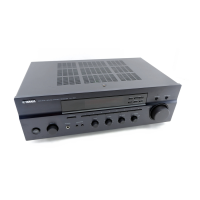
Yamaha AX-1090
16 pages
Print Icon
To Next Page IconTo Next Page
Loading...
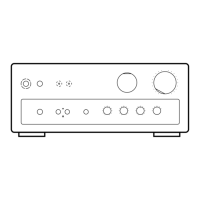
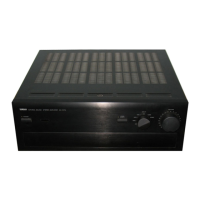
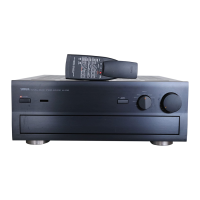
Natural Sound Stereo Integrated Amplifier
Préampli/ampli de puissance stéréo de la série “Natural Sound”
Natural Sound Stereo-Verstärker
Natural Sound Integrerad Stereo Förstärkare
Amplificatore integrato stereo a Suono Naturale
Amplificador integrado estéreo de Sonido Natural
Natural Sound Geïntegreerde Stereo Versterker
AX-1090
OWNER’S MANUAL
MODE D’EMPLOI
BEDIENUNGSANLEITUNG
BRUKSANVISNING
MANUALE DI ISTRUZIONI
MANUAL DE INSTRUCCIONES
GEBRUIKSAANWIJZING

Questions and Answers

  • K
    kyleromanAug 12, 2025
    Why is there no sound coming from my Yamaha Amplifier?
    • S
      Stephanie GardnerAug 12, 2025
      If there's no sound coming from your Yamaha Amplifier, ensure the output cords are correctly connected and not defective. Also, make sure you've selected the right input source using the INPUT selector and that the SPEAKERS switch is properly set to the ON position for the speakers you are using. Finally, check that all speaker connections are secure.
  • J
    Jonathan CuevasAug 16, 2025
    What to do if the sound suddenly goes off on my Yamaha AX-1090?
    • R
      racheldiazAug 16, 2025
      If the sound suddenly cuts off on your Yamaha Amplifier, it's likely that the protection circuit has been activated due to a short circuit or similar issue. To reset it, turn the unit off and then back on.
  • M
    Mr. Ricky Robinson MDAug 19, 2025
    Why is the remote control range decreased on my Yamaha AX-1090 Amplifier?
    • T
      timothy32Aug 20, 2025
      If the remote control transmitter for your Yamaha Amplifier has a reduced range, replace the batteries with new ones.
  • C
    Corey TurnerAug 23, 2025
    Why does only one side speaker output sound on my Yamaha Amplifier?
    • C
      Cindy PerezAug 25, 2025
      If your Yamaha Amplifier only outputs sound from one speaker, check the BALANCE control and adjust it to the correct position. Also, verify that all cord connections are correct and that the cords are not defective.
  • G
    Gary GomezAug 27, 2025
    Why is the sound distorted when playing a record on my Yamaha Amplifier?
    • J
      james11Aug 27, 2025
      If you experience low volume or distortion when playing a record on your turntable with the Yamaha Amplifier, ensure the LOUDNESS control is set to the FLAT position. Also, verify that the PHONO (MM/MC) switch is in the correct position. If the MUTING key is ON, turn the volume control to the full left, then turn the MUTING key OFF with the remote control and adjust the volume.
  • J
    Jeremy GilmoreAug 31, 2025
    Why is there a lack of bass and ambience in my Yamaha Amplifier sound?
    • L
      Lindsey MartinezAug 31, 2025
      If your Yamaha Amplifier lacks bass and ambience, check the speaker wires to ensure that the + and – wires are correctly connected at both the amplifier and the speakers.
  • C
    chandlermarkSep 3, 2025
    How to stop Yamaha AX-1090 Amplifier from humming?
    • E
      Erika WalkerSep 3, 2025
      If your Yamaha Amplifier is emitting a humming sound, ensure that all audio plugs are firmly connected. If the issue continues, the cords may be defective. Also, if you're using a turntable, make sure it's properly connected to the GND terminal on the unit.
  • R
    Rachel AlexanderSep 7, 2025
    Why don't tone controls work on my Yamaha AX-1090?
    • R
      Rebecca FergusonSep 7, 2025
      If the BASS, TREBLE, BALANCE, LOUDNESS controls, SUBSONIC FILTER switch, and MODE switch are not affecting the tone on your Yamaha Amplifier, the PURE DIRECT switch is likely ON. Turn the PURE DIRECT switch OFF to use these controls.

Summary

Key Features

Power and Performance

Details the 145W+145W RMS output, 0.01% THD, and dynamic power capabilities.

Sound Quality Controls

Highlights controls like Loudness, Pure Direct, Subsonic Filter, and Turnover Frequency for audio tuning.

Essential Operating Precautions

Installation and Safety

Covers proper installation environment, ventilation, and electrical safety warnings.

Important Information and Warnings

Includes recording serial number, and crucial warnings about fire and electric shock hazards.

Component Connections

Connection Guidelines

General advice on connecting components, ensuring correct L/R and +/- polarity.

Yamaha Component Integration

Utilizing numbered terminals for easy connection of compatible Yamaha components.

Switched AC Outlets

Outlet Functionality

Connect component power cords; outlets are controlled by the unit's power switch.

Power Capacity

Maximum total power consumption of connected components is 200 watts.

Speaker Connections

Speaker Wire Guidelines

Connect speaker terminals with proper gauge wire, ensuring correct polarity and avoiding shorts.

Speaker System Configuration

Supports one or two speaker systems; use appropriate terminals (A or B) and impedance.

Rear Panel Components

Remote Control Connector

Connects Yamaha turntables for remote control of turntable functions.

Ground Terminal

Used for turntable ground connection to minimize hum.

PRE OUT;MAIN IN Terminals

For signal processors or use as a power amplifier; requires jumper pin removal.

Front Panel Controls

Power and Indicator Controls

Describes the Power Switch, Power Indicator, and Remote Control Sensor.

Source and Volume Controls

Details the Input Selector and Volume Control for audio playback.

Speaker and Headphone Output

Explains Speaker switches (A/B) and the PHONES jack.

Tone and Mode Controls

Bass and Treble Adjustment

Covers Bass, Treble, and Turnover Frequency controls for tone shaping.

Sound Filtering and Mode

Explains the Subsonic Filter and Mode (Stereo/Monaural) switches.

Balance and Loudness

Details the Balance control and Continuously Variable Loudness control.

Remote Control Operation

Unit Control Functions

Describes remote functions for input selection, muting, volume, and power.

Component Control Functions

Explains how the remote controls Tape Decks, Tuner, CD Player, and Turntable.

Playback Operations

Playing an Audio Source

Step-by-step guide to selecting input, speakers, playing source, and adjusting volume.

Tone Control Adjustments

Guidance on using Bass, Treble, Balance, and Loudness controls.

Recording and Dubbing

Recording a Source to Tape

Steps for selecting source, playing, setting tape deck, and monitoring recording.

Tape Dubbing Procedures

Instructions for dubbing from one tape deck to another, including limitations.

Advanced Control Functions

Balance and Speaker System

Adjusting speaker balance and selecting speaker systems (A, B, or both).

Tone and Loudness Control

Detailed guide on adjusting Bass, Treble, Turnover Frequency, and Loudness controls.

Specialized Operation Modes

Pure Direct Sound

Enables purest sound by bypassing tone and filter controls.

Phono Cartridge Matching

Switching between MM and MC phono cartridge types.

Subsonic Filter and Mode

Setting the Subsonic Filter and Mode (Stereo/Monaural) switches.

Remote Control Transmitter Notes

Battery Installation and Replacement

Instructions for inserting, replacing, and handling batteries for the remote.

Operating Range and Interference

Guidance on optimal remote operation range and avoiding interference.

Troubleshooting Common Issues

Power and Sound Problems

Addresses issues like unit not turning on, no sound, or sound cutting off.

Audio Quality and Remote Issues

Covers problems with sound quality (hum, distortion) and remote control operation.

Technical Specifications

Output Power and Frequency Response

Details RMS output power, dynamic power, and frequency response characteristics.

Input Sensitivity and Noise Levels

Specifies input sensitivity, impedance, signal-to-noise ratios, and residual noise.

Filter, Tone, and Other Features

Lists specifications for filters, tone controls, loudness, and other performance parameters.

Yamaha AX-1090 Specifications

General IconGeneral
TypeIntegrated Amplifier
Total Harmonic Distortion (THD)0.015%
Total Harmonic Distortion0.015%
Frequency Response5 Hz - 100 kHz
Input Sensitivity150 mV
Speaker load impedance4 - 16 ohms
Channel separation70 dB
Input Impedance47 kΩ
Signal-to-Noise Ratio110dB

Related product manuals