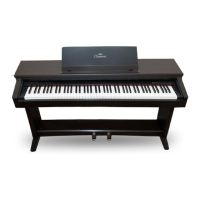
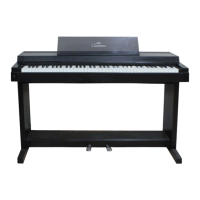
EasyManua.ls Logo

Yamaha Clavinova CLP-240 - User Manual

Yamaha Clavinova CLP-240
90 pages
Print Icon
To Next Page IconTo Next Page
Loading...
ES
FR
DE
EN
IMPORTANT
—Check your power supply—
Make sure that your local AC
mains voltage matches the
voltage specified on the name
plate on the bottom panel. In
some areas a voltage selector
may be provided on the bottom
panel of the main keyboard unit
near the power cord. Make sure
that the voltage selector is set for
the voltage in your area. The
voltage selector is set at 240V
when the unit is initially shipped.
To change the setting use a
"minus" screwdriver to rotate the
selector dial so that the correct
voltage appears next to the
pointer on the panel.
For information on assembling
the keyboard stand, refer to the
instructions at the end of this
manual.
WICHTIG
—Überprüfen Sie Ihren
Netzanschluss—
Vergewissern Sie sich, dass die
Spannung in Ihrem örtlichen
Stromnetz mit der Spannung
übereinstimmt, die auf dem
Typenschild auf der Unterseite
des Instruments angegeben ist. In
bestimmten Regionen ist auf der
Unterseite des Keyboards in der
Nähe des Netzkabels ein
Spannungswähler angebracht.
Vergewissern Sie sich, dass der
Spannungswähler auf die
Spannung Ihres lokalen
Stromnetzes eingestellt ist. Dieser
Spannungswähler ist bei
Auslieferung auf 240 V
eingestellt. Sie können die
Einstellung mit einem
Schlitzschraubenzieher ändern.
Drehen Sie dazu den
Wählschalter, bis der Pfeil auf
dem Instrument auf die richtige
Spannung zeigt.
Weitere Informationen über die
Montage des Keyboard-Ständers
erhalten Sie in den Anweisungen
am Ende dieses Handbuchs.
IMPORTANT
—Contrôler la source
d'alimentation—
Vérifiez que la tension spécifiée
sur le panneau inférieur
correspond à la tension du
secteur. Dans certaines régions,
l'instrument peut être équipé d'un
sélecteur de tension situé sur le
panneau inférieur du clavier à
proximité du cordon
d'alimentation.
Vérifiez que ce sélecteur est bien
réglé en fonction de la tension
secteur de votre région. Le
sélecteur de tension est réglé sur
240 V au départ d'usine. Pour
modifier ce réglage, utilisez un
tournevis à lame plate pour
tourner le sélecteur afin de mettre
l'indication correspondant à la
tension de votre région vis à vis
du repère triangulaire situé sur le
panneau.
Pour obtenir des informations sur
l'assemblage du support du
clavier, reportez-vous aux
instructions à la fin de ce manuel.
IMPORTANTE
—Verifique la alimentación de
corriente—
Asegúrese de que tensión de
alimentación de CA de su área
corresponde con la tensión
especificada en la placa de
características del panel inferior.
En algunas zonas puede haberse
incorporado un selector de
tensión en el panel inferior de la
unidad del teclado principal,
cerca del cable de alimentación.
Asegúrese de que el selector de
tensión esté ajustado a la tensión
de su área. El selector de tensión
se ajusta a 240V cuando la
unidad sale de fábrica. Para
cambiar el ajuste, emplee un
destornillador de cabeza "recta"
para girar el selector de modo
que aparezca la tensión correcta
al lado del indicador del panel.
Para información sobre el
montaje del soporte del teclado,
consulte las instrucciones al final
de este manual.
CLP-240/230
MODE D’EMPLOI
BEDIENUNGSANLEITUNG
MANUAL DE INSTRUCCIONES
OWNER'S MANUAL
Before using the Clavinova, be sure to read “PRECAUTIONS” on pages 6-7.
Achten Sie darauf, vor Einsatz des Clavinova die “VORSICHTSMASSNAHMEN” auf Seite 6-7 durchzulesen.
Avant d'utiliser le Clavinova, lire attentivement la section «PRECAUTIONS D'USAGE» aux pages 6- 7.
Antes de utilizar el Clavinova, lea las “PRECAUCIONES” que debe tener en cuenta en las páginas 6 - 7.
ENGLISHDEUTSCHFRANÇAISESPAÑOL


Table of Contents

Questions and Answers

  • M
    Melissa CollierAug 8, 2025
    Why is the volume low or no sound heard on my Yamaha Clavinova CLP-240 Musical Instrument?
    • C
      Cory CastilloAug 8, 2025
      The volume may be low or no sound may be heard from your Yamaha Musical Instrument due to several reasons: * The Master Volume might be set too low. Adjust it to an appropriate level using the [MASTER VOLUME] control. * Headphones may be connected to the headphones jack when the SPEAKER switch is set to the “NORMAL” position. Ensure no headphones are connected. * The SPEAKER switch could be set to the “OFF” position. Set it to “NORMAL” or “ON”. * Local Control might be OFF. Ensure that Local Control is ON.
  • J
    Jordan YoungAug 15, 2025
    Why Yamaha Clavinova CLP-240 Musical Instrument speakers don't turn off when headphones are connected?
    • C
      Christopher GomezAug 15, 2025
      If the speakers on your Yamaha Musical Instrument do not switch off when headphones are connected, the SPEAKER switch may be switched “ON.” Set the SPEAKER switch to the “NORMAL” position.
  • C
    Christopher ShieldsAug 31, 2025
    Why has the USB storage device hung up on my Yamaha CLP-240 Musical Instrument?
    • M
      Mary KempAug 31, 2025
      If the USB storage device has hung up on your Yamaha CLP-240 Musical Instrument: * The USB storage device may not be compatible with the instrument. * Try disconnecting the device and connecting it to the instrument again.
  • L
    Lynn SawyerNov 22, 2025
    What to do if SONG SELECT “USB” indicator doesn't turn on my Yamaha CLP-240 Musical Instrument?
    • B
      Brendan CampbellNov 22, 2025
      If the SONG SELECT “USB” indicator does not turn on even when a USB storage device is connected to your Yamaha CLP-240 Musical Instrument, consider the following: * The USB storage device may not be recognized. Check the [SELECT] switch. Switching to “A” selects the terminal on the left of the panel, while switching to “B” selects the terminal panel at the bottom. * The device may be damaged. Check that the device is not damaged and that the FILE “LOAD” indicator flashes after connecting the USB storage device. If it doesn't flash, the device may be damaged. * The compatibility of the device may not be confirmed by Yamaha. * Select SONG SELECT “USB” again. It may take a while for the instrument to recognize the USB storage device. Press the [SONG SELECT] button again to turn the ...

Summary

Special Message Section

Product Safety Markings and Notices

Explains safety symbols, warnings, battery, disposal, and service notices.

Name Plate Location

Identifies the location of the product's name plate for serial number and specifications.

About This Owners Manual

Manual Structure, Copyright, and Accessories

Outlines manual sections, copyright, and lists included/optional accessories.

Precautions

General Safety Warnings

Essential safety guidelines to prevent electrical shock, fire, and damage.

Handling, Maintenance, and Data Safety

Precautions for instrument handling, maintenance, bench use, and data saving.

Panel Controls and Terminals

Control Panel Overview

Illustrates and identifies the main controls and connection terminals on the panel.

Before Using the Clavinova

Initial Setup and Basic Operations

Covers key cover, music rest, power, volume, headphones, and speaker settings.

Reference Section

Listening to Tunes and Practice Functions

How to listen to demo/preset songs and practice using functions like A-B repeat.

Voices and Sound Customization

Selecting voices, using pedals, adding variations, and adjusting touch sensitivity.

Keyboard Modes, Effects, and Metronome

Using Dual/Split modes, transposition, effects, and the metronome.

Recording, Playback, and Song Management

How to record, play back songs, change initial settings, and manage songs.

USB Storage and Detailed Settings (CLP-240)

Managing USB songs, playing back songs, and accessing detailed [FUNCTION] settings.

Playing Back Songs

Playing Internal and External Songs

How to play back preset, user, SMF, and external songs with playback functions.

Detailed Settings - [FUNCTION]

Function Mode Overview and Usage

Basic procedure for accessing and using the [FUNCTION] mode settings.

Pitch, Scale, and Dual Mode Settings

Adjusting fine tuning, scales, and dual voice parameters.

Split Mode, Other Functions, and Metronome Volume

Configuring split mode, left pedal, other functions, and metronome volume.

MIDI and Backup Functions

Settings for MIDI communication and backing up instrument parameters.

Connections

Terminal Overview

Describes the various connection terminals like AUX OUT, AUX IN, USB, and MIDI.

USB Storage Device Connection (CLP-240)

Explains connecting USB storage devices for saving and reading data.

Computer Connection

Details connecting the instrument to a computer via USB [TO HOST].

Data Backup

Saving Instrument Data to Computer

Using Musicsoft Downloader to back up panel settings and user songs.

Message List

Understanding Instrument Messages

Explains common messages displayed by the instrument during operations.

Troubleshooting

Common Problems and Solutions

Addresses issues like the unit not turning on or sound problems.

Options

Available Accessories

Lists optional accessories like benches and headphones.

CLP-240;230 Keyboard Stand Assembly

Assembly Instructions

Step-by-step guide for assembling the keyboard stand.

Final Checks and Moving

Final checks after assembly and advice for moving the instrument.

Floppy Disk Drive Handling (CLP-240)

Disk Handling and Usage Precautions

Covers disk compatibility, formatting, insertion, removal, and handling.

Optional Drive Installation

Instructions for installing the optional floppy disk drive.

Preset Voice List

Voice Details (CLP-240)

Describes the characteristics of each voice on the CLP-240.

Voice Details (CLP-230)

Describes the characteristics of each voice on the CLP-230.

Demo Song List

Demo Song Titles and Descriptions

Lists the demo songs and their associated voice demos.

Appendix

Factory Setting List

Details default and backup settings for various functions and parameters.

MIDI Data Format

Explains MIDI message formats for controlling the Clavinova.

MIDI Implementation Chart

Lists MIDI messages transmitted and recognized by the instrument.

Specifications

Provides technical details and features of the CLP-240/230 models.

Yamaha Clavinova CLP-240 Specifications

General IconGeneral
TypeDigital Piano
Number of Keys88
Sound SourceAWM Stereo Sampling
Voices14
Amplifier20W x 2
Touch SensitivityHard, Medium, Soft, Fixed
EffectsReverb, Chorus
Internal Songs50
Recording2 Track
ConnectivityMIDI In/Out
FinishPolished Ebony
Polyphony128-note

Related product manuals