EasyManua.ls Logo

Yamaha Clavinova CVP-92 - User Manual

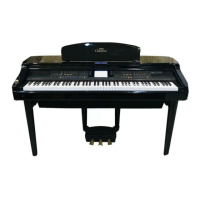
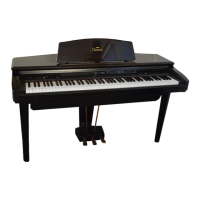
Yamaha Clavinova CVP-92
148 pages
Print Icon
To Next Page IconTo Next Page
Loading...
IMPORTANT
Check Your Power Supply
Make sure that your local AC mains
voltage matches the voltage speci-
fied on the name plate on the bottom
panel. In some areas a voltage se-
lector may be provided on the bottom
panel of the main keyboard unit near
the power cord. Make sure that the
voltage selector is set for the voltage
in your area. The voltage selector is
set at 240V when the unit is initially
shipped. To change the setting use a
“minus” screwdriver to rotate the se-
lector dial so that the correct voltage
appears next to the pointer on the
panel.
WICHTIG
Netzspannung überprüfen
Vergewissern Sie sich vor dem An-
schließen an das Stromnetz, daß die
örtliche Netzspannung den Betriebs-
spannungswerten auf dem Typenschild
an der Unterseite des Instruments ent-
spricht. In bestimmten Verkaufs-
gebieten ist das Instrument mit einem
Spannungswähler an der Unterseite
neben der Netzkabeldurchführung aus-
gestattet. Falls vorhanden, muß der
Spannungswähler auf die örtliche Netz-
spannung eingestellt werden. Der
Spannungswähler wurde werkseitig auf
240 V voreingestellt. Zum Verstellen
drehen Sie den Spannungsregler mit
einem Schlitzschraubendreher, bis der
Zeiger auf den korrekten Spannungs-
wert weist
IMPORTANT
Vérifiez la source d’alimentation
Vérifiez que la tension spécifiée sur
le panneau arrière correspond à la
tension du secteur. Dans certaines
régions, l’instrument peut être équipé
d’un sélecteur de tension situé sur
le panneau inférieur du clavier à
proximité du cordon d’alimentation.
Vérifiez que ce sélecteur est bien
réglé en fonction de la tension sec-
teur de votre région. Le sélecteur de
tension est réglé sur 240 V au dé-
part d’usine. Pour modifier ce ré-
glage, utilisez un tournevis à lame
plate pour tourner le sélecteur afin
de mettre l’indication correspondant
à la tension de votre région vis à vis
du repère triangulaire situé sur le
panneau.
IMPORTANTE
Compruebe la alimentación de su área
Asegúrese de que tensión de alimen-
tación de CA de su área correspon-
de con la tensión especificada en la
placa de características del panel
inferior de la unidad del teclado prin-
cipal, cerca del cable de alimenta-
ción. Asegúrese de que el selector
de tensión esté ajustado a la tensión
de su área. El selector de tensión
se ajusta a 240V cuando la unidad
sale de fábrica. Para cambiar el ajus-
te, emplee un destornillador de ca-
beza “recta” para girar el selector de
modo que aparezca la tensión co-
rrecta al lado del indicador del pa-
nel.
ENGLISH
DEUTSCH
ESPAÑOL
FRANÇAIS

Table of Contents

Other manuals for Yamaha Clavinova CVP-92

Questions and Answers

  • J
    Jason EatonAug 19, 2025
    What to do if the keyboard sound volume is low compared to the Auto Accompaniment or disk playback on my Yamaha Musical Instrument?
    • K
      Karen WilliamsAug 19, 2025
      If the keyboard sound volume is too low compared to the Auto Accompaniment or disk playback on your Yamaha Musical Instrument, the independent volume level of the keyboard performance sound may be too low. Raise the volume of the keyboard performance in the Mixer display.
  • C
    chloe11Aug 21, 2025
    What to do if the sound of the Auto Accompaniment or disk playback is low compared to that of the keyboard on my Yamaha Musical Instrument?
    • J
      Jonathan FosterAug 21, 2025
      If the sound of the Auto Accompaniment or disk playback is too low compared to the keyboard on your Yamaha Musical Instrument, the [ACMP/SONG VOLUME] may be set too low. To fix this, simply raise the [ACMP/SONG VOLUME] level.
  • C
    Carolyn HooverAug 25, 2025
    Why does Auto Accompaniment not play back on my Yamaha Musical Instrument?
    • H
      Hannah VillarrealAug 25, 2025
      If the Auto Accompaniment is not playing back on your Yamaha Musical Instrument, it might not be turned on. Press the [ACMP ON] button to activate Auto Accompaniment.
  • A
    Alexis EstesAug 26, 2025
    What to do if the damper pedal has no effect on my Yamaha Musical Instrument?
    • M
      michaelmendozaAug 26, 2025
      If the damper pedal isn't working correctly on your Yamaha Musical Instrument, or if the sound sustains continuously, the pedal cord plug may not be properly connected. Ensure that you securely insert the pedal cord plug into the correct jack.
  • J
    Jeremy DominguezAug 28, 2025
    Why does Auto Accompaniment or disk playback not start on my Yamaha Musical Instrument?
    • C
      Corey SchroederAug 28, 2025
      If the Auto Accompaniment or disk playback isn't starting on your Yamaha Musical Instrument, the MIDI Sync setting might be the issue. Ensure that MIDI Sync is set to “INT.”
  • D
    Dominique HarrisAug 30, 2025
    Why is the entire sound low or no sound coming out of my Yamaha Musical Instrument?
    • M
      Mackenzie MooreAug 30, 2025
      The low sound or absence of sound from your Yamaha Musical Instrument can stem from a few reasons. First, check that the [MASTER VOLUME] is adequately raised. Another common cause is connected headphones, so unplug them. Lastly, ensure that Local Control is set to on.
  • G
    gharrisSep 1, 2025
    How to fix Yamaha CVP-94/92 Musical Instrument if power does not turn on?
    • M
      Ms. Tara GoodwinSep 1, 2025
      If your Yamaha CVP-94/92 Musical Instrument isn't turning on, the power cable plugs might not be properly inserted. Ensure that one of the cable plugs is securely inserted into the instrument itself, and the other plug is in a working AC outlet.
  • A
    Amanda BrennanSep 3, 2025
    Why is the LCD display too bright or too dark to read on my Yamaha Musical Instrument?
    • Y
      Yvette HerringSep 3, 2025
      If the LCD display on your Yamaha Musical Instrument is too bright or dark, it may be due to temperature affecting the brightness. Adjust the contrast of the display by using the [CONTRAST] control.
  • M
    Mary FowlerSep 5, 2025
    What to do if I can't record the maximum of 60 songs on my Yamaha Musical Instrument?
    • G
      Gerald JohnsonSep 5, 2025
      If you can't record up to 60 songs on your Yamaha Musical Instrument, it's likely because the memory is full. This can happen if your songs are long or if you've used many functions. To resolve this, delete any unnecessary songs or record to a new disk.
  • J
    james18Sep 7, 2025
    Why are some tracks not playing back on my Yamaha Musical Instrument?
    • D
      Dean SantosSep 8, 2025
      If some tracks aren't playing back on your Yamaha Musical Instrument, it's possible that playback for those tracks is set to off. To fix this, ensure that playback is enabled for the non-sounding tracks.

Summary

CHAPTER 1: Getting Ready

Features of the CVP-94;92

Overview of the main features and capabilities of the Yamaha Clavinova CVP-94/92 keyboard.

Setting Up the CVP-94;92

Instructions for setting up the instrument, including the music stand, key cover, power, and headphones.

CHAPTER 2: Help Mode and Demo

Using the Help Mode

Guide on how to access and use the instrument's built-in help system for explanations.

Demo Play

Instructions on how to activate and use the demonstration playback feature of the instrument.

CHAPTER 3: Voices

Selecting Voices

Detailed steps on how to select and choose from the instrument's extensive voice library.

Dual Mode

Instructions for playing two different voices simultaneously in a layered sound.

Split Mode

Guide on how to assign different voices to the left and right sections of the keyboard.

CHAPTER 4: Accompaniment Styles

Selecting Accompaniment Styles

Guide on choosing and applying various musical styles for automatic accompaniment.

Playing with the Auto Accompaniment

How to use the auto accompaniment feature with different chord input methods.

Custom Style

Guide on creating, recording, and saving original accompaniment styles.

CHAPTER 5: Registrations

Registrations (Registering;Recalling Panel Setups)

How to save and recall complete panel setups for quick access to preferred settings.

CHAPTER 6: Song Control

Song Playback

Instructions for playing back recorded songs and songs from disks.

Song Recording

Comprehensive guide to recording your own musical performances to floppy disks or internal memory.

CHAPTER 7: The Utility Functions

Keyboard

Settings related to keyboard performance, including tune, transpose, and touch response.

Disk

Operations related to disk management, including formatting, copying, deleting, and transforming files.

MIDI

Settings for MIDI communication, including channel transmission and local control.

Backup

How to set up backup for various parameter groups to retain settings.

CHAPTER 8: Others

The Connectors

Description of the various input and output terminals available on the instrument.

Connecting to a Personal Computer

Instructions for establishing a direct connection to Macintosh and IBM-PC/AT computers.

Yamaha Clavinova CVP-92 Specifications

General IconGeneral
TypeDigital Piano
Touch SensitivityYes
Styles100
DisplayLCD
Headphones2
AUX OutYes
AUX InYes
Foot ControllerYes
FootswitchYes
Sound SourceAWM (Advanced Wave Memory)
EffectsReverb, Chorus
RecorderYes
ConnectivityUSB to Host
MIDIIn/Out
Amplifiers20W
Keyboard88-key Graded Hammer
Polyphony32
Speakers12cm x 2

Related product manuals