EasyManua.ls Logo

Yamaha CT-600 - Precautions; General Safety and Operating Guidelines; Voltage Selector Adjustment

Yamaha CT-600
24 pages
Print Icon
To Next Page IconTo Next Page
To Previous Page IconTo Previous Page
Loading...
PRECAUTIONS
PLEASE
READ
THIS
FIRST
“You
may
seriously
damage
any
transistorized
audio
unit
by
being
careless
when
you
first
operate
it.
Carelessness
is
the
major
cause
of
audio
repairs.
Avoid
disappointment
by
following
the
precautions
listed
here
BEFORE
vou
attempt
to
plug
in
or
operate
your
CT-600.
|
DO'S
AND
DON'TS
9
Don't
е
Don't
®
Don't
€
Don't
€
Don't
make
sure
that
air
can
circulate
freely
above,
under
and
behind
the
CT-600.
protect
the
cabinet
finish
from
insecticides,
paint
thinner
and
other
volatile
materials.
protect
the
set
from
dampness,
dust
and
me-
chanical
shocks.
locate
the
unit
in
direct
sunlight
or
near
a
source
of
heat.
Heat
can
damage
transis-
tors.
force
knobs
or
switches.
plug
the
CT-600
power
cord
into
an
AC
outlet
unless
you
are
sure
the
power
switch
is
off.
connect
any
other
equipment
(amplifier,
tape
deck,
etc.)
unless
the
power
switch
is
off.
turn
on
the
power
switch
unless
you
are
sure
that
the
set
is
connected
to
an
ampli-
fier
and
the
amplifier
volume
is
turned
down
to
minimum.
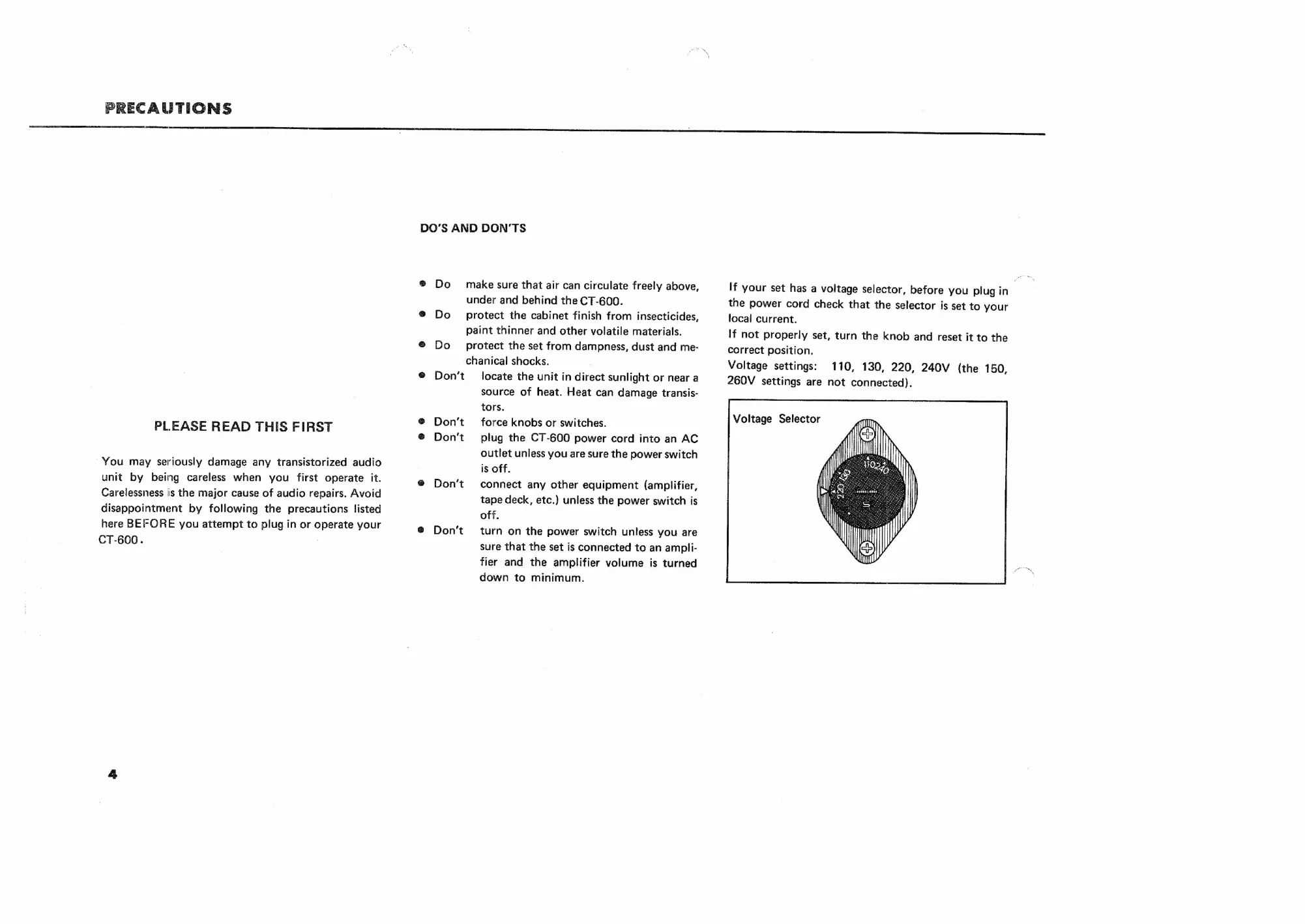
If
your
set
has
a
voltage
selector,
before
you
plug
in
the
power
cord
check
that
the
selector
is
set
to
your
local
current.
If
not
properly
set,
turn
the
knob
and
reset
it
to
the
correct
position.
Voltage
settings:
110,
130,
220,
240V
(the
150,
260V
settings
are
not
connected).