EasyManua.ls Logo

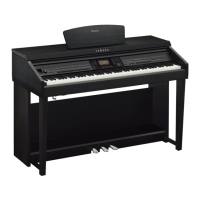
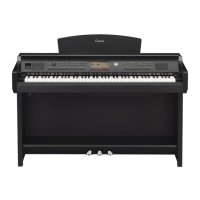
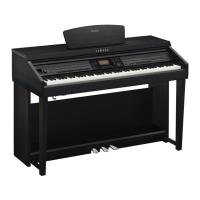
Yamaha CVP-709 - User Manual

Yamaha CVP-709
128 pages
Print Icon
To Next Page IconTo Next Page
Loading...
CVP
-
709
CVP
-
705
Owner’s Manual
Mode d’emploi
Manual de instrucciones
Español
Français
English
Thank you for purchasing this Yamaha Clavinova!
We recommend that you read this manual carefully so that you can fully take advantage of the advanced and
convenient functions of the instrument. We also recommend that you keep this manual in a safe and handy place for
future reference.
Before using the instrument, be sure to read “PRECAUTIONS” on pages 5-6.
For information on assembling the instrument, refer to the instructions at the end of this manual.
Nous vous remercions d’avoir choisi le Clavinova de Yamaha !
Nous vous conseillons de lire attentivement ce mode d’emploi afin de tirer pleinement profit des fonctions avancéeset
pratiques de votre instrument. Nous vous recommandons également de garder ce manuel à portée de main pour
toute référence ultérieure.
Avant dutiliser l’instrument, lisez attentivement la section « PRÉCAUTIONS D’USAGE » aux pages 5 et 6.
Pour plus d’informations sur lassemblage de l’instrument, reportez-vous aux instructions figurant à la fin de ce
manuel.
Gracias por adquirir el Yamaha Clavinova
La lectura detenida de este manual le permitirá disfrutar de las útiles y avanzadas funciones del instrumento.
Recomendamos guardar el manual en un lugar seguro y accesible, para futuras consultas.
Antes de utilizar el instrumento, lea las “PRECAUCIONES”, en las páginas 5-6.
Para obtener más información sobre el montaje del instrumento, consulte las instrucciones que encontrará al final de
este manual.
EN FR ES

Table of Contents

Other manuals for Yamaha CVP-709

Questions and Answers

Summary

SPECIAL MESSAGE SECTION

PRODUCT SAFETY MARKINGS

Explains graphic symbols and their meanings for user safety.

IMPORTANT NOTICE

Provides essential notices regarding product use, modifications, and warranty.

IMPORTANT SAFETY INSTRUCTIONS

PRECAUTIONS

Power supply;Power cord

Essential precautions to ensure safe use of the power supply and cord.

Welcome to the World of CVP!

True Acoustic Piano Feel

Details the advanced piano sound reproduction and resonance features.

Starting Up

Turning On;Off the Power

Step-by-step guide for powering the instrument on and off.

Basic Operations

File Management

Procedures for saving, creating folders, copying, moving, and deleting files.

Piano Room - Enjoying the Piano Performance -

Playing a Piano Performance in the Piano Room

Instructions for activating and playing within the Piano Room mode.

Voices - Playing the Keyboard -

Playing Preset Voices

Guide to selecting and playing the instrument's built-in instrument sounds.

Styles - Playing Rhythm and Accompaniment -

Playing with a Style

How to use accompaniment Styles for rhythm and band backing.

Song Playback - Playing and Practice Songs -

Playback of Songs

Instructions for playing back MIDI and Audio songs.

Song Recording - Recording Your Performance -

Basic Procedure for Recording (MIDI;Audio Recording)

Steps for recording performances as MIDI or Audio files.

Microphone - Adding Vocal Harmony Effects to Your Singing -

Connecting a Microphone

Guide for connecting a microphone and setting up input levels.

Music Finder - Calling up Ideal Panel Setups for Your Performance -

Selecting the Desired Record (Panel Settings)

How to find and apply preset panel settings for songs.

Registration Memory - Saving and Recalling Custom Panel Setups -

Registering Your Panel Setups

Procedure for saving custom panel settings to memory buttons.

Mixer - Editing the Volume and Tonal Balance -

Basic Procedure for the Mixer

Guide to adjusting volume balance and timbre of parts and channels.

Connections - Using Your Instrument with Other Devices -

Connecting USB Devices ([USB TO DEVICE] terminal)

Instructions for connecting USB flash drives and other devices.

Troubleshooting

Overall

Common issues and their solutions for the instrument.

Specifications

Summary

SPECIAL MESSAGE SECTION

PRODUCT SAFETY MARKINGS

Explains graphic symbols and their meanings for user safety.

IMPORTANT NOTICE

Provides essential notices regarding product use, modifications, and warranty.

IMPORTANT SAFETY INSTRUCTIONS

PRECAUTIONS

Power supply;Power cord

Essential precautions to ensure safe use of the power supply and cord.

Welcome to the World of CVP!

True Acoustic Piano Feel

Details the advanced piano sound reproduction and resonance features.

Starting Up

Turning On;Off the Power

Step-by-step guide for powering the instrument on and off.

Basic Operations

File Management

Procedures for saving, creating folders, copying, moving, and deleting files.

Piano Room - Enjoying the Piano Performance -

Playing a Piano Performance in the Piano Room

Instructions for activating and playing within the Piano Room mode.

Voices - Playing the Keyboard -

Playing Preset Voices

Guide to selecting and playing the instrument's built-in instrument sounds.

Styles - Playing Rhythm and Accompaniment -

Playing with a Style

How to use accompaniment Styles for rhythm and band backing.

Song Playback - Playing and Practice Songs -

Playback of Songs

Instructions for playing back MIDI and Audio songs.

Song Recording - Recording Your Performance -

Basic Procedure for Recording (MIDI;Audio Recording)

Steps for recording performances as MIDI or Audio files.

Microphone - Adding Vocal Harmony Effects to Your Singing -

Connecting a Microphone

Guide for connecting a microphone and setting up input levels.

Music Finder - Calling up Ideal Panel Setups for Your Performance -

Selecting the Desired Record (Panel Settings)

How to find and apply preset panel settings for songs.

Registration Memory - Saving and Recalling Custom Panel Setups -

Registering Your Panel Setups

Procedure for saving custom panel settings to memory buttons.

Mixer - Editing the Volume and Tonal Balance -

Basic Procedure for the Mixer

Guide to adjusting volume balance and timbre of parts and channels.

Connections - Using Your Instrument with Other Devices -

Connecting USB Devices ([USB TO DEVICE] terminal)

Instructions for connecting USB flash drives and other devices.

Troubleshooting

Overall

Common issues and their solutions for the instrument.

Specifications

Yamaha CVP-709 Specifications

General IconGeneral
BrandYamaha
ModelCVP-709
CategoryMusical Instrument
LanguageEnglish

Related product manuals