13
NEW UNITS
1. Controller
● New, compact controller unit: DKC55 or DKC55RCD
● The DCK55RCD comprises an upper level and a lower level. The upper level houses the CD drive.
● Selection from among CD-ROM, floppy disk, and memory disk can be made as follows:
DKC55: “Drive” button
DKC55RCD: “Select” button on the CD-ROM drive side
● Calendar function is included.
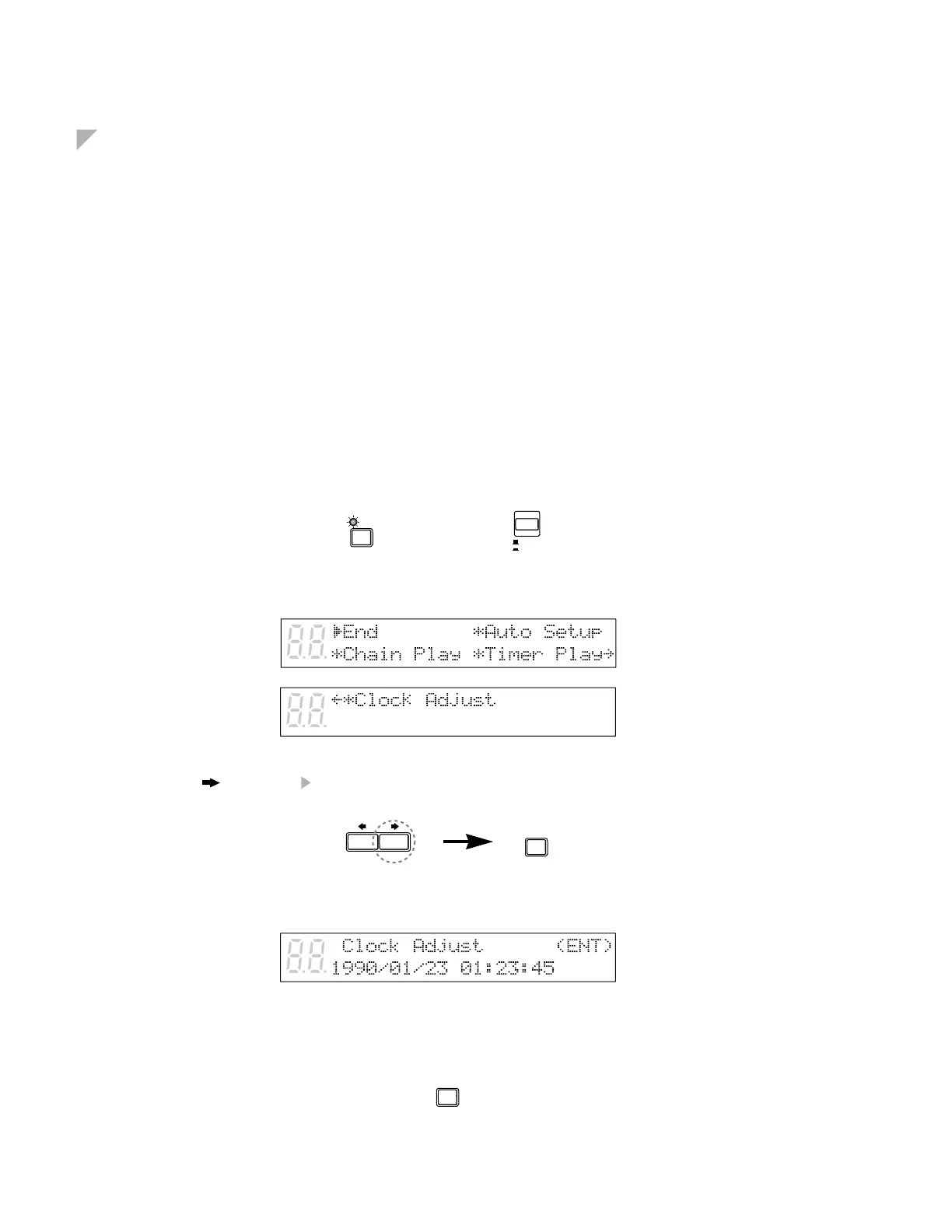
Setting the Internal Calendar
The Disklavier has an internal calendar that can be set from 1/1/1985 00:00:00 to 12/31/2084 23:59:59.
Set the calendar accurately so that the Disklavier displays the correct current time during Stop mode.
Setting the correct time is also important for engaging timer-controlled programs.
Time is displayed in 24-hour format.
1 Hold down [FUNC.] and press [STANDBY / ON].
The setup menu appears.
2 Press [ ] until the cursor is next to the Clock Adjust option, then press [ENTER].
A display similar to the following appears, showing the current date and time.
3 Press [ENTER].
FUNC.
STANDBY
ON
+
ENTER
ENTER






 To Next Page