19
Balancing the CD Volume (CD Master Balance)(Applies only to models with
CD-ROM drives)
Before playing back PianoSoft.PlusAudio and other audio/MIDI CDs, it is a good idea to first balance the
volume levels of the MIDI piano and Audio parts.
Once you adjust the volume using the CD Master Balance function, you can use the [VOLUME] buttons on
the remote control to conveniently increase or decrease the overall volume in a normal fashion.
These balance settings are stored in the Control Unit, and are saved when the Disklavier is turned off.
1 Play back a CD.
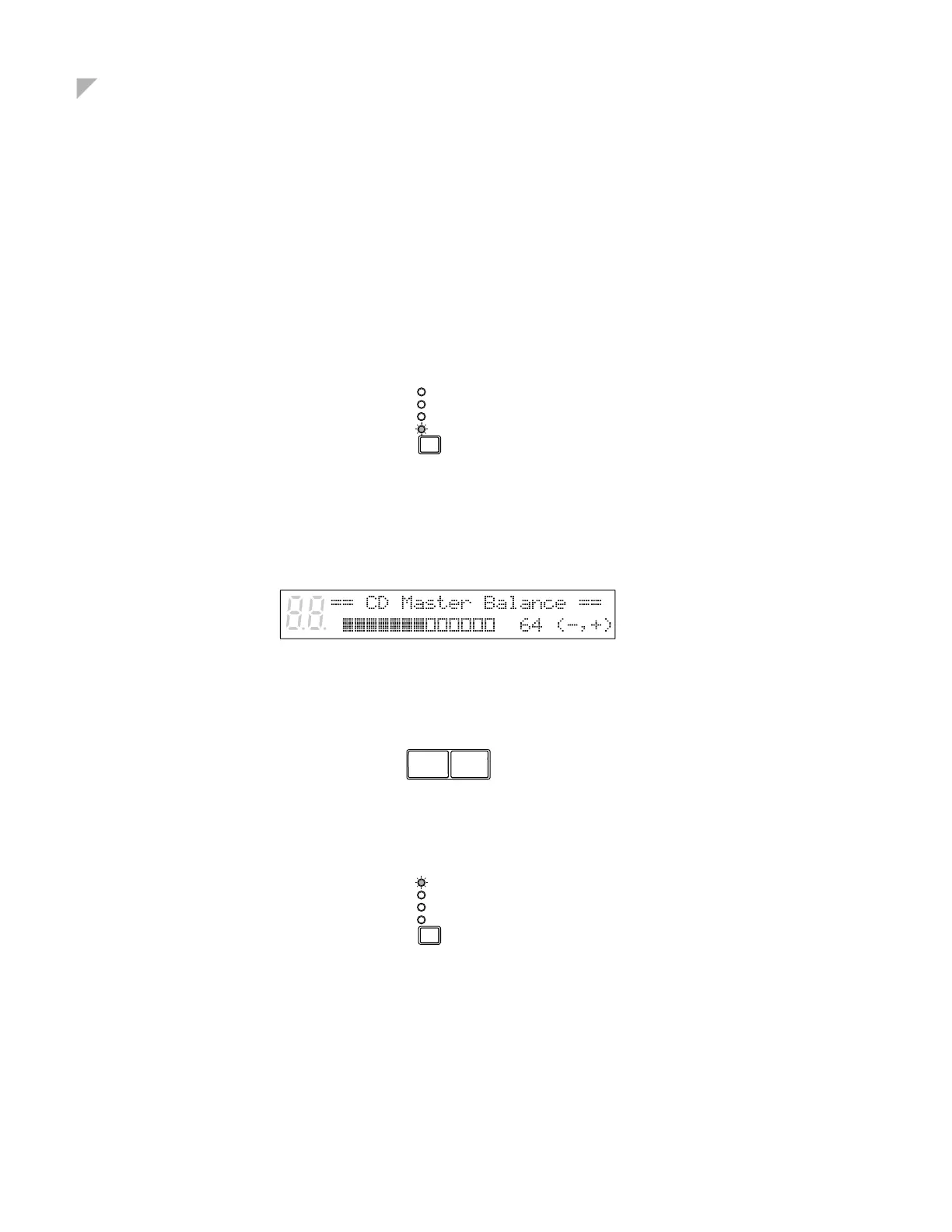
2 Press the Selector until the BALANCE indicator lights.
The TG Master Balance display appears.
3 Press the Selector once more.
The CD Master Balance display appears.
4 Use the [–/NO] and [+/YES] buttons to adjust the volume of the Audio channel.
5 Press the Selector until the VOLUME indicator lights.
BALANCE
TRANSPOSE
TEMPO
VOLUME
–/NO +/YES
BALANCE
TRANSPOSE
TEMPO
VOLUME






 To Next Page