22
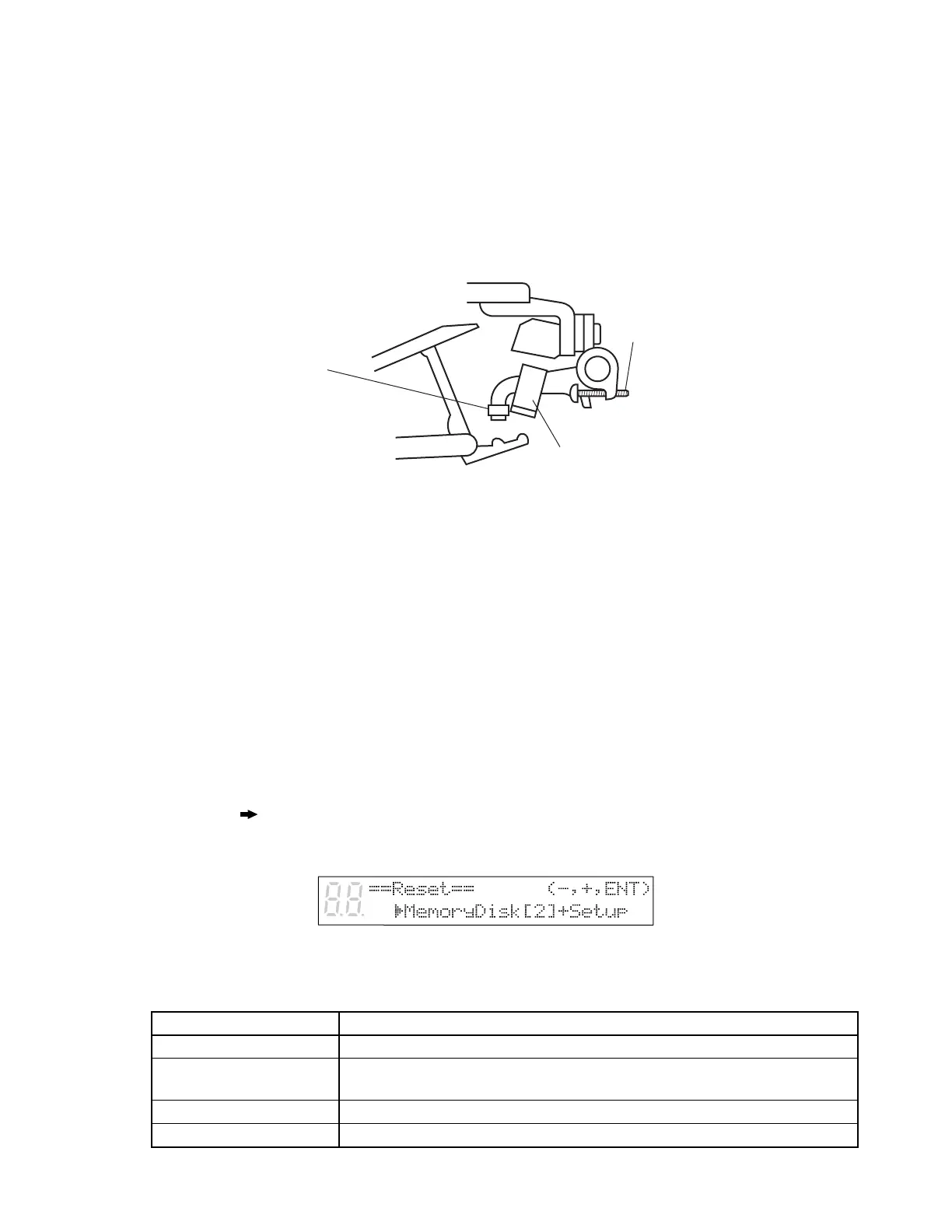
Adjusting the Regulating Rods
● Adjust the let-off as with a conventional acoustic piano.
● Set the Silent switch to On.
● Adjust the regulating-rod-lever adjustment screw so that the jack knob hits the rod about the same
time that the jack tail hits the regulating button.
● Rotate the regulating-rod adjustment screws of each section to adjust the timing more precise.
● Press down slowly on the keyboard and confirm that the jack escape correctly. The hammer shank
must not contact the shank stopper before the start of escape, as this will interfere with escape opera-
tion. If contact occurs, lower the regulating rod to correct it.
This adjustment will set the silent-mode let-off distance from the string to 6 to 8mm.
Resetting Your Disklavier
You can reset all settings, the Memory Disks, or both.
1 Specify a disk.
When you select a Memory Disk, the reset function will be effective for the selected disk only.
If you select Memory Disk 0, the disk is reset in SMF format, and an “opening” song or songs are automat-
ically re-recorded on the disk. If you select Memory Disk 1 to F, the disks are reset in SMF format, and
nothing is recorded on the disk.
2 Press [FUNC.].
The FUNC. indicator lights and the Function menu appears.
3 Press [ ] until the c cursor is next to the Reset option, then press [ENTER].
The following display appears.
4 Use the [–/NO] and [+/YES] buttons to select the item that you want to reset. Then press [ENTER].
Option Description
Setup All settings (See next page.)
Memory Disk [X] + Setup Memory disk number [X] and all settings (SMF format; sample song included)
(See also next page.)
Memory Disk [X] Memory disk number [X] only (SMF format; sample song included)
Factory init. setting All Memory Disks are returned to initial factory settings.
Regulating-rod
Regulating button
Regulating-rod
adjusting screw






 To Next Page