Return-FF buttons
These buttons are for fast forward and rewind.
They can be operated in stop mode or during
playback. Fast forward or rewind continues until
the respective button is pressed again.
Volume buttons
These buttons adjust playback volume level.
They can be operated in stop mode, during
playback or playback pause.
Tempo buttons
When you want to adjust the tempo of a piece
of music for playback, use these buttons in stop
mode, during playback or playback pause.
Transpose buttons
When you want to transpose (change the key of)
a piece of music for playback, press these buttons
in stop mode, during playback or playback pause.
Repeat buttons
Operate these buttons when you desire repeated
playback.
Part Cancel buttons
These allow you to cancel either the left-hand
or right-hand part for playback of music with
separate parts for the left and right hand.
Operations that cannot be carried out with the
remote control unit:
• Operations with the metronome function on
• Operations in MIDI set-up mode
• Disk formatting, registration
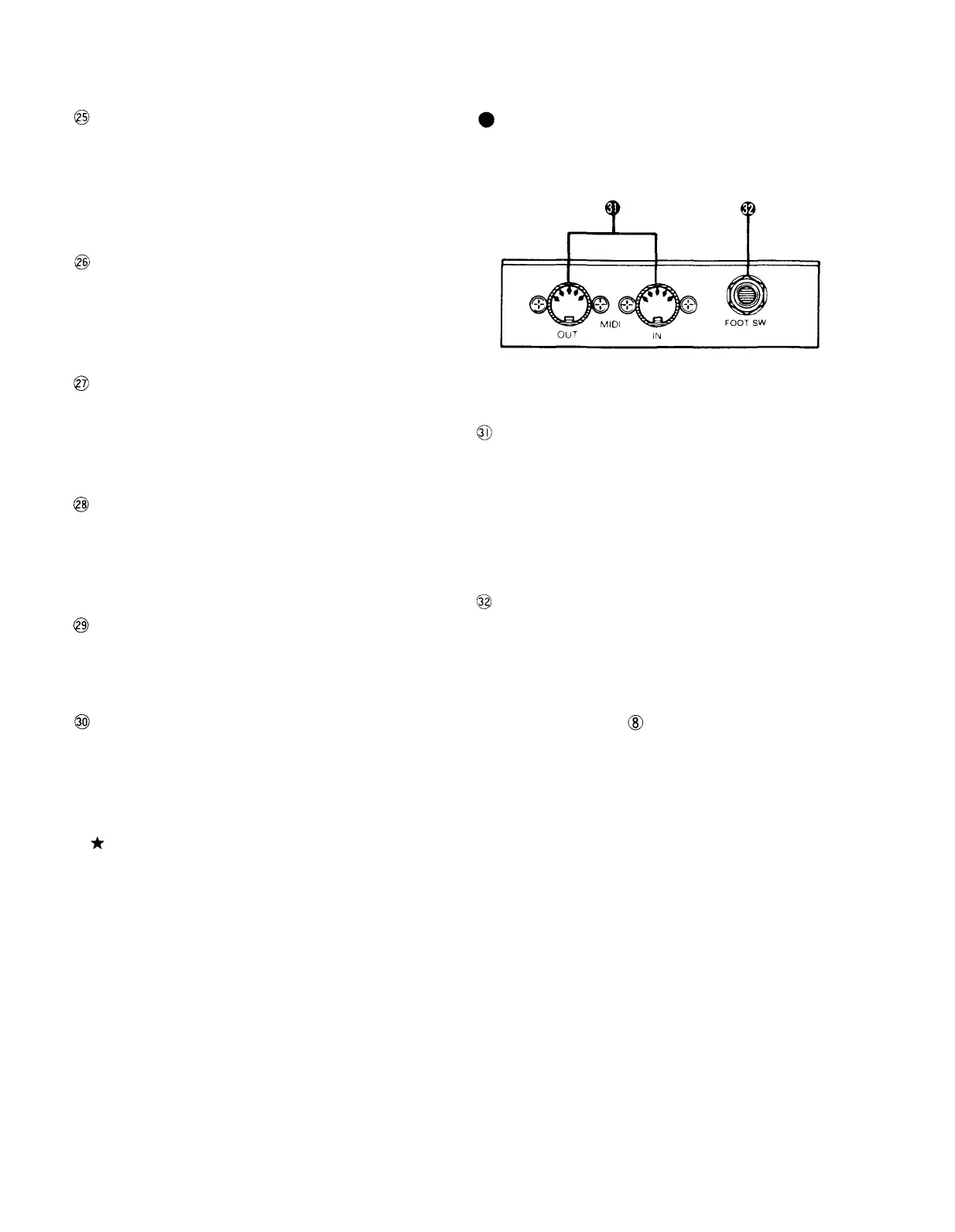
Connectors
MIDI jacks
These jacks are used for MIDI connections.
When you want to control other MIDI equipment
from the Disklavier or control this unit via other
MIDI equipment, these jacks enable MIDI signal
communication.
Foot switch jack
If an optional FC-5 foot switch has been
connected to this jack, you can start, stop and
restart playback or recording with your foot. (The
foot switch then has the same functions as the
Start/Pause button on the front panel.)
6



 To Next Page