Using DM1000 Editor
Windows
Getting Started
Keyboard Shortcuts
Index
22
DM1000 Editor—Owner’s Manual
Windows
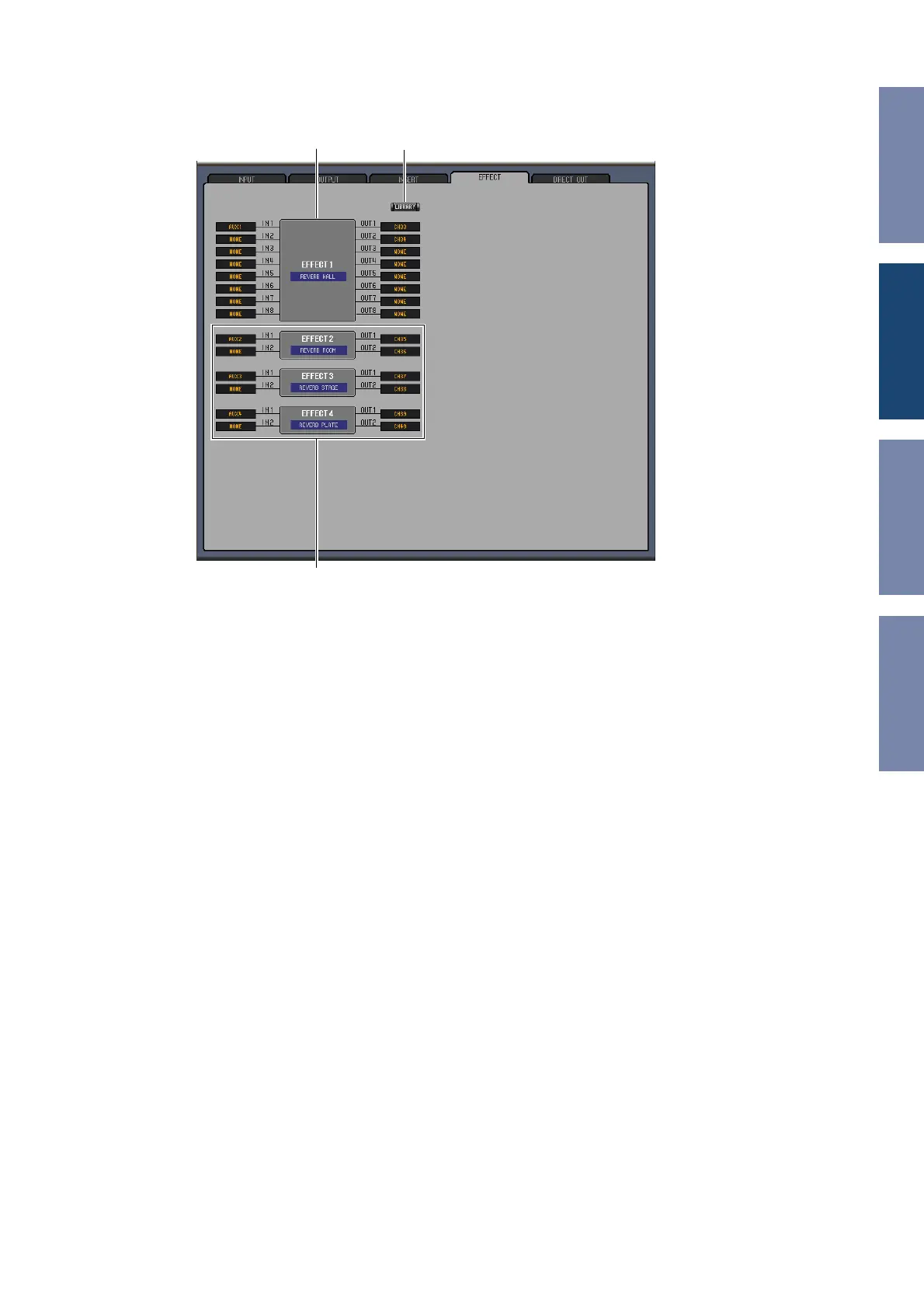
❏ EFFECT PATCH Page
A Effects processor 1 section
This section indicates the effects name assigned to internal Effects processor 1. The parameters in this
section are used to select inputs and outputs for Effects processor 1.
B [LIBRARY] button
This button opens the Input Patch Library window.
C Effects processors 2–4 section
This section indicates the effects names assigned to internal Effects processors 2–4. The parameters in
this section are used to select inputs and outputs for Effects processors 2–4.
A
B
C













 To Next Page