RX-V530/RX-V530RDS/HTR-5550/HTR-5550RDS/DSP-AX530
RX-V430/RX-V430RDS/HTR-5540/HTR-5540RDS/DSP-AX430
RX-V530/RX-V530RDS/HTR-5550/HTR-5550RDS/DSP-AX530
RX-V430/RX-V430RDS/HTR-5540/HTR-5540RDS/DSP-AX430
40
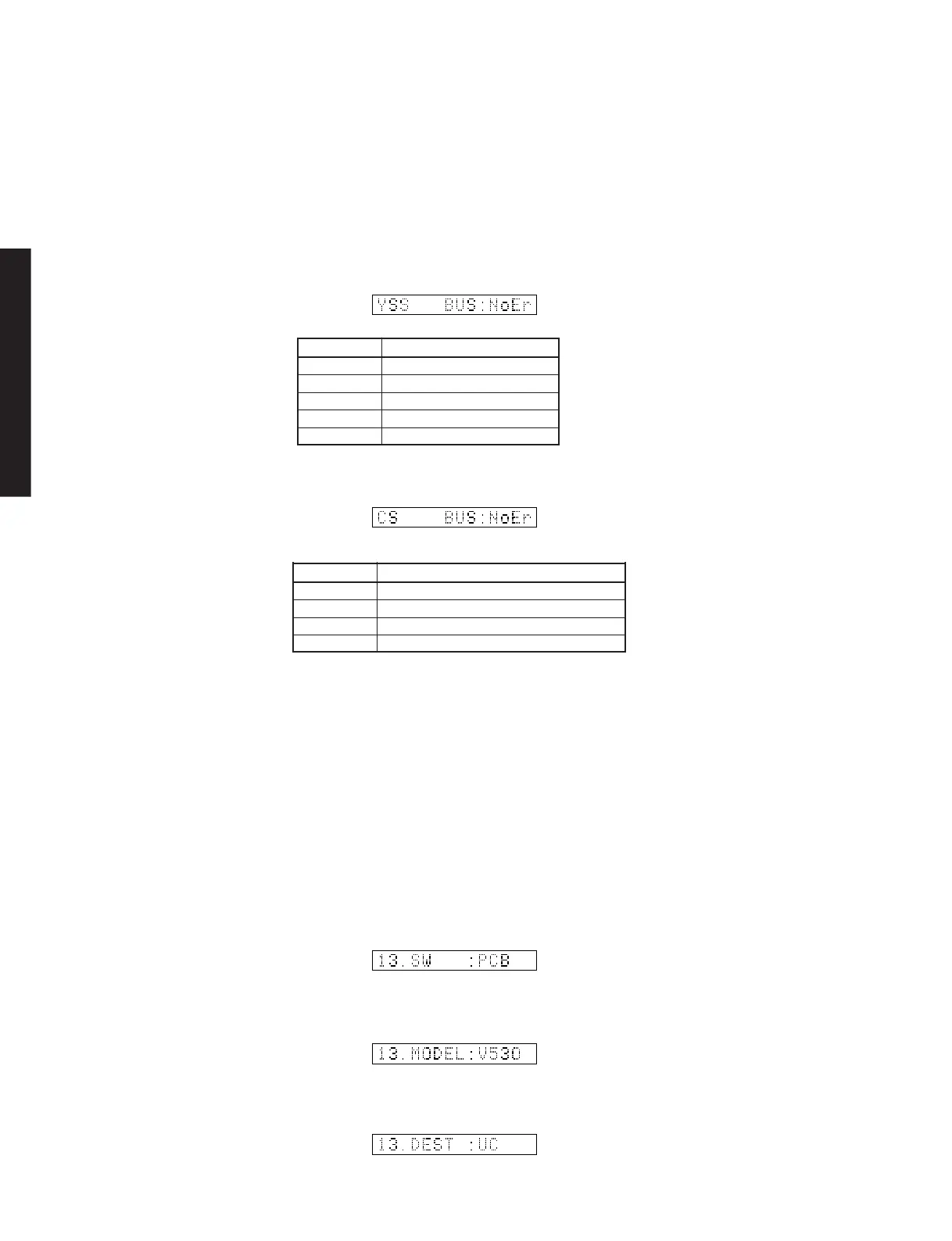
Display Description
WAIT Bus is being checked.
NoEr No error detected.
DATA Data bus shorted or open.
RSCS /RAS or /CAS shorted, or open.
ADDR Address bus shorted or open.
12. DSP RAM CHECK
This menu is used to self-diagnose whether or not the bus
connection for the YSS938 and the external RAM is made
properly.
During signal processing, the status before execution of
this menu is maintained.
The address bus and the data bus are checked and the
connection condition is displayed.
When no error is detected, "NoEr" appears on display.
YSS938 Bus Check
12.DSPRAMCHECK
YSS938BUSCHECK
PLD/SRAM BUS CHECK
Display Description
WAIT Bus is being checked.
NoEr No error detected.
DATA Data bus shorted or open. (XX: 00-07)
ADDR Address bus shorted or open. (XX: 00-0E)
PLD/SRAMBUSCHECK
13. SOFT SW
This menu is used to switch the function settings on P.C.B.
through the software so as to activate the product.
The protection function follows the P.C.B. settings. When
connected to AC or in the maker preset state, the unit is
initialized to the P.C. B. setting. Display of each function
after initialization varies depending on settings on P.C.B.
The operation mode can be changed by selecting the sub-
menu and then using the EFFECT key. With SOF selected
for the SW mode, the settings become effective.
MODEL SETTING: V430, V530, AX630, V630, V730 or
DVX can be selected.
TUNER DESTINATION: J, UC, ALG or R can be selected.
13.SOFTSW
SW MODE: PCB or SOFT can be selected. SWMODE
MODEL SETTING
TUNERDESTINATION



 To Next Page
 Loading...