EasyManua.ls Logo

Yamaha DSP-AX861SE - User Manual

Yamaha DSP-AX861SE
117 pages
Print Icon
To Next Page IconTo Next Page
Loading...
YAMAHA ELECTRONICS CORPORATION, USA
6660 ORANGETHORPE AVE., BUENA PARK, CALIF. 90620, U.S.A.
YAMAHA CANADA MUSIC LTD.
135 MILNER AVE., SCARBOROUGH, ONTARIO M1S 3R1, CANADA
YAMAHA ELECTRONIK EUROPA G.m.b.H.
SIEMENSSTR. 22-34, 25462 RELLINGEN BEI HAMBURG, GERMANY
YAMAHA ELECTRONIQUE FRANCE S.A.
RUE AMBROISE CROIZAT BP70 CROISSY-BEAUBOURG 77312 MARNE-LA-VALLEE CEDEX02, FRANCE
YAMAHA ELECTRONICS (UK) LTD.
YAMAHA HOUSE, 200 RICKMANSWORTH ROAD WATFORD, HERTS WD18 7GQ, ENGLAND
YAMAHA SCANDINAVIA A.B.
J A WETTERGRENS GATA 1, BOX 30053, 400 43 VÄSTRA FRÖLUNDA, SWEDEN
YAMAHA MUSIC AUSTRALIA PTY, LTD.
17-33 MARKET ST., SOUTH MELBOURNE, 3205 VIC., AUSTRALIA
©
2007 All rights reserved.
DSP-AX861SE
Printed in Malaysia WJ70130
DSP-AX861SE
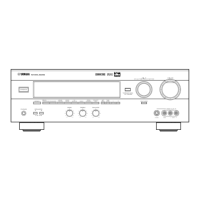
AV Amplifier
OWNER’S MANUAL
B
HUGHES NETWORK SYSTEMS
0069
HYPSON 0099
ITT 0068, 0131, 0267
ITV 0064, 0305
IMPERIAL 0027
INTERFUNK 0108
JVC 0068, 0072, 0094
JENSEN 0068
KEC 0064, 0305
KLH 0099
KAISUI 0099
KENWOOD 0068, 0094
KODAK 0062, 0064
KOLIN 0068, 0070
KORPEL 0099
LG 0064, 0069, 0072,
0507
LXI 0064
LENCO 0305
LEYCO 0099
LLOYD’S 0027
LOEWE 0064, 0108, 1589
LOGIK 0099, 0267
LUXOR 0070, 0075, 0131
M ELECTRONIC
0027
MEI 0062
MGA 0070, 0267
MGN TECHNOLOGY
0267
MTC 0027, 0267
MAGNASONIC
1305
MAGNAVOX 0027, 0062, 0066,
0108, 1808
MAGNIN 0267
MANESTH 0072, 0099
MARANTZ 0062, 0108
MARTA 0064
MATSUI 0375, 0379
MATSUSHITA
0062
MEDION 0375
MEMOREX 0027, 0062, 0064,
0066, 0074, 0075,
0131, 0267, 0334,
0375, 1264
MEMPHIS 0099
METZ 0064, 0374, 1589
MINOLTA 0069
MITSUBISHI 0068, 0070, 0094,
0108, 0834
MOTOROLA 0062, 0075
MULTITECH 0027, 0099
MURPHY 0027
MYRYAD 0108
NAD 0131
NEC 0062, 0064, 0068,
0075, 0094, 0131
NATIONAL 0253
NECKERMANN 0108
NESCO 0099
NEWAVE 0064
NIKKO 0064
NOBLEX 0267
NOKIA 0068, 0131, 0267
NORDMENDE 0068, 0347
OCEANIC 0027, 0068
OKANO 0342, 0375
OLYMPUS 0062, 0253
OPTIMUS 0064, 0075, 0131,
0459
ORION 0211, 0375, 0379,
1506
OSAKI 0027, 0064, 0099
OTTO VERSAND 0108
PALLADIUM 0064, 0068, 0099
PANASONIC 0062, 0252, 0253,
0643, 1062, 1589
PATHE MARCONI 0068
PENNEY 0062, 0064, 0069,
0267, 1062, 1264
PENTAX 0069
PERDIO 0027
PHILCO 0062
PHILIPS 0062, 0108, 0645,
1108, 1208
PHONOLA 0108
PILOT 0064
PIONEER 0069, 0094, 0108
POLK AUDIO 0108
PROFITRONIC 0267
PROLINE 0027
PROSCAN 0087, 1087
PROTEC 0099
PULSAR 0066
PYE 0108
QUASAR 0062, 1062
QUELLE 0108
RCA 0062, 0069, 0087,
0267, 0834, 1062,
1087
RADIOSHACK 0027
RADIOLA 0108
RADIX 0064
RANDEX 0064
REALISTIC 0027, 0062, 0064,
0074, 0075, 0131
REOC 0375
REPLAYTV 0641, 0643
REX 0068
ROADSTAR 0064, 0099, 0267,
0305
RUNCO 0066
SBR 0108
SEG 0267
SEI 0108
STS 0069
SABA 0068, 0347
SALORA 0070
SAMPO 0064, 0075
SAMSUNG 0072, 0267, 0459
SANKY 0066, 0075
SANSUI 0027, 0068, 0094,
1506
SANYO 0074, 0131, 0267
SAVILLE 0379
SCHAUB LORENZ 0027, 0068,
0131
SCHNEIDER 0027, 0099, 0108
SCOTT 0070, 0072, 0211
SEARS 0027, 0062, 0064,
0069, 0074, 0131,
1264
SELECO 0068
SEMP 0072
SHARP 0075, 0834
SHINTOM 0099, 0131
SIEMENS 0064, 0108, 0131
SILVA 0064
SINGER 0072, 0099
SINUDYNE 0108
SONIC BLUE 0641, 0643
SONTEC 0064
SONY 0027, 0059, 0060,
0062, 0663, 1259
SUNKAI 0375
SUNSTAR 0027
SUNTRONIC 0027
SYLVANIA 0027, 0062, 0108,
0070, 1808
SYMPHONIC 0027
TMK 0267
TANDY 0027, 0131
TASHIKO 0027, 0064
TATUNG 0027, 0068, 0072,
0094, 0108
TEAC 0027, 0068, 0305,
0334, 0669
TECHNICS 0062, 0253
TECO 0062, 0064, 0068,
0075
TEKNIKA 0027, 0062, 0064
TELEAVIA 0068
TELEFUNKEN 0068, 0347
TENOSAL 0099
TENSAI 0027
THOMAS 0027
THOMSON 0068, 0087, 0094,
0347
THORN 0068, 0131
TIVO 0645, 0663
TOSHIBA 0068, 0070, 0072,
0094, 0108, 0872
TOTEVISION 0064, 0267
UHER 0267
UNITECH 0267
UNIVERSUM 0027, 0064, 0108,
0267
VECTOR 0072
VICTOR 0068, 0094
VIDEO CONCEPTS 0072
VIDEOMAGIC 0064
VIDEOSONIC 0267
VILLAIN 0027
WARDS 0027, 0062, 0069,
0074, 0075, 0087,
0099, 0108, 0267
WHITE WESTINGHOUSE
0099
XR-1000 0027, 0062, 0099
YAMAHA 0068
YAMISHI 0 0 9 9
YOKAN 0099
YOKO 0267
ZENITH 0027, 0060, 0066,
1506
DSP-AX861SE_B-cv.fm Page 1 Wednesday, February 7, 2007 6:01 PM

Table of Contents

Question and Answer IconNeed help?

Do you have a question about the Yamaha DSP-AX861SE and is the answer not in the manual?

Summary

Safety Precautions

General Operating Precautions

A comprehensive list of safety and operational guidelines for using the unit.

Product Features

Key Features Overview

Details amplifier power, SCENE function, sound fields, HDMI, and iPod capabilities.

Quick Start Guide

Preparation and Initial Setup Steps

Guides for checking items, setting up speakers, and connecting components.

Connections

Rear Panel Connection Overview

Identifies and describes all rear panel connection terminals.

Speaker Placement and Configuration

Recommended speaker layout and detailed connection instructions.

HDMI Connectivity and Setup

Details on HDMI interface standards, compatibility, and cable requirements.

iPod and Remote Control Connections

Instructions for connecting iPod docks and using REMOTE OUT jacks.

PREPARATION

Speaker Impedance and Power Management

Adjusting speaker impedance and basic unit power operations.

Front Panel Indicators

Signal and Status Indicators

Explains various indicators on the front panel for signals, sources, and modes.

Remote Control Operation

Basic Remote Control Usage

Explains remote control aiming, modes, and button functions.

Speaker Setup Optimization

Using AUTO SETUP for Speaker Calibration

Guides on using the YPAO system for automatic speaker setup.

Basic Operation: SCENE Templates

Selecting and Assigning SCENE Templates

How to select and assign preset SCENE templates to buttons.

Basic Operation: Playback

Playback Fundamentals

Basic steps for playing sources and selecting sound fields.

Sound Field Programs

Selecting and Describing Sound Fields

How to select and understand various sound field programs.

Audio Features

Stereo Playback and DSP Effects

Using stereo modes, Virtual CINEMA DSP, and SILENT CINEMA.

Pure Hi-Fi Sound and Speaker Level Adjustment

Using Pure Direct mode and adjusting treble/bass and speaker levels.

iPod Operation

Connecting and Controlling Your iPod

Guides on connecting iPod via dock and controlling it.

Recording Operations

Recording Procedure and Considerations

Steps for recording and important notes on signal types.

Advanced Sound Configurations

Changing Sound Field Parameter Settings

How to adjust parameters like DSP LEVEL and DIALG.LIFT.

Manual Setup and Customization

Manual Setup Overview and Menus

Introduces Auto Setup, Manual Setup, Sound Menu, and Input Menu.

Speaker Settings and Assignments

Adjusting speaker settings, including extra speakers and front speaker assignments.

LFE;Bass Out, Subwoofer Phase, and Speaker Level

Settings for LFE, subwoofer phase, and manual speaker level adjustments.

Speaker Distance and Equalizer Settings

Adjusting speaker distance and selecting equalizer types.

Volume Limits, HDMI, and Extended Surround Decoders

Setting volume limits, HDMI audio, and extended surround decoders.

Decoder Mode and Multi-channel Input Settings

Setting decoder modes and configuring multi-channel input.

Video Conversion and HDMI Up-scaling

Options for converting video signals and up-scaling via HDMI.

Memory Guard, Audio Select, and iPod Dock Settings

Protecting settings, default audio selection, and iPod charging.

Remote Control Features

SCENE Feature Remote Control

Using the remote for SCENE functions and component control.

Setting Remote Control Codes

How to set up remote control codes for various components.

Advanced Setup

Using the Advanced Setup Menu

Accessing and navigating the advanced setup menu.

Speaker Impedance and Remote Control IDs

Setting speaker impedance and remote control AMP IDs.

SCENE IR, Bi-amp, and Reset Functions

Configuring SCENE IR, Bi-amp, video reset, and monitor check.

Troubleshooting

General Problems and Solutions

Common issues like no sound, no picture, and unit not turning on.

Speaker and Sound Output Issues

Troubleshooting sound problems related to speakers and channels.

AUTO SETUP and iPod Errors

Resolving errors during AUTO SETUP and iPod connection issues.

Remote Control Troubleshooting

Issues with remote control not working, learning, or distance.

Resetting the System

Glossary

Audio and Video Signal Terms

Definitions of sound field elements, DSP types, and signal types.

Digital Audio and Interface Terms

Explains DTS, HDMI, Neo:6, PCM, and sampling frequency.

Parametric Equalizer Information

Frequency, Gain, and Q Factor Parameters

Details the adjustable parameters for the parametric equalizer.

Specifications

Summary

Safety Precautions

General Operating Precautions

A comprehensive list of safety and operational guidelines for using the unit.

Product Features

Key Features Overview

Details amplifier power, SCENE function, sound fields, HDMI, and iPod capabilities.

Quick Start Guide

Preparation and Initial Setup Steps

Guides for checking items, setting up speakers, and connecting components.

Connections

Rear Panel Connection Overview

Identifies and describes all rear panel connection terminals.

Speaker Placement and Configuration

Recommended speaker layout and detailed connection instructions.

HDMI Connectivity and Setup

Details on HDMI interface standards, compatibility, and cable requirements.

iPod and Remote Control Connections

Instructions for connecting iPod docks and using REMOTE OUT jacks.

PREPARATION

Speaker Impedance and Power Management

Adjusting speaker impedance and basic unit power operations.

Front Panel Indicators

Signal and Status Indicators

Explains various indicators on the front panel for signals, sources, and modes.

Remote Control Operation

Basic Remote Control Usage

Explains remote control aiming, modes, and button functions.

Speaker Setup Optimization

Using AUTO SETUP for Speaker Calibration

Guides on using the YPAO system for automatic speaker setup.

Basic Operation: SCENE Templates

Selecting and Assigning SCENE Templates

How to select and assign preset SCENE templates to buttons.

Basic Operation: Playback

Playback Fundamentals

Basic steps for playing sources and selecting sound fields.

Sound Field Programs

Selecting and Describing Sound Fields

How to select and understand various sound field programs.

Audio Features

Stereo Playback and DSP Effects

Using stereo modes, Virtual CINEMA DSP, and SILENT CINEMA.

Pure Hi-Fi Sound and Speaker Level Adjustment

Using Pure Direct mode and adjusting treble/bass and speaker levels.

iPod Operation

Connecting and Controlling Your iPod

Guides on connecting iPod via dock and controlling it.

Recording Operations

Recording Procedure and Considerations

Steps for recording and important notes on signal types.

Advanced Sound Configurations

Changing Sound Field Parameter Settings

How to adjust parameters like DSP LEVEL and DIALG.LIFT.

Manual Setup and Customization

Manual Setup Overview and Menus

Introduces Auto Setup, Manual Setup, Sound Menu, and Input Menu.

Speaker Settings and Assignments

Adjusting speaker settings, including extra speakers and front speaker assignments.

LFE;Bass Out, Subwoofer Phase, and Speaker Level

Settings for LFE, subwoofer phase, and manual speaker level adjustments.

Speaker Distance and Equalizer Settings

Adjusting speaker distance and selecting equalizer types.

Volume Limits, HDMI, and Extended Surround Decoders

Setting volume limits, HDMI audio, and extended surround decoders.

Decoder Mode and Multi-channel Input Settings

Setting decoder modes and configuring multi-channel input.

Video Conversion and HDMI Up-scaling

Options for converting video signals and up-scaling via HDMI.

Memory Guard, Audio Select, and iPod Dock Settings

Protecting settings, default audio selection, and iPod charging.

Remote Control Features

SCENE Feature Remote Control

Using the remote for SCENE functions and component control.

Setting Remote Control Codes

How to set up remote control codes for various components.

Advanced Setup

Using the Advanced Setup Menu

Accessing and navigating the advanced setup menu.

Speaker Impedance and Remote Control IDs

Setting speaker impedance and remote control AMP IDs.

SCENE IR, Bi-amp, and Reset Functions

Configuring SCENE IR, Bi-amp, video reset, and monitor check.

Troubleshooting

General Problems and Solutions

Common issues like no sound, no picture, and unit not turning on.

Speaker and Sound Output Issues

Troubleshooting sound problems related to speakers and channels.

AUTO SETUP and iPod Errors

Resolving errors during AUTO SETUP and iPod connection issues.

Remote Control Troubleshooting

Issues with remote control not working, learning, or distance.

Resetting the System

Glossary

Audio and Video Signal Terms

Definitions of sound field elements, DSP types, and signal types.

Digital Audio and Interface Terms

Explains DTS, HDMI, Neo:6, PCM, and sampling frequency.

Parametric Equalizer Information

Frequency, Gain, and Q Factor Parameters

Details the adjustable parameters for the parametric equalizer.

Specifications

Yamaha DSP-AX861SE Specifications

General IconGeneral
BrandYamaha
ModelDSP-AX861SE
CategoryAmplifier
LanguageEnglish

Related product manuals