DTX- PRO Firmware Update Guide 3
2.
Make sure to turn the power off, and then connect the USB flash drive to the
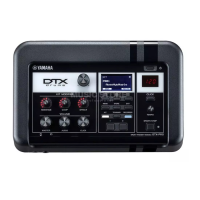
[USB TO DEVICE] terminal on the rear panel.
3.
Hold down the [START/STOP] button and press the Standby/On switch to turn
the power on.
After a few seconds, the following message will appear.
4.
Press the [MENU] button.
The following message will appear.
5.
Press the [MENU] button again to start the update process.
The process may take a few minutes.
When the update process is complete, the following message will appear.
6.
Turn the power off.
This completes the update process.
Installer
[MENU]: Install
[EXIT]: Delete
Press the button
Yamaha Corp.
Installer
[MENU]: Execute
[EXIT]: Cancel
Program ver.*.**
Yamaha Corp.
Installer
Completed.
Turn power off.
Program ver.*.**
Yamaha Corp.


 To Next Page