EasyManua.ls Logo

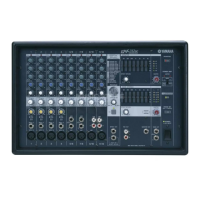
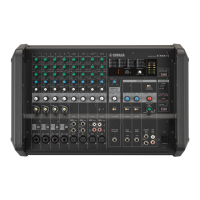
Yamaha EMX5 - User Manual

Yamaha EMX5
24 pages
Print Icon
To Next Page IconTo Next Page
Loading...
Owners Manual
EN
If you wish to get started right away:
If you encounter a problem:
pages 6 to 9 Quick Start Guide
page 13 Troubleshooting

Other manuals for Yamaha EMX5

Questions and Answers

  • E
    Emily WilliamsAug 16, 2025
    How do I apply an effect on my Yamaha EMX5 Music Mixer?
    • A
      Anthony JohnsonAug 16, 2025
      Check that the [AUX2/FX] send controls on each channel are correctly adjusted. Is the FX RTN [FX ON] switch turned on? Check that the FX RTN [LEVEL] control is correctly adjusted.
  • E
    ecarterAug 18, 2025
    Why is there no sound coming from my Yamaha EMX5 Music Mixer?
    • M
      michaellawrenceAug 18, 2025
      First, ensure that all external devices, including microphones and speakers, are correctly connected. Then, check that all the input channel [LEVEL] controls and the AUX1, AUX2, and STEREO MASTER [LEVEL] controls are set to appropriate levels. For channel 11/12, if both RCA and stereo mini jacks are connected, the stereo mini jack will take priority. Finally, verify that the speaker cables are not shorted.
  • J
    Jennifer CunninghamAug 21, 2025
    What to do if the Yamaha Music Mixer power suddenly turns off?
    • L
      llyonsAug 21, 2025
      If the internal temperature of the mixer is excessively high, the overload protection function may have been triggered. Turn off the [ ] (Power) switch and restart the mixer after leaving it for a few minutes.
  • A
    Anthony GrayAug 25, 2025
    How to fix a low, distorted, or noisy sound on my Yamaha EMX5 Music Mixer?
    • K
      Kristin ThomasAug 26, 2025
      Ensure that all the input channel [LEVEL] controls and the AUX1, AUX2, and STEREO MASTER [LEVEL] controls are set to appropriate levels. Verify that the [ MIC/ LINE] switches on channels 1 to 4 are set correctly. Also, check if the input signal from the device connected to the mixer is set to an appropriate level. If an instrument with passive pickups is connected to channel 4, turn on the [Hi-Z] switch.
  • E
    Erica ScottAug 27, 2025
    What to do if the AMPLIFIER [PROTEC- TION] indicators are flashing on my Yamaha EMX5 Music Mixer?
    • P
      Paul MillerAug 28, 2025
      If the AMPLIFIER [PROTEC- TION] indicators are flashing, this indicates that the speaker cables connected to the [SPEAKERS] jack for the corresponding channel may be short circuited. Turn off the [ ] (Power) switch and inspect the speaker cable for the corresponding channel.
  • O
    Oscar GonzalezAug 30, 2025
    What to do if the AMPLIFIER [PROTEC- TION] indicators are constantly on on my Yamaha EMX5 Music Mixer?
    • J
      Jessica HarveyAug 31, 2025
      If the AMPLIFIER [PROTEC- TION] indicators are constantly on, this indicates that the output has been muted due to amplifier overheating. Please wait until the amplifier has cooled down to an acceptable level. If it does not reset, turn off the [ ] (Power) switch and restart the mixer after leaving it for a few minutes.
  • E
    Elizabeth WeberSep 2, 2025
    How to make speaking voices clearer on my Yamaha EMX5?
    • Z
      Zoe MillerSep 3, 2025
      Ensure that the equalizer controls [HIGH]/[MID]/[LOW] are adjusted appropriately. Check if the [HPF] switch is turned on. Turning the [MASTER EQ] control to the left of the center position “MUSIC”, which is the basic setting, will suppress low and high range audio frequencies.
  • L
    Lauren WareSep 6, 2025
    How to turn on Yamaha Music Mixer if the power does not come on?
    • A
      Adam GonzalezSep 6, 2025
      Turn off the [ ] (Power) switch and recheck the connection. Be sure that you are using the included power cord, and that it is correctly connected to the [AC IN] jack and plugged into a working power outlet. If the power still does not come on when pressing the [ ] (Power) switch after waiting a few minutes, the mixer may be malfunctioning. If this is the case, contact your nearest Yamaha dealer.
  • T
    Tami ZunigaSep 8, 2025
    Why does the sound from the Yamaha Music Mixer speakers seem dull?
    • R
      Richard GomezSep 9, 2025
      Ensure that the equalizer controls [HIGH]/[MID]/[LOW] are adjusted appropriately. Turning the [MASTER EQ] control to the right of the center position “MUSIC”, which is the basic setting, will boost low and high range audio frequencies.
  • M
    mrossSep 12, 2025
    How can I hear the monitor output on my Yamaha EMX5 Music Mixer?
    • M
      Michelle AllisonSep 12, 2025
      Connect a powered speaker (a speaker with an internal amplifier) to the [AUX1 SEND], [AUX2 SEND] jacks. For the [AUX1 SEND] jack and [AUX2 SEND] jack output signals, adjust each channel’s [AUX1] send control, [AUX2/FX] send control, as well as the AUX1 and AUX2 MASTER [LEVEL] controls. Set the AMPLIFIER [MODE] switch to “L+R/AUX1” to enable the monitor signal (AUX1) to be output from the rear panel [SPEAKERS B] jack. The STEREO L/R mixed signal is output from the [SPEAKERS A] jack.

Summary

Safety and Symbols

Graphical Symbols Explanation

Explains the meaning of graphical symbols used in the manual and on the device.

Important Safety Instructions

Essential safety precautions for operating the apparatus to prevent hazards.

Safety Precautions

General Safety Precautions

Comprehensive list of safety measures for electrical and physical hazards.

Cautionary Notes

Specific warnings regarding power, location, and handling to prevent damage or injury.

Operational Precautions

Handling and Maintenance

Guidelines for proper handling, cleaning, and maintenance of the device.

Product Information

General information and notices about the product and its operation.

Product Overview

Main Features

Key features and capabilities of the Yamaha EMX5 powered mixer.

Accessories Included

Lists the items typically included with the mixer for user reference.

Quick Start Guide

Speaker Connection Example

Step-by-step guide for connecting speakers and setting up the mixer.

Quick Start Operations

Powering Up and Volume Settings

Instructions for powering on the mixer and optimizing volume levels for audio output.

Quick Start Features

Using the Compressor

How to use the built-in compressor for vocal and instrument sound enhancement.

Quick Start Effects

Using Built-in Effects

Guide to applying digital effects to enhance the audio signal.

Front Panel Controls

Input and Level Controls

Explanation of equalizer, send, and level controls for input channels.

Effect and Program Controls

Details on effect return, program selection, and parameter adjustment controls.

Mixer Functions and Indicators

Master and Amplifier Controls

Controls for master output levels, monitor EQ, and amplifier mode settings.

Power and Protection Indicators

Information on power status, amplifier protection, and limit indicators.

Rear Panel Connections

Speaker and Power Outputs

Description of speaker output jacks and the AC power input.

USB Terminal Function

Information regarding the purpose and use of the USB terminal.

Troubleshooting Guide

Common Issues and Solutions

A guide to diagnosing and resolving common problems with the mixer.

Appendix: Speaker Connections

Speaker Connection Configurations

Diagrams and guidelines for connecting passive speakers in different configurations.

Appendix: Installation

Orientation and Mounting

Instructions for orienting the mixer and ensuring proper installation ventilation.

Appendix: Rack Mounting

Rack Mounting Procedure

Steps for attaching optional rack-mount brackets to the mixer.

Appendix: Effects

Effect Program List

A detailed list of all available built-in digital effects and their parameters.

Appendix: Connectivity

Jack and Plug List

A comprehensive list of all input/output jacks and compatible plug types.

Appendix: Specifications

Physical Dimensions

Diagrams illustrating the physical dimensions of the mixer unit.

General Specifications

Technical Specifications Summary

Summary of technical specifications including power, dimensions, and performance data.

Compliance and Disposal

FCC and UK Notices

Regulatory compliance information for the USA and UK, including FCC standards.

Equipment Disposal Information

Guidelines for the proper collection and disposal of used electrical equipment.

Guarantee Information

EEA and Switzerland Warranty

Details on warranty service for customers in the European Economic Area and Switzerland.

Contact Information

Worldwide Yamaha Addresses

A list of Yamaha contact addresses and representative offices globally.

Yamaha EMX5 Specifications

General IconGeneral
Channels quantity12 channels
Digital sound processing- bit
DJ mixer-
Product colorBlack
Cables includedAC
Video capabilityNo
Phantom power48 V
AC input voltage100 - 240 V
AC input frequency50 - 60 Hz
Power consumption (typical)42 W
AUX out ports2
Weight and Dimensions IconWeight and Dimensions
Depth325 mm
Width465 mm
Height308 mm
Weight9500 g

Related product manuals