EasyManua.ls Logo

Yamaha EMX7 - User Manual

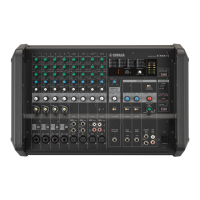
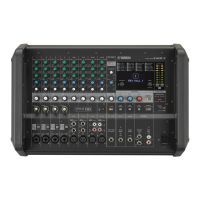
Yamaha EMX7
32 pages
Print Icon
To Next Page IconTo Next Page
Loading...
Owners Manual
EN
If you wish to get started right away:
If you encounter a problem:
pages 8 to 11 Quick Start Guide
page 21 Troubleshooting

Other manuals for Yamaha EMX7

Questions and Answers

  • D
    Danielle HernandezAug 15, 2025
    How to make speaking voices clearer on my Yamaha EMX7?
    • C
      Christina RomeroAug 15, 2025
      To improve the clarity of speaking voices on your Yamaha Music Mixer, ensure that the equalizer controls [HIGH]/[MID]/[LOW] are adjusted appropriately. Also, check if the GEQ (graphic equalizer) is adjusted correctly and verify that the [HPF] switch is turned on.
  • L
    Lisa BentleyAug 18, 2025
    What to do if the selected effect is not applied on my Yamaha EMX7 Music Mixer?
    • D
      darleneromeroAug 18, 2025
      If the selected effect is not being applied on your Yamaha Music Mixer, check that the [AUX2/FX] send controls on each channel are correctly adjusted. Ensure that the FX RTN [FX ON] switch is turned on and that the FX RTN [LEVEL] control is correctly adjusted.
  • S
    Scott CabreraAug 21, 2025
    What to do if no sound is heard from my Yamaha EMX7 Music Mixer?
    • C
      coxjoyAug 21, 2025
      First, ensure that all external devices, including microphones and speakers, are correctly connected to your Yamaha Music Mixer. Next, check that all the input channel [LEVEL] controls and the AUX1, AUX2, and STEREO MASTER [LEVEL] controls are set to appropriate levels. For channel 11/12, verify that both RCA and stereo mini jacks are not connected simultaneously; if they are, the stereo mini jack will take priority. Finally, make sure the speaker cables are not shorted.
  • A
    Ashley OwensAug 25, 2025
    Why is the sound low, distorted, or noisy on my Yamaha EMX7 Music Mixer?
    • D
      Donald ThomasAug 25, 2025
      The sound from your Yamaha Music Mixer might be low, distorted, or noisy due to several reasons. Ensure that all the input channel [LEVEL] controls and the AUX1, AUX2, and STEREO MASTER [LEVEL] controls are set to appropriate levels. Verify that the [MIC/ LINE] switches on channels 1 to 4 are set correctly. Check the input signal level from the device connected to the mixer. If you're using an instrument with passive pickups connected to channel 4, make sure the [Hi-Z] switch is turned on.
  • Y
    ybanksAug 28, 2025
    Why does my Yamaha EMX7 power suddenly turn off?
    • R
      Robin HernandezAug 28, 2025
      If your Yamaha Music Mixer's internal temperature gets excessively high, its overload protection function might activate, causing the power to turn off. Make sure the vents on the sides of the mixer are not blocked. Turn off the power switch and let the mixer cool down for a few minutes before restarting it.
  • B
    Benjamin GregoryAug 31, 2025
    How to troubleshoot a Yamaha EMX7 that does not turn on?
    • S
      Scott HarrisSep 1, 2025
      Turn off the (Power) switch and recheck the connection. Be sure that you are using the included power cord, and that it is correctly connected to the [AC IN] jack and plugged into a working power outlet. If the power still does not come on when pressing the (Power) switch after waiting a few minutes, the mixer may be malfunctioning. If this is the case, contact your nearest Yamaha dealer.
  • W
    wilsonjamesSep 3, 2025
    What to do if AMPLIFIER [PROTEC- TION] indicators are flashing on Yamaha Music Mixer?
    • A
      aaronsmithSep 3, 2025
      If the AMPLIFIER [PROTECTION] indicators are flashing on your Yamaha Music Mixer, it means the speaker cables connected to the [SPEAKERS] jack for the corresponding channel may be short-circuited. Turn off the power switch and inspect the speaker cable for the affected channel. If the indicators are constantly on, the output has been muted due to amplifier overheating. Wait for the amplifier to cool down. If it doesn't reset, turn off the power switch and restart the mixer after a few minutes.
  • N
    Nichole ChungSep 7, 2025
    Why does the sound from my Yamaha Music Mixer sound dull?
    • E
      Edward GonzalezSep 7, 2025
      The sound from the speakers connected to your Yamaha Music Mixer might seem dull and lack dynamics if the equalizer controls [HIGH]/[MID]/[LOW] are not adjusted appropriately. Also, check if the GEQ (graphic equalizer) is adjusted correctly, and ensure that the speaker processor and bass boost functions are set correctly.
  • M
    Mr. Derek PhillipsSep 12, 2025
    How to hear the monitor output on Yamaha EMX7 Music Mixer?
    • C
      curtiserinSep 12, 2025
      To hear the monitor output from your Yamaha Music Mixer, connect a powered speaker (a speaker with an internal amplifier) to the [AUX1 SEND], [AUX2 SEND] jacks. For the [AUX1 SEND] jack and [AUX2 SEND] jack output signals, adjust each channel’s [AUX1] send control, [AUX2/FX] send control, as well as the AUX1 and AUX2 MASTER [LEVEL] controls. Set AMP MODE to L+R/AUX1 on the SYSTEM SETUP screen to enable output of the monitor signal (AUX1) from the rear panel [SPEAKERS B] jack. The STEREO L/R mixed signal is output from the [SPEAKERS A] jack.

Summary

Safety and Initial Setup

IMPORTANT SAFETY INSTRUCTIONS

Essential guidelines for safe operation and handling of the equipment.

Explanation of Graphical Symbols

Explains the meaning of graphical symbols used in the manual.

Quick Start Guide

Connecting Devices and Basic Sound

Step-by-step guide to connect devices and achieve basic sound output.

Using Compressor and Effects

How to use the built-in compressor and sound effects for audio enhancement.

Controls and System Configuration

Front and Rear Panel Controls

Detailed explanation of controls and connections on the front and rear panels.

Screen Procedures and System Setup

Navigating menus, setting up speakers, amplifier modes, and LCD.

Audio Processing, Troubleshooting, and Appendix

Graphic Equalizer (GEQ)

How to adjust audio frequencies using the graphic equalizer.

Troubleshooting

Guide to identify and resolve common problems with the mixer.

Appendix: Specifications and Connections

Technical details, jack lists, speaker connections, and dimensions.

Yamaha EMX7 Specifications

General IconGeneral
Channels quantity12 channels
Digital sound processing- bit
DJ mixer-
Product colorBlack
Video capabilityNo
Phantom power48 V
AC input voltage100 - 240 V
AC input frequency50 - 60 Hz
Power consumption (typical)45 W
Cables includedAC
AUX out ports2
Weight and Dimensions IconWeight and Dimensions
Depth325 mm
Width465 mm
Height308 mm
Weight9500 g

Related product manuals