82 Genos Owner’s Manual
Using Markers in loop playback
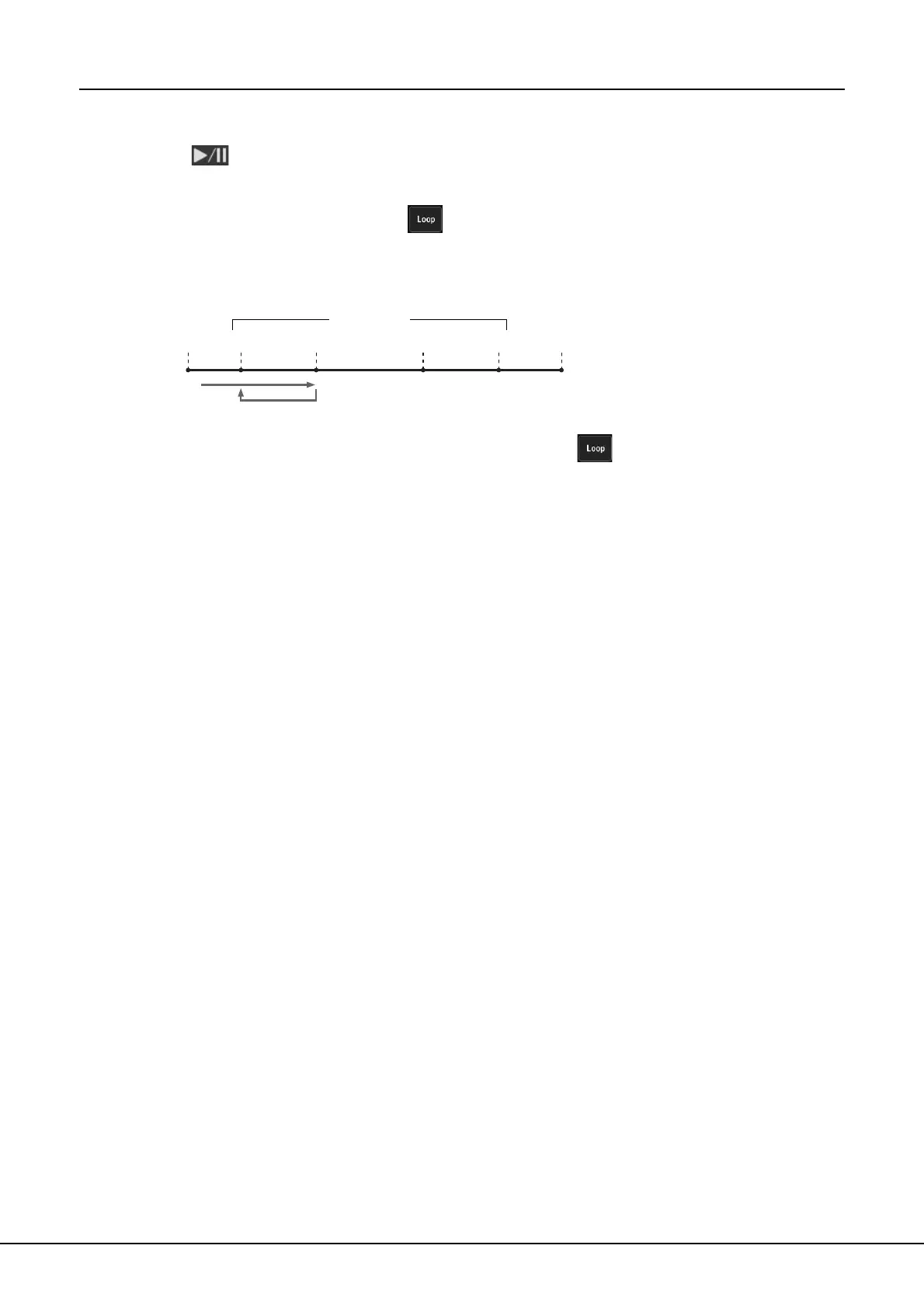
In this section, we’ll explain loop playback by the example of looping between markers [1] and [2].
1 Touch (Play/Pause) to start playback from the top of the
Song.
2 After passing the [1] point, touch (Loop) to turn the loop
function on.
The Song plays back up to the [2] point, then goes back to [1] and loops between
the two points.
3 To stop the loop and continue normal playback, touch
(Loop) again.
When this is turned off, playback continues past the [2] point.
Top of
the song
[1]
End of
the song
[2] [3] [4]
Song Positions



 To Next Page