Why is there a click when turning on my Yamaha genos?
- Ddavid92Sep 23, 2025
When you turn the power of your Yamaha Musical Instrument on or off, a click or pop may be heard. This is normal. Electrical current is being applied to the instrument.
Why is there a click when turning on my Yamaha genos?
When you turn the power of your Yamaha Musical Instrument on or off, a click or pop may be heard. This is normal. Electrical current is being applied to the instrument.
Why is the volume too low or no sound on my Yamaha genos Musical Instrument?
If the overall volume of your Yamaha Musical Instrument is too low, or you're not hearing any sound, here are several things to check: * Ensure the master volume isn't set too low by adjusting it with the [MASTER VOLUME] dial. * Verify that the keyboard parts are turned on using the PART ON/OFF [RIGHT 1]/[RIGHT 2]/[RIGHT 3]/[LEFT] button. * Check the volume levels of individual parts in the Mixer display and raise them if necessary. * Confirm the desired channel is activated in the Mixer display. * Unplug any connected headphones, as they disable speaker output. * Make sure the footswitch is correctly connected to the appropriate jack. * Check the connection of any external speakers and ensure their volume is properly adjusted.
Why is my Yamaha Musical Instrument sound distorted?
If the sound from your Yamaha Musical Instrument is distorted or noisy, ensure that all volume settings are appropriate. The issue may be related to certain effects or filter resonance settings. Check the effect or filter settings in the Mixer display and adjust them as needed.
How to disable auto power off on Yamaha genos Musical Instrument?
The automatic power off on your Yamaha Musical Instrument is a normal function. It is due to the Auto Power Off feature. If you want to change this, set the parameter of the Auto Power Off function.
Why does Style playback skip on my Yamaha genos?
Style playback may seem to skip when the keyboard is played on your Yamaha Musical Instrument because you are exceeding the maximum polyphony of the instrument. The instrument can play up to 256 notes at the same time—including RIGHT 1/RIGHT 2/RIGHT 3/LEFT Voices, Style, Song, and Multi Pad notes. When the maximum polyphony is exceeded, the least important notes (such as soft notes and notes currently decaying) will stop sounding first.
What to do if error during audio recording on Yamaha genos?
If, in the Audio Recording function, an error message appears and audio cannot be recorded to the internal User drive on your Yamaha Musical Instrument, the data on the User drive is fragmented and cannot be used as is. Since there is no defragmentation function in the Audio Recording, the drive can only be defragmented by formatting it. To do this, first back up the data by using the data backup function, then format the drive, and finally restore the backup data. Performing this backup/restore operation effectively defragments the drive, allowing you to use it again.
Why are file names garbled on my Yamaha Musical Instrument?
If some characters of the file/folder name are garbled on your Yamaha Musical Instrument, the language settings have been changed. Set the appropriate language for the file/folder names.
Why is there harmony with microphone sound on Yamaha genos?
If harmony can be heard in addition to the microphone sound on your Yamaha Musical Instrument, Vocal Harmony is set to on. Turn Vocal Harmony off.
What to do if Style doesn't start on Yamaha genos?
If the Style does not start even when the [START/STOP] button is pressed on your Yamaha Musical Instrument, the Rhythm channel of the selected Style may not contain any data. Turn the [ACMP] button on and play the left-hand section on the keyboard to sound the accompaniment part of the Style.
How to fix low keyboard volume on Yamaha Musical Instrument?
If the keyboard volume is lower than the Style/Song playback volume on your Yamaha Musical Instrument, the volume of the keyboard parts may be set too low. Raise the volume in the Mixer display.
Lists and describes compatible file formats like GM, XG, GS, XF, SFF.
Overview of controls and terminals located on the top surface of the instrument.
Details connectors and controls found on the rear and bottom of the instrument.
Instructions for connecting the power cord and understanding power supply requirements.
Guide to initial instrument setup, including language and user preferences.
Explains the instrument's displays, including Home, File Selection, and Menu.
Covers saving, creating folders, renaming, copying, and deleting files.
Steps to select a Style and turn on Auto Accompaniment (ACMP).
Guide to combining keyboard parts (Layer, Split) and selecting Voices.
Details on connecting microphones for singing and recording.
Guide for connecting USB flash drives for data storage and transfer.
Addresses common issues like power, noise, sound quality, and display problems.
| Bit rate | 16 bit |
|---|---|
| Pitch wheel | Yes |
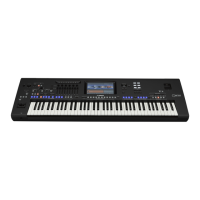
| Product type | Digital synthesizer |
| Product color | Black |
| Sound effects | Chorus, Harmony, Reverberation, Synthesizer |
| Number of pads | 4 |
| Volume control | Rotary |
| Backlight color | Blue/Red |
| Keyboard number of keys | 76 |
| Preset programs quantity | 550 |
| Maximum polyphony (notes) | 256 |
| Number of front panel sliders | 9 |
| Headphone outputs | 1 |
| USB ports quantity | 3 |
| 6.35 mm (1⁄4-inch) input | 2 |
| 6.35 mm (1⁄4-inch) output | 6 |
| Display type | LCD |
| Display diagonal | 9 \ |
| Power source type | AC |
| Depth | 456 mm |
|---|---|
| Width | Blablabla mm |
| Height | 138 mm |
| Weight | 13000 g |