Genos Owner’s Manual 89
5
Adjusting the Parameters of Each Part—Mixer
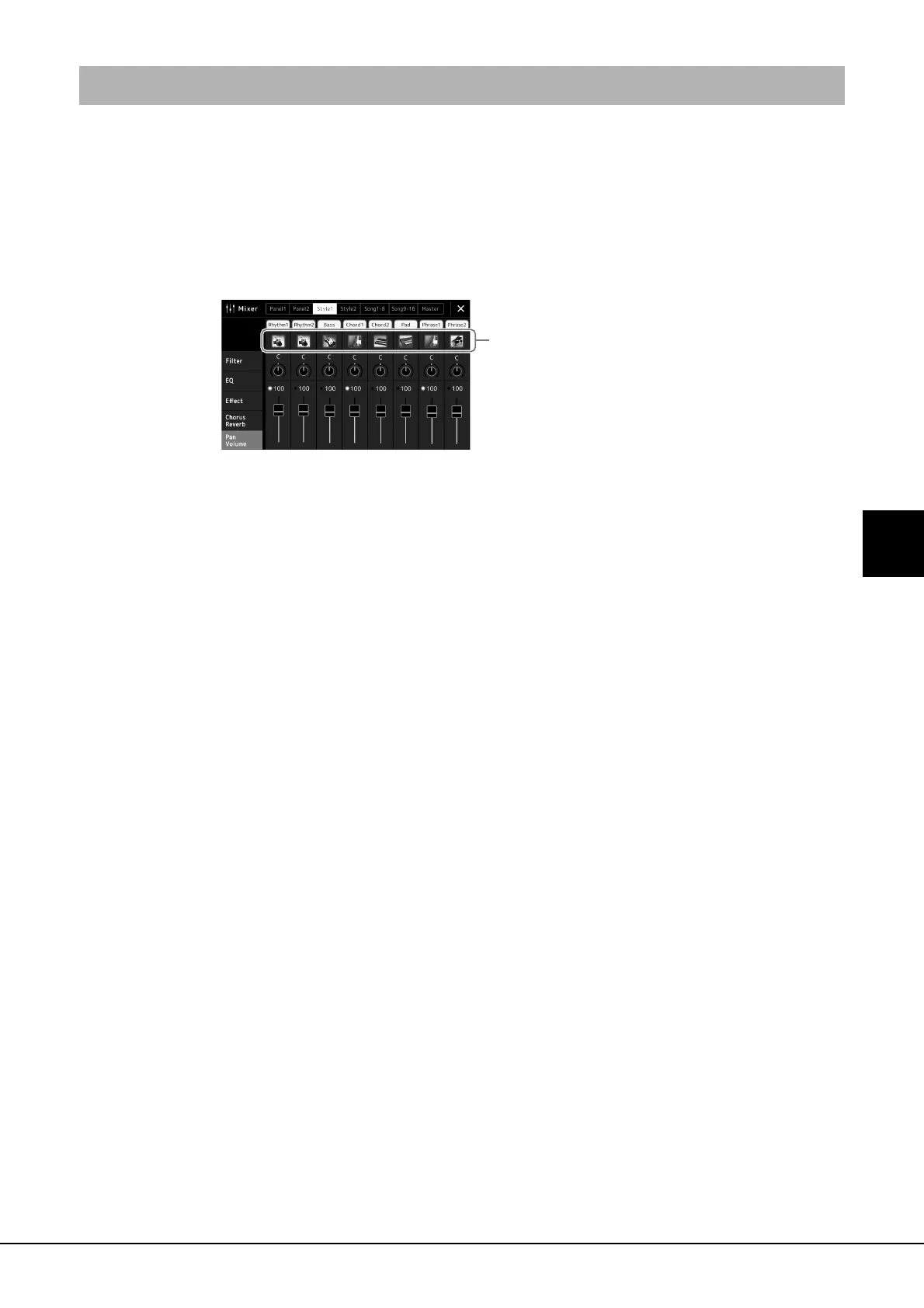
You can change the Voice for each channel via the Mixer display.
1 In the Mixer display, touch the [Style 1/2] tab, [Song 1-8] tab or
[Song 9-16] tab.
2 Touch the instrument icon below the channel name to call up
the Voice Selection display, then select the desired Voice.
3 As necessary, make other settings then save them as a Style
file or Song file (step 5 on page 87).
Changing the Voice for Each Channel of the Style or MIDI Song





 To Next Page