31
DX200
C-6 MIDI
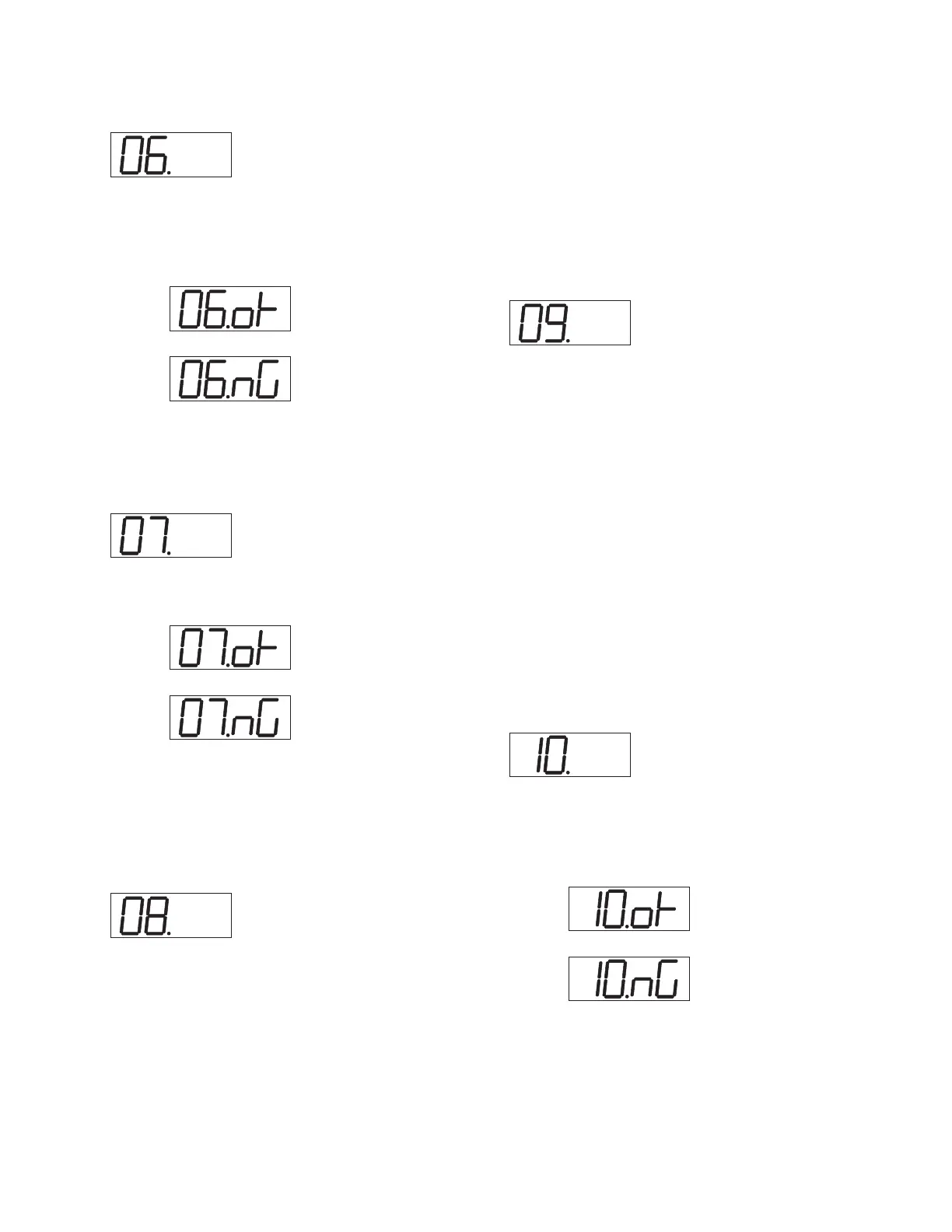
After connecting the MIDI IN to the MIDI OUT via a MIDI cable,
execute the test. MIDI IN transmits the test pattern (AA 50 5F) to be
received by MIDI IN.
Display of Test Results
OK:
NG:
Test End
The test result is displayed and the test will be finished.
C-7 WAVE ROM
This is the data read/ verify check for the WAVE ROM.
Display of Test Results
OK:
NG:
Test End
The test result is displayed and the test will be finished.
Refer to “The test procedure when an error is detected” when “NG”
(No Good) error is detected.
C-8 1kHz OUTPUT-L
Insert the appropriate phone plugs into each output jack of the OUT-
PUT (L, R) and PHONE (L, R), and then connect them to a fre-
quency counter, oscilloscope and AC volt meter.
The VOLUME control must be set at maximum.
Verify that the following signals are output from OUTPUT-L and
PHONES-L.
OUTPUT-L: 1kHz +/- 3Hz Asine wave,+3.0 +/- 2dBm (load
10kΩ),Distortion: less than 0.6%
OUTPUT-R: less than -80dBm(load 10kΩ)
PHONES-L: -4.0 +/- 2 dBm (load 33 Ω) ADistortion: less than
0.6%
PHONES-R: less than -60dBm(load 33 Ω)
Display of Test Results
Not appearing
Test End
Rotate [DATA ENTRY] knob clockwise to proceed to the next test.
C-9 1kHz OUTPUT-R
Insert the appropriate phone plugs into each output jack of the OUT-
PUT (L, R) and PHONE (L, R), and then connect them to a fre-
quency counter, oscilloscope and AC volt meter.
The VOLUME control must be set at maximum.
Verify that the following signals are output from OUTPUT-R and
PHONES-R0.
OUTPUT-L: less than -80dBm(load 10kΩ)
OUTPUT-R: 1kHz +/- 3Hz Asine wave, +3.0 +/- 2dBm (load 10k
Ω), Distortion: less than 0.6%
PHONES-L: less than -60dBm(load 33 Ω)
PHONES-R: -4.0 +/- 2 dBm (load 33 Ω),Distortion: less than 0.6%
Display of Test Results
Not appearing
Test End
Rotate [DATA ENTRY] knob clockwise to proceed to the next test.
C-10 PB NAME
Confirm the proper connection, the name/ version of the plug-in board
through transmitting and receiving data between the unit and the plug-
in board, which is built in the unit.
Display of Test Results
OK:
NG:
Test End
The test result is displayed and the test will be finished.



 To Next Page