EasyManua.ls Logo

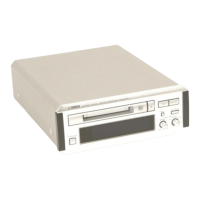
Yamaha MDX-E300 - User Manual

Yamaha MDX-E300
28 pages
Print Icon
To Next Page IconTo Next Page
Loading...
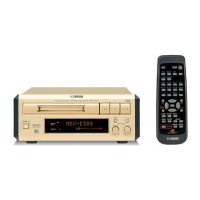
MDX-E300
OWNER’S MANUAL
MODE D’EMPLOI
BEDIENUNGSANLEITUNG
BRUKSANVISNING
MANUALE DI ISTRUZIONI
MANUAL DE INSTRUCCIONES
GEBRUIKSAANWIJZING
Minidisc Recorder
Lecteur Enregistreur de Minidisc
GB
YAMAHA ELECTRONICS CORPORATION, USA 6660 ORANGETHORPE AVE., BUENA PARK, CALIF. 90620, U.S.A.
YAMAHA CANADA MUSIC LTD. 135 MILNER AVE., SCARBOROUGH, ONTARIO M1S 3R1, CANADA
YAMAHA ELECTRONIK EUROPA G.m.b.H. SIEMENSSTR. 22-34, 25462 RELLINGEN BEI HAMBURG, F.R. OF GERMANY
YAMAHA ELECTRONIQUE FRANCE S.A. RUE AMBROISE CROIZAT BP70 CROISSY-BEAUBOURG 77312 MARNE-LA-VALLEE CEDEX02, FRANCE
YAMAHA ELECTRONICS (UK) LTD. YAMAHA HOUSE, 200 RICKMANSWORTH ROAD WATFORD, HERTS WD1 7JS, ENGLAND
YAMAHA SCANDINAVIA A.B. J A WETTERGRENS GATA 1, BOX 30053, 400 43 VÄSTRA FRÖLUNDA, SWEDEN
YAMAHA MUSIC AUSTRALIA PTY, LTD. 17-33 MARKET ST., SOUTH MELBOURNE, 3205 VIC., AUSTRALIA
Printed in Malaysia V914100
MDX-E300
CAUTION – VISIBLE AND
/
OR INVISIBLE LASER RADIATION
WHEN OPEN. AVOID EXPOSURE TO BEAM.
VARNING – SYNLIG OCH
/
ELLER OSYNLIG LASERSTRÅLNING NÄR
DENNA DEL ÄR ÖPPNAD. STRÅLEN ÄR FARLIG.
VARO ! AVATTAESSA OLET ALTTIINA NÄKYVÄLLE JA
/
TAI
NÄKYMÄTÖMÄLLE LASERSÄTEILYLLE.
ÄLÄ KATSO SÄTEESEEN.
VARNING – SYNLIG OCH
/
ELLER OSYNLIG LASERSTRÅLNING NÄR
DENNA DEL ÄR ÖPPNAD. BETRAKTA EJ STRÅLEN.
VORSICHT ! SICHTBARE UND
/
ODER UNSICHTBARE
LASERSTRAHLUNG WENN ABDECKUNG GEÖFFNET.
NICHT DEM STRAHL AUSSETZEN.
CLASS 1 LASER PRODUCT
LASER KLASSE 1 PRODUKT
LUOKAN 1 LASERLAITE
KLASS 1 LASER APPARAT
VARO!
AVATTAESSA JA SUOJALUKITUS
OHITETTAESSA OLET ALTTIINA
NÄKYMÄTTÖMÄLLE LASERSÄTEILYLLE. ÄLÄ
KATSO SÄTEESEEN.
VARNING!
OSYNLIG LASERSTRÅLNING NÄR DENNA DEL
ÄR ÖPPNAD OCH SPÄRREN ÄR URKOPPLAD.
BETRAKTA EJ STRÅLEN.
CAUTION
Use of controls or adjustments or performance of
procedures other than those specified herein may
result in hazardous radiation exposure.
ATTENTION
L’emploi de commandes, de réglages ou un choix
de procédures différents des spécifications de cette
brochure peut entraîner une exposition à
d’éventuelles radiations pouvant être dangereses.
ACHTUNG
Die Verwendung von Bedienungselementen oder
Einstellungen oder die Durchführung von
Bedienungsvorgängen, die nicht in dieser Anleitung
aufgeführt sind, kann zu einem Kontakt mit
gefährlichen Laserstrahlen führen.
OBSERVERA
Användning av kontroller och justeringar eller
genomförande av procedurer andra än de som
specificeras i denna bok kan resultera i att du
utsätter dig för farlig strålning.
ATTENZIONE
Uso di controlli o regolazioni o procedure non
specificamente descritte può causare l’esposizione
a radiazioni di livello pericoloso.
PRECAUCIÓN
El uso de los controles o los procedimientos de
ajuste o utilización diferentes de los especificados
en este manual pueden causar una exposición
peligrosa a la radiación.
VOORZICHTIG
Gebruik van bedieningsorganen of instellingen, of
uitvoeren van handelingen anders dan staan
beschreven in deze handleiding kunnen leiden tot
blootstelling aan gevaarlijke stralen.
0101MDXE300(M).cv1-4.E 02.5.17, 0:02 PM1

Other manuals for Yamaha MDX-E300

Questions and Answers

  • T
    Tiffany MccoyAug 4, 2025
    Why Yamaha MDX-E300 Minidisc Recorder remote control does not operate?
    • C
      carlos89Aug 5, 2025
      If the remote control for your Yamaha Minidisc Recorder isn't working, it might be due to a few reasons. First, the batteries could be exhausted, so try replacing them. Second, you might be operating the remote from too far away or at an incorrect angle; ensure you're within 6 meters (about 20 feet) and within 30° of the sensor. Finally, strong direct light on the remote control sensor can interfere with its operation; try moving the unit away from the strong light.
  • N
    Nicholas JohnsonAug 9, 2025
    What to do if my Yamaha MDX-E300 Minidisc Recorder playback is not possible?
    • L
      Laurie ReynoldsAug 9, 2025
      If playback isn't working on your Yamaha Minidisc Recorder, consider these possibilities: * Moisture may be on the laser pickup; leave the unit switched ON for 20 to 30 minutes to allow the moisture to evaporate. * The power may be OFF; press STANDBY/ON (POWER on the remote control) to turn the power on. * The disc may have been loaded incorrectly; reload the disc with the label side facing up, and the arrow pointing toward the disc insertion slot. * You may have loaded an unrecorded (blank) MD; insert a recorded MD.
  • T
    Trevor SantanaAug 13, 2025
    What to do if my Yamaha MDX-E300 Minidisc Recorder does not work normally?
    • C
      cameron50Aug 13, 2025
      If your Yamaha Minidisc Recorder isn't working correctly, it might be due to strong external noise (like lightning or excessive static electricity) or a misoperation. To resolve this, turn the power off and disconnect the AC power from the AC outlet. Wait about 30 seconds, then reconnect the power and try again.
  • N
    Nicole McdonaldAug 17, 2025
    How to fix excessive noise on Yamaha MDX-E300 Minidisc Recorder?
    • J
      Jack SandersAug 17, 2025
      If you're experiencing excessive noise with your Yamaha Minidisc Recorder, it might be too close to the television or another component. Try placing the unit farther away from these devices.
  • A
    Anne BarrettAug 21, 2025
    What to do if my Yamaha MDX-E300 Minidisc Recorder does not respond to operations?
    • G
      garrettlopezAug 22, 2025
      If your Yamaha Minidisc Recorder isn't responding, the MD might be dirty or damaged. Try replacing the current disc with a new one.
  • M
    Michael AdamsAug 26, 2025
    What to do if MD cannot be removed when partially inserted in Yamaha MDX-E300 Minidisc Recorder?
    • L
      Lori CampbellAug 26, 2025
      If the MD cannot be removed when partially inserted in your Yamaha Minidisc Recorder, the carriage lock function may have activated. Insert the MD completely, then press the eject button to remove it.
  • Z
    Zachary HernandezOct 30, 2025
    What to do if my Yamaha MDX-E300 Minidisc Recorder is not recording?
    • L
      Lauren CantuOct 30, 2025
      If your Yamaha Minidisc Recorder isn't recording, there could be several reasons: * The disc might be write-protected; slide the write-protect tab to the closed position. * You may have loaded a pre-mastered MD; load a recordable MD instead. * The source might not be connected correctly; double-check all connections. * The input setting could be incorrect; press INPUT repeatedly to select the correct input jacks. * The recording level might be too low; adjust the recording level by turning REC LEVEL. * The digital output level of the digital source might be too low; set it to “MAX.” * There might not be enough blank space on the MD; load a recordable MD with fewer recorded tracks or erase unnecessary tracks. * If the power was interrupted during recording, try recording ag...

Summary

CAUTION: READ THIS BEFORE OPERATING THIS UNIT

General Safety Precautions

Essential safety instructions for operating the unit, covering installation, environment, handling, and power.

FEATURES

Key Features

Highlights the unit's capabilities, including digital audio system, inputs/outputs, editing, and MDLP.

SUPPLIED ACCESSORIES

Included Items

Lists the accessories provided with the unit, such as remote control, cables, and batteries.

NOTES ABOUT MINIDISCS

Care of MDs

Provides guidance on handling and maintaining MiniDiscs to prevent damage and ensure proper function.

NAMES OF BUTTONS AND CONTROLS

Front Panel Controls

Identifies and explains the buttons and indicators located on the front panel of the unit.

Display Indicators

Details the various indicators and information displayed on the unit's screen during operation.

Remote Control Layout

Illustrates and explains the functions of each button on the remote control for operating the unit.

GETTING STARTED

Remote Control Setup

Instructions for installing batteries, replacing them, and understanding the remote control's operation range and protection.

System Connections

Explains how to connect the unit to other components, including audio and system control cables.

Connecting Specific Components

Provides diagrams for connecting the MD recorder to CRX-E300, RX-E400, and CDX-E400.

Connecting Your Audio System

Detailed guide on making digital and analog audio connections to an amplifier or receiver.

PLAYBACK

Playback Preparation and Navigation

Steps to prepare for playback and instructions for skipping and searching tracks.

Switching the Display

How to cycle through different display modes during playback and stop modes to view track information.

Playback Modes

Explains Random, Repeat, and A-B Repeat playback functions for varied listening experiences.

Program Playback

Enables creating a custom sequence of tracks to play in a desired order.

RECORDING

Recording Preparation and Overwriting

Steps for preparing to record and instructions on how to overwrite existing tracks.

Recording Level Adjustment and Track Marking

Guidance on setting recording levels and methods for marking tracks.

Special Recording Modes

Details Music Synchro Recording and various recording modes (MONO, LP2, LP4).

Monitor Out and MD Protection

Explains the Monitor Out function and how to protect recorded MDs from erasure.

EDITING

Editing Overview and Notes

Introduces editing capabilities and provides essential notes before and after editing.

Erase Operations

Detailed procedures for erasing entire discs, individual tracks, or specific parts of a track.

Title Erase, Move, and Combine Tracks

Instructions for erasing titles, moving tracks, and combining adjacent tracks.

Divide Track, TOC Write, and Undo

Explains how to divide tracks, write TOC data, and undo editing operations.

TITLING

Disc and Track Titling Procedures

Guides on titling discs and tracks, including character entry and title editing.

Undo Title Operation

Explains how to undo the most recent title editing operation.

ADDITIONAL INFORMATION

MD System Notes and Limitations

Explains MD system characteristics, limitations on recording, and SCMS.

Display Messages

Lists common messages displayed by the unit and their meanings.

Troubleshooting Guide

Comprehensive guide to diagnose and resolve common operating errors and issues.

Specifications

System and General Specifications

Technical details for the digital audio system, general unit specs, power, dimensions, and weight.

Input;Output Specifications

Details the types and levels of audio inputs and outputs available on the unit.

CAUTION

Laser Product Safety

Warnings regarding hazardous laser radiation exposure and proper handling procedures.

Yamaha MDX-E300 Specifications

General IconGeneral
BrandYamaha
ModelMDX-E300
CategoryMinidisc Recorder
LanguageEnglish

Related product manuals