Edit Search Utility Live SetPerformance
MODX Reference Manual
Performance
Home
Motion Control
Overview
Quick Edit
Arpeggio
Motion Seq
Super Knob
Knob Auto
Mixing
Scene
Play / Rec
MIDI
Audio
44
Reference
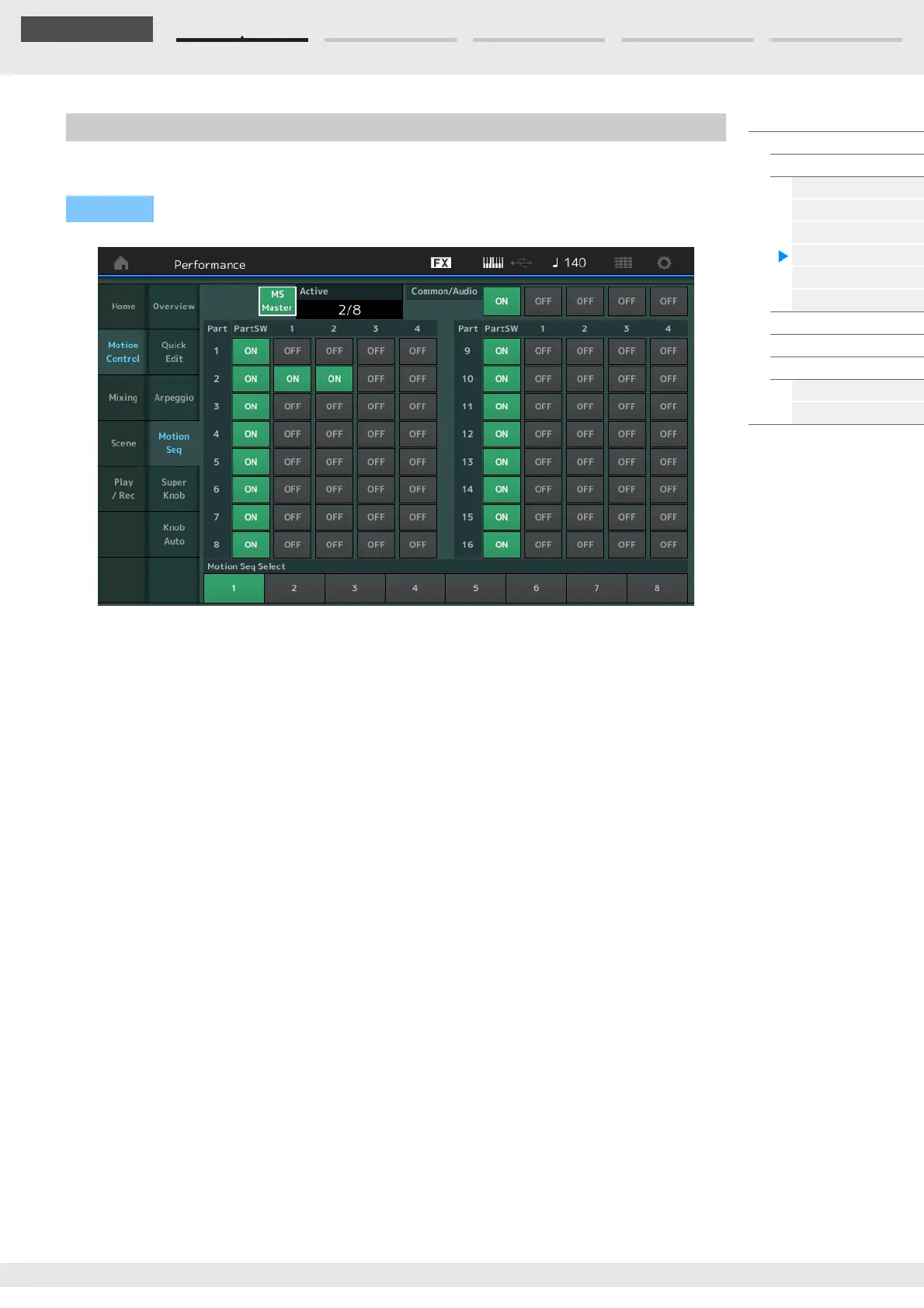
From the Motion Sequencer display you can set parameters related to Motion Sequencer for multiple Parts.
MS Master (Motion Sequencer Master Switch)
Determines whether the Motion Sequencer is on or off for the entire Performance. This setting is applied to
the [MS ON/OFF] button on the panel.
Settings: Off, On
Active (Active Motion Sequencer)
Indicates the number of the active Lane. The number after slash indicates the maximum number of the
Lanes which can be activated simultaneously.
PartSW (Motion Sequencer Part Switch)
Determines whether the Motion Sequencer is on or off for each Part/all Parts.
Settings: Off, On
Lane Switch
Determines whether each Lane is on or off. You can set up to four Lanes corresponding to the Motion
Sequencer function for one Part. Up to eight Lanes can be used at the same time for the entire
Performance.
Settings: Off, On
Motion Seq Select (Motion Sequence Select)
Determines the Motion Sequence Type.
By selecting a type and pressing [SHIFT] + [EDIT], you can copy or exchange Motion Sequences. For
details, see “Copying or Exchanging Motion Sequences” (page 95).
Settings: 1–8
Motion Seq (Motion Sequencer)
Operation
[PERFORMANCE (HOME)] [Motion Control] [Motion Seq]



 To Next Page