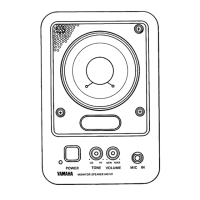
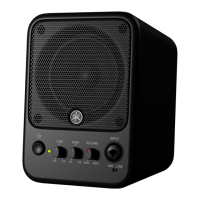
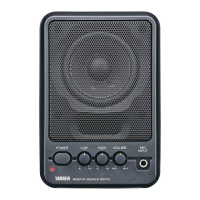
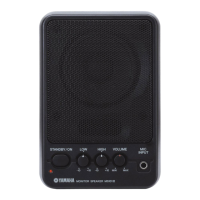
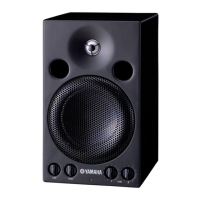
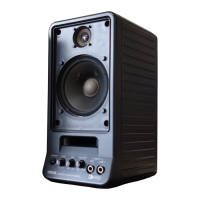
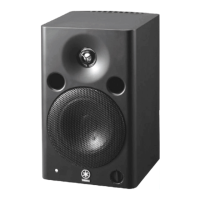
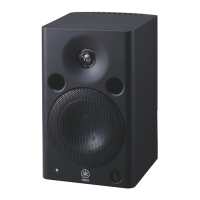
The Yamaha MS101III is a compact, bass-reflex style monitor speaker designed for home recording and personal practice, offering faithful sound reproduction. Its magnetic field-cancelling design allows for placement near televisions or video monitors without causing interference, making it suitable for Audio/Video system applications.
Function Description:
The MS101III serves as a powered monitor speaker, integrating a 4-inch full-range speaker and an internal amplifier. It features multiple input options, allowing users to connect microphones, CD players, VCRs, synthesizers, mixers, and multitrack recorders. The speaker also includes tone controls for adjusting low and high frequencies, as well as a master volume control. A line out jack is provided for connecting another MS101III for parallel operation or for sending mixed input signals to a multitrack recorder.
Important Technical Specifications:
General Specifications:
- Type: Bass Reflex Powered Speaker
- Frequency Range: 75 Hz – 18 kHz (with LOW and HIGH controls at center)
- Max. SPL: 97 dB SPL (10 W, 1 m on axis)
- Dimensions (W × H × D): 147 × 214 × 192 mm (5.8 × 8.4 × 7.6 in)
- Weight: 2.5 kg (5 lb 8 oz)
Speaker Section:
- Components: 10 cm (4 in), Cone × 1
- Sensitivity: 87 dB SPL (1 W, 1 m on axis)
- Nominal Impedance: 4 Ω
Amp Section:
- Output Power: 10 W at 1 kHz, THD = 0.5%, RL = 4 Ω
- Frequency Response: 30 Hz – 20 kHz
- Input Sensitivity/Impedance/Connectors:
- MIC: -45 dB / 2 kΩ / Phone Jack
- LINE 1: -10 dB / 10 kΩ / RCA Pin Jack
- LINE 2: -10 dB / 10 kΩ / Phone Jack
- Hum & Noise: ≤ -60 dB (VOLUME: min, fc = 12.7 kHz, 6dB / oct LPF)
- Controls:
- VOLUME
- LOW: -15 dB – +7 dB at 75 Hz
- HIGH: -13 dB – +8 dB at 10 kHz
- POWER: "On/Off"
- Power Consumption: 30 W
- 0 dB: 0.775 Vrms
Usage Features:
- Front Panel Controls:
- POWER/ON switch/indicator (1): Toggles power on/off, with an indicator light.
- LOW control (2): Adjusts low frequencies; clockwise for boost, counterclockwise for reduction.
- HIGH control (3): Adjusts high frequencies; clockwise for boost, counterclockwise for reduction.
- VOLUME control (4): Sets the overall volume level.
- MIC INPUT (5): A 1/4 inch phone jack for connecting a dynamic microphone.
- Rear Panel Connections:
- Line 1 Input (6): RCA pin jack for line-level output from devices like CD players or VCRs.
- Line 2 Input (7): 1/4 inch phone jack for line-level output from audio equipment such as synthesizers, mixers, multitrack recorders, or effects units.
- Line Out (8): A 1/4 inch phone jack for recording mixed input signals (Mic, Line 1, Line 2) to a multitrack recorder or for connecting another MS101III for parallel operation. Note that the front panel volume knob does not affect the level of this line out.
- Setup Example: The manual illustrates connecting a microphone to the MIC INPUT, a keyboard to LINE 2 input, and a CD player to LINE 1 input, enabling users to sing and play along with their favorite songs.
- Magnetic Shielding: The speaker system is magnetically shielded to minimize interference with video monitors, though in some cases, slight adjustments to speaker placement might be necessary if distortion or unnatural color shifts occur on a nearby monitor.
- Cell Phone Interference: Users are advised to move cell phones further away from the speaker system if noise is induced.
Maintenance Features:
- Safety Instructions: The manual emphasizes crucial safety precautions, including reading all instructions, heeding warnings, avoiding water exposure, cleaning with a dry cloth, ensuring proper ventilation, and protecting the power cord.
- No User-Serviceable Parts: Users are explicitly warned not to open the device or attempt to disassemble internal parts, as it contains no user-serviceable components. All servicing should be referred to qualified service personnel.
- Abnormality Handling: In case of frayed power cords, sudden sound loss, unusual smells, smoke, or physical damage (e.g., dropping), users must immediately turn off the power, disconnect the plug, and have the device inspected by qualified Yamaha service personnel.
- Power Management: Always turn on the device last in an audio system and turn it off first to prevent speaker damage. Unplug the device during lightning storms or extended periods of non-use.
- Proper Handling: Avoid inserting fingers or foreign objects into openings, exposing the device to excessive dust, vibrations, extreme cold/heat, or unstable positions. Do not operate the device at high or uncomfortable volume levels for prolonged periods to prevent hearing loss, and avoid prolonged use if sound is distorting to prevent overheating and fire.
- Disposal Information: The manual provides guidance for the collection and disposal of old electrical and electronic products, indicating that they should not be mixed with general household waste. Users are directed to applicable collection points in accordance with national legislation and EU Directives (2002/96/EC). Business users and those in countries outside the EU are advised to contact their dealer or local authorities for disposal methods.

 Need help?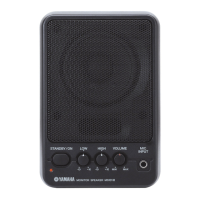

 To Next Page
 General