Instrument and control functions
5-35
1
2
3
4
5
6
7
8
9
10
11
12
13
3. Tighten the locknut to the specified
torque. NOTICE: Always tighten
the locknut against the adjust-
ing ring, and then tighten the
locknut to the specified
torque.
[ECA22760]
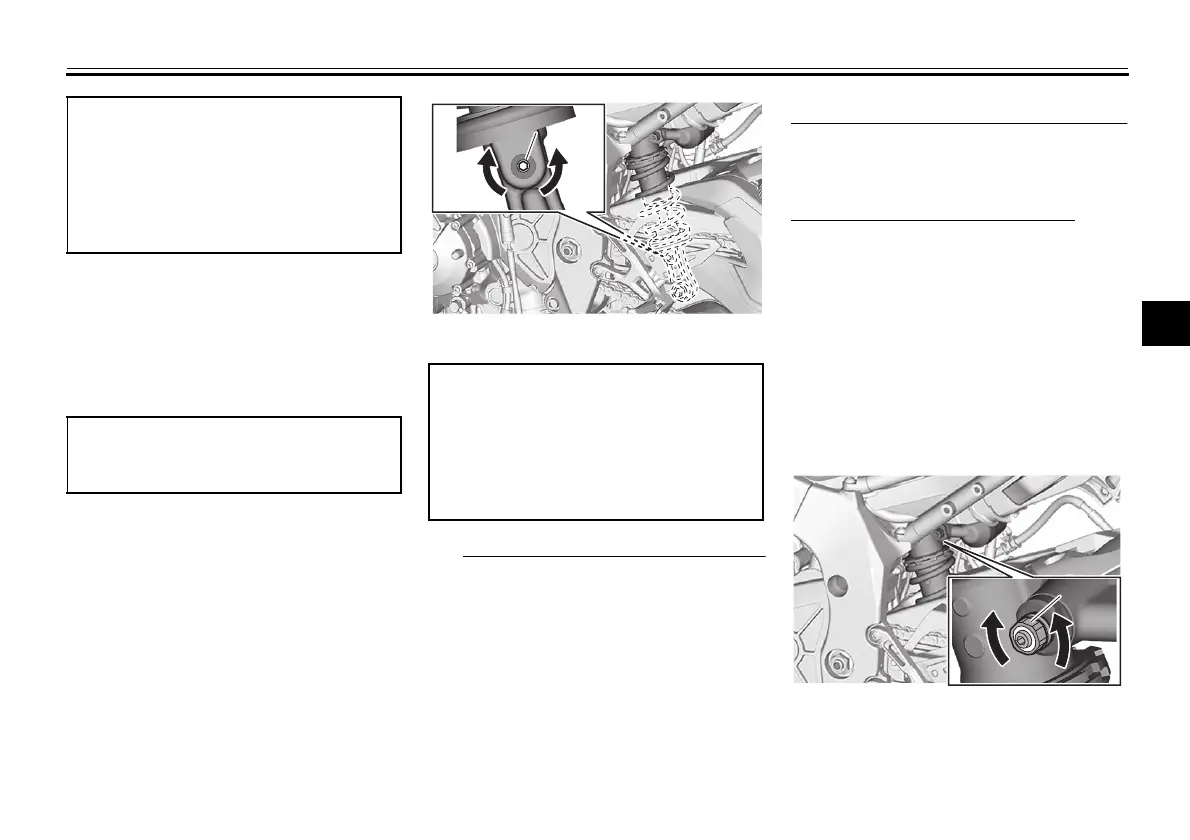
Rebound damping force
Turn the adjusting screw in direction (a)
to increase the rebound damping force.
Turn the adjusting screw in direction (b)
to decrease the rebound damping
force.
To set the rebound damping force, turn
the adjuster in direction (a) until it stops,
and then count the clicks in direction
(b).
When turning the damping force
adjuster in direction (a), the 0 click
position and the 1 click position
may be the same.
When turning the damping force
adjuster in direction (b), it may click
beyond the stated specifications,
however such adjustments are in-
effective and may damage the
suspension.
Compression damping force
Fast compression damping force
Turn the adjusting bolt in direction (a) to
increase the compression damping
force.
Turn the adjusting bolt in direction (b) to
decrease the compression damping
force.
To set the compression damping force,
turn the adjuster in direction (a) until it
stops, and then count the turns in direc-
tion (b).
Spring preload:
Minimum (soft):
Distance A = 76.5 mm (3.01 in)
Standard:
Distance A = 80.5 mm (3.17 in)
Maximum (hard):
Distance A = 84.5 mm (3.33 in)
Tightening torque:
Locknut:
28 N·m (2.8 kgf·m, 21 lb·ft)
1. Rebound damping force adjusting screw
Rebound damping setting:
Minimum (soft):
23 click(s) in direction (b)
Standard:
11 click(s) in direction (b)
Maximum (hard):
1 click(s) in direction (b)
(a
(a)
(b
(b)
1
1. Fast compression damping force
adjusting bolt
(a
(a)
(b
(b)
1
B5Y-9-10-E0.book 35 ページ 2021年12月15日 水曜日 午後1時30分












 To Next Page