14
DRX-730/NX-E700
DRX-730/NX-E700
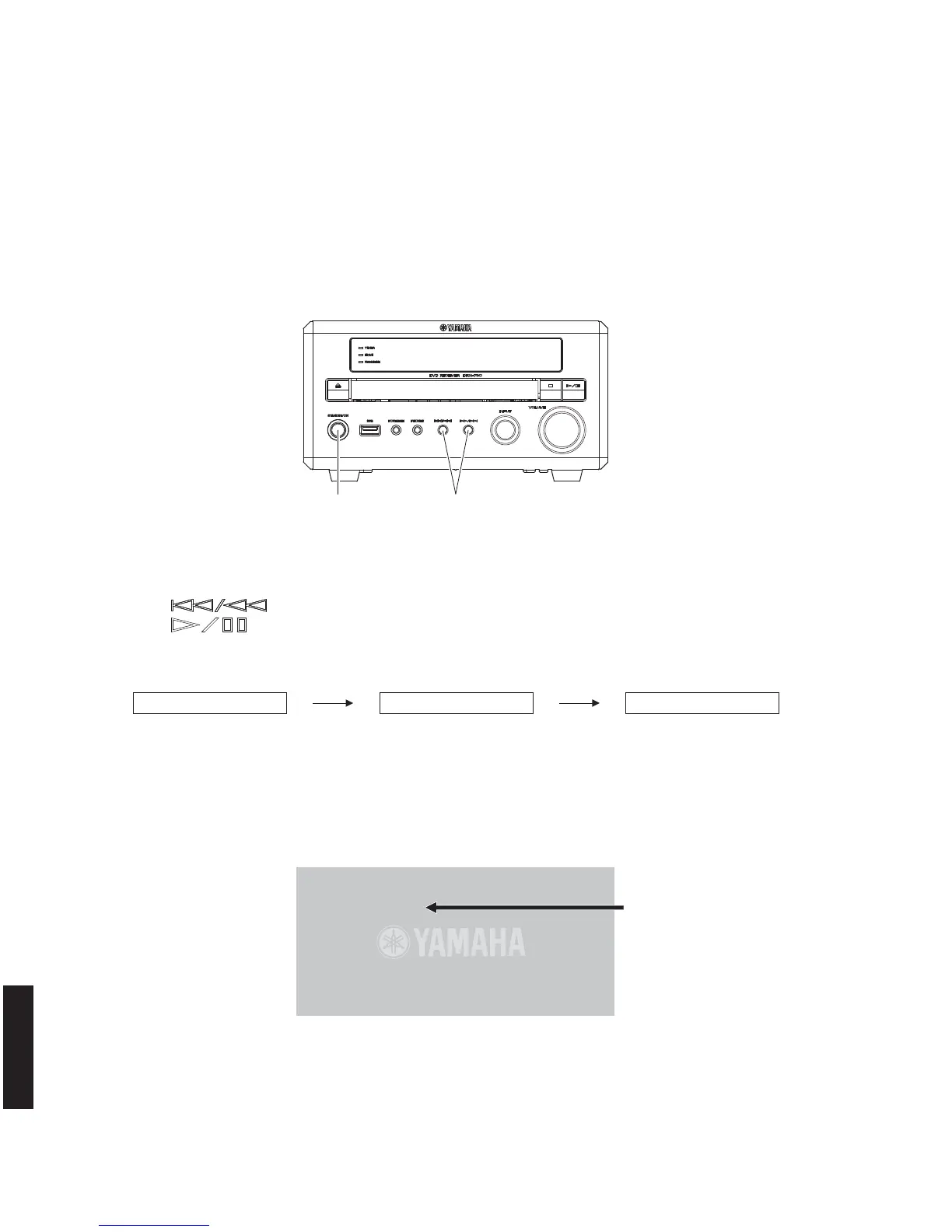
“STANDBY/ON” key Turn on the power while pressing these keys.
VER,A34S:D2E1 DVDWRITEID DVDCLEARID
New ID number (device key)
ID Number ?
<CLEAR> Exit
008000155
*********
(Player's ID Number Setting)
Input ID Number !
Compare
2. Press “ (Previous/Rewind)” key once to select main menu 11 DVD WRITE ID.
3. Press “
(Play/Pause)” key once to select sub-menu 11-2 DVD CLEAR ID.
Wait about 15 seconds.
5. To exit the self-diagnostic function, press “STANDBY/ON” key to turn off the power.
4. New ID number (device key) will appear on the TV monitor screen as shown below.
Note: While the ID number (device key) is displayed, never operate any keys of the remote control.
Fig. 4
Fig. 5
● Check the New ID Number (Device key)
Connection
Connect the VIDEO OUT terminal of this unit to the VIDEO IN terminal of the TV monitor with a video pin cable.
Operation Procedure
Perform following steps while watching the TV monitor screen and using the keys of this unit.
1. While pressing those 2 keys of this unit as indicated in the figure below, press the “STANDBY/ON” key to turn on
the power.
The self-diagnostic function is activated. (Fig. 3)
Fig. 3
Self-diagnostic function starting display Main menu 11 – DVD WRITE ID sub-menu 11-2 – DVD CLEAR ID
* The displayed “008000155” is an
example.



 To Next Page