25
DRX-730/NX-E700
DRX-730/NX-E700
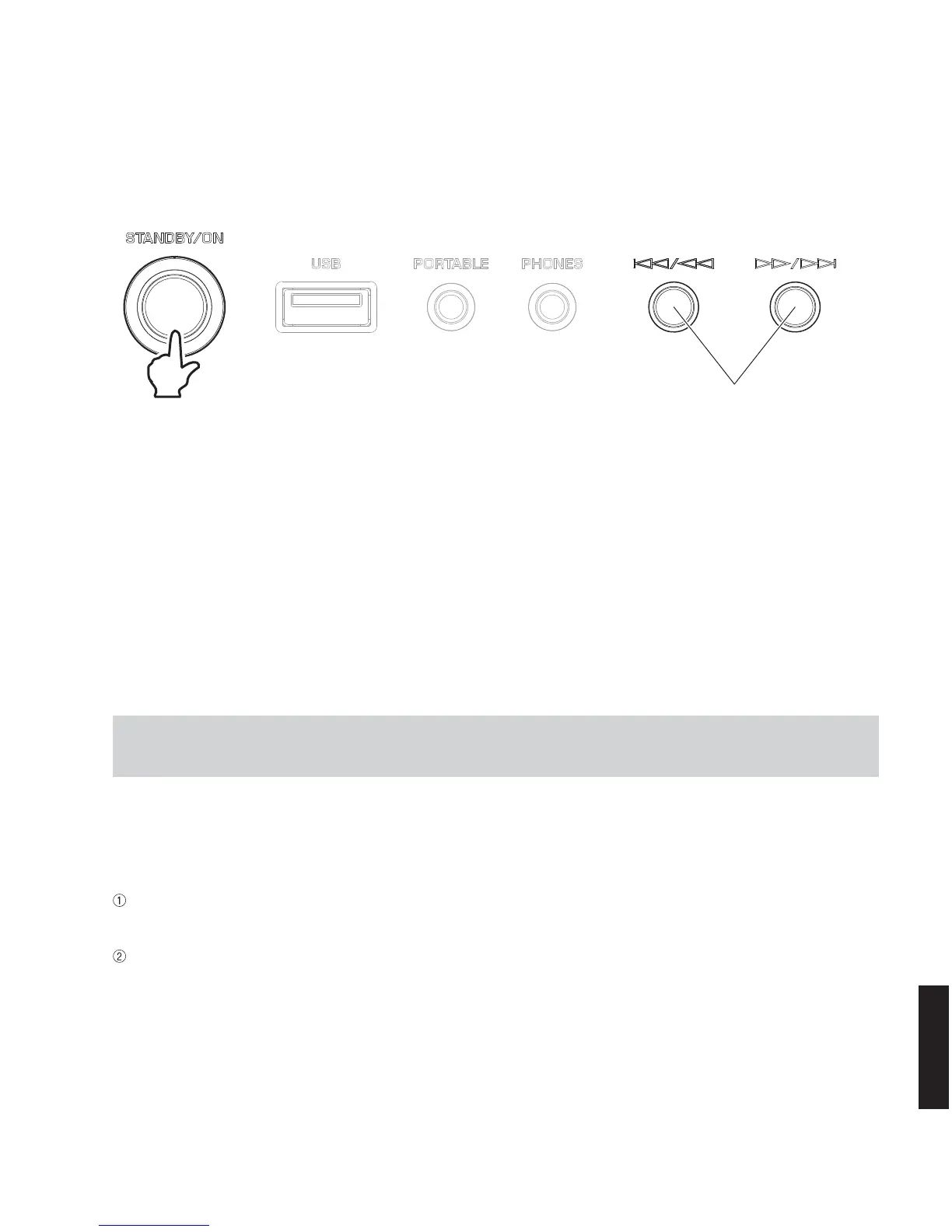
Turn on the power while pressing these keys.
●
Starting Self-Diagnostic Function in the protection cancel mode
If the protection function works and causes hindrance to trouble shoot, cancel the protection function as described below,
and it will be possible to enter the self-diagnostic function mode. (The protection functions other than the excess current
detect function will be disabled.)
While pressing those 2 keys of this unit as indicated in the figure above, press the “STANDBY/ON” key to turn on the power
and keep pressing those 2 keys for 3 seconds or longer.
The self-diagnostic function mode is activated with the protection functions disabled.
In this mode, the “SLEEP” segment of the FL display of this unit flashes to indicate that the mode is self-diagnostic function
mode with the protection functions disabled.
●
Canceling Self-Diagnostic Function
Before canceling self-diagnostic function, execute setting for FACTORY PRESET of main menu No. 2 (Memory initial-
ization inhibited or Memory initialized).
* In order to keep the user memory stored, be sure to select PRESET INHIBIT (Memory initialization inhibited).
Press the “STANDBY/ON” key to turn off the power.
CAUTION!
Using this product with the protection function disabled may cause further damage to itself. Use special care when using
this mode.
●
Starting Self-Diagnostic Function
While pressing those 2 keys of this unit as indicated in the figure below, press the “STANDBY/ON” key to turn on the power.
The self-diagnostic function mode is activated.
Keys of this unit



 To Next Page