 Need help?
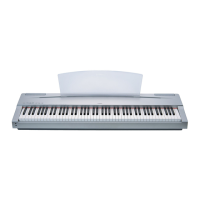
Do you have a question about the Yamaha P-120 P-120S and is the answer not in the manual?
 General
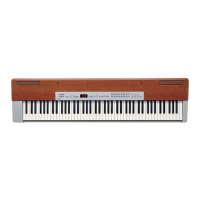
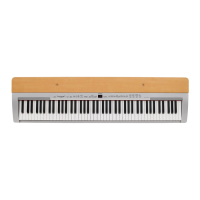
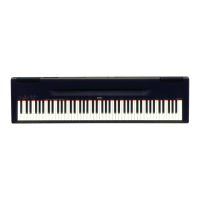
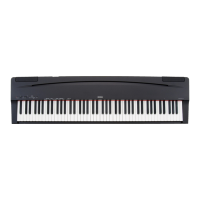
| Type | Digital Piano |
|---|---|
| Voices | 14 |
| Polyphony | 64 |
| Sound Engine | AWM (Advanced Wave Memory) |
| Effects | Reverb, Chorus |
| Connectivity | MIDI (In/Out), Sustain Pedal |
| Speakers | 12cm x 2 |
| Included Accessories | Music Rest |
| Keyboard | 88-key Graded Hammer Effect (GHE) |
General safety precautions, handling of sound levels, and proper usage.
Details on product specifications, warranty, environmental concerns, and battery disposal.
Information regarding battery types, replacement, and proper disposal procedures.
Essential safety information regarding electrical hazards, water exposure, and fire risks.
Guidance on not opening the instrument and seeking professional service if malfunctioning.
Precautions for operating, placing, connecting, and maintaining the instrument to prevent damage.
Instructions on saving internal data and backing up to external media to prevent data loss.
Highlights the advanced Yamaha technology and features of the P-120/P-120S electronic piano.
Lists trademarks and essential accessories included with the instrument for user reference.
How to adjust the overall output volume and the tonal character (timbre) of the sound.
Controls for activating demonstration tunes and managing the metronome function.
Buttons for tempo adjustment, accessing functions, and navigating settings.
Buttons for selecting and playing preset songs and user-recorded songs.
Controls for the 2-track recorder and selecting instrument voices and variations.
Buttons to activate modes, adjust effects like reverb and general effects, and modify touch sensitivity/transpose.
Details on connecting the power adapter and operating the instrument's power switch.
Connecting external audio devices and managing internal speaker output.
Information on connecting headphones for private practice or late-night playing.
How to connect sustain and auxiliary pedals, and MIDI input/output devices.
Connecting the instrument directly to a computer for sequencing and music applications.
Steps to turn on the instrument and set the initial master volume level.
How to choose instrument voices, play the keyboard with touch response, and add effects.
Guide to activating, playing, and exiting the instrument's voice demonstration mode.
Instructions for selecting, playing, and exiting the preset song playback modes.
How to use the A-B Repeat function for practicing specific phrases within preset songs.
Features for practicing individual song parts, synchro start, and AUX pedal control.
Explanation of how to play two voices simultaneously across the keyboard.
Details on functions like Dual Balance, Detune, Octave Shift, and Effect Depth for fine-tuning.
How to engage split mode and choose different voices for left and right hands.
How to set the split point and customize split mode with balance, octave, and effect depth.
How to choose different reverb effects (Room, Hall, Stage) to add depth to the sound.
How to fine-tune the intensity of the selected reverb effect for each voice.
How to choose various sound effects like Chorus, Phaser, Tremolo, and Delay.
How to control the intensity of the selected sound effects for each voice.
How to adjust the sound's tonality from mellow to bright using the Brilliance control.
How to shift the keyboard's pitch up or down to match other instruments or vocalists.
How to select different touch sensitivity types (Hard, Medium, Soft, Fixed) to match playing style.
How to adjust the instrument's overall pitch and restore it to standard tuning.
How to set the metronome's time signature and adjust its volume.
How to adjust the tempo for metronome and song playback.
Steps to select a song, set initial parameters, and engage the record ready mode for recording.
How to select tracks, start, and stop the recording process for user songs.
How to alter recorded settings and erase specific tracks from the user song recorder.
Instructions on how to select and play back recorded user songs.
Using Synchro Start for automatic playback and assigning the AUX pedal for playback control.
How to enter and navigate the instrument's comprehensive function mode.
How to adjust overall tuning and select different scale temperaments and base notes.
Adjusting volume balance, detuning, and octave shifts for dual voices.
Customizing effect depth for dual voices and resetting dual mode functions.
Setting the split point and adjusting the volume balance between split voices.
Adjusting octave shifts, effect depth, pedal ranges, and resetting split mode functions.
Configuring the AUX pedal modes and adjusting sustain sample depth.
Setting pedal types and adjusting the metronome volume.
Adjusting the volume for canceled parts during preset song playback.
Introduction to MIDI and settings for transmit and receive channel selection.
Controlling local tone generator and program change transmission/reception.
Managing control changes, MIDI transpose, panel data, and bulk data transfer.
Settings for backing up voice, MIDI, tuning, and pedal configurations.
How to connect the instrument to an Apple Macintosh computer via serial port.
How to connect the instrument to an IBM-PC/AT computer via serial port.
How to connect the instrument to a computer using a USB interface and driver software.
How to reset all settings to original factory presets, including clearing user data.
Common problems like no power, no sound, interference, and noise with their suggested solutions.
Detailed descriptions of acoustic piano voices, including sampling and performance characteristics.
Descriptions of electronic piano and organ voices, including their sound characteristics and usage.
Descriptions of string ensemble, bass, choir, and guitar voices.
A comprehensive list of all 50 preset songs, including their titles and composers.
A table detailing the default values for various voice, function, and MIDI settings.
Technical details on MIDI note messages and control change data formats.
Information on MIDI mode messages like All Sound Off and Local Control.
Details on MIDI program change and system realtime messages for controlling the instrument.
Technical data formats for XG standard and Clavinova MIDI system exclusive messages.
Information on special control system exclusive messages, including split point and metronome settings.
Tables detailing MIDI parameter changes for system, effects, and multi-part settings.
A chart detailing the instrument's MIDI functions, including transmitted and recognized messages.
A summary of the instrument's technical specifications, dimensions, power, and included accessories.
Information regarding FCC compliance for Class B digital devices and managing potential interference.
 To Next Page