EasyManua.ls Logo

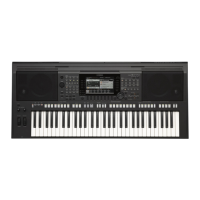
Yamaha PSR-S770 - User Manual

Yamaha PSR-S770
134 pages
Print Icon
To Next Page IconTo Next Page
Loading...
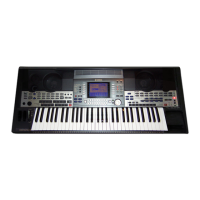
This Reference Manual explains advanced features of the PSR-S970/S770.
Please read the Owner’s Manual first, before reading this Reference Manual.
Digital Workstation
Reference Manual
EN

Table of Contents

Other manuals for Yamaha PSR-S770

Questions and Answers

  • B
    Brandon BaldwinAug 19, 2025
    How to stop noise from Yamaha PSR-S770 speakers?
    • R
      ryanmeyersAug 20, 2025
      To address noise from the Yamaha Synthesizer's speakers, try turning off nearby mobile phones or moving them further away. If using an iPhone/iPad app with the instrument, enable Airplane Mode to prevent communication-related noise.
  • R
    Richard HarrisAug 21, 2025
    Why is the volume too low or no sound from my Yamaha PSR-S770 Synthesizer?
    • M
      Megan BurnettAug 22, 2025
      If the Yamaha Synthesizer's overall volume is too low or no sound is heard, first, adjust the master volume using the [MASTER VOLUME] dial. Ensure all keyboard parts are activated using the PART ON/OFF [RIGHT 1]/ [RIGHT 2]/[LEFT] buttons. Check and raise the volume levels in the BALANCE display. Verify the desired channel is set to ON. If headphones are plugged in, unplug them to enable speaker output. Also, confirm the Speaker setting is ON in the UTILITY menu: [FUNCTION] ? TAB [E] MENU 1 ? [J] UTILITY ? TAB [E][F] CONFIG 2. Finally, if the [FADE IN/OUT] button is active, press it to deactivate the mute function. Depending on the LIVE CONTROL knob settings, sound may be affected, so check and reset if necessary.
  • A
    Allen PowellAug 23, 2025
    What to do if Yamaha PSR-S770 Synthesizer sound is distorted?
    • J
      Jasmine KempAug 25, 2025
      If the Yamaha Synthesizer's sound is distorted or noisy, ensure all volume settings are appropriate. The distortion could also be caused by certain effects or filter settings; check these settings and adjust them as needed.
  • W
    William ReedAug 26, 2025
    Why Yamaha PSR-S770 style does not start?
    • C
      Casey BrooksAug 26, 2025
      If the Style on your Yamaha Synthesizer doesn't start when you press the [START/STOP] button, it might be because the Rhythm channel of the selected Style doesn't contain any data. To solve this, turn the [ACMP] button on and play the left-hand section on the keyboard to activate the accompaniment part of the Style.
  • H
    hutchinsonericAug 27, 2025
    Why does my Yamaha PSR-S770 have a flanging sound?
    • M
      Melissa CarrilloAug 28, 2025
      If you are experiencing a strange “flanging” or “doubling” sound on your Yamaha Synthesizer, or the sound changes slightly each time you play the keys, it's likely that the RIGHT 1 and RIGHT 2 parts are both set to “ON” and playing the same Voice. To fix this, either turn off the RIGHT 2 part or select a different Voice for one of the parts.
  • P
    Paula HopkinsAug 29, 2025
    Why Vocal Harmony effect sounds bad on Yamaha (PSR-S970) Synthesizer?
    • S
      sarahrobertsAug 29, 2025
      If the Vocal Harmony effect on your Yamaha (PSR-S970) Synthesizer sounds distorted or out-of-tune, it could be that your vocal microphone is picking up extraneous sounds, like the Style sound from the instrument. To fix this: * Sing as closely to the microphone as possible. * Use a unidirectional microphone. * Turn down the Master volume, Style volume, or Song volume control.
  • D
    Dr. Aaron AdamsSep 1, 2025
    Why Yamaha PSR-S770 doesn't play all notes?
    • C
      Cassie FlynnSep 1, 2025
      If your Yamaha Synthesizer doesn't play all simultaneously played notes, it's likely that you're exceeding the instrument's maximum polyphony. When this happens, the earliest played notes will stop sounding to allow the latest notes to be heard.
  • S
    Samantha WilsonSep 3, 2025
    Why Main display does not appear on Yamaha PSR-S770 Synthesizer?
    • A
      Angela GonzalezSep 3, 2025
      If the Main display of your Yamaha Synthesizer does not appear when you turn the power on, it might be due to a USB flash drive being connected. To resolve this, disconnect the USB device before turning the power on.
  • S
    Steven JohnsonSep 5, 2025
    Why Yamaha PSR-S770 Synthesizer file names are garbled?
    • E
      Emily MendozaSep 5, 2025
      If some characters of the file/folder name on your Yamaha Synthesizer appear garbled, it's possible that the language settings have been changed. To correct this, set the appropriate language for the file/folder name.
  • K
    Kevin ShortSep 7, 2025
    Why Yamaha Synthesizer voice selected does not sound?
    • A
      Anthony WilsonSep 7, 2025
      If the Voice selected from the Voice Selection display on your Yamaha Synthesizer does not produce any sound, check if the selected part is turned on. If it's not, press the appropriate PART ON/OFF button to activate the part.

Yamaha PSR-S770 Specifications

General IconGeneral
Keyboard61 keys
Polyphony128 notes
Music FinderYes
Internal MemoryApprox. 13 MB
Amplifiers15 W x 2
Power SupplyPA-300C or an equivalent recommended by Yamaha
EffectsReverb, Chorus, DSP, Master Compressor, Master EQ, Part EQ
Style ControlINTRO, MAIN VARIATION x 4, FILL x 4, BREAK, ENDING
One Touch Setting (OTS)4 per Style
Audio Recorder/PlayerYes
DisplayTFT Color Wide VGA LCD
ConnectivityUSB TO HOST, USB TO DEVICE, MIDI, AUX IN, LINE OUT
Speakers13 cm x 2 + 5 cm x 2
Dimensions1002 x 437 x 148 mm
Weight11.1 kg

Related product manuals