GYAMAHA
l!D
Printed in China
ZA31240
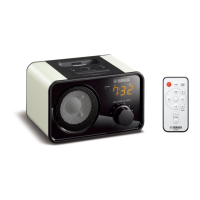
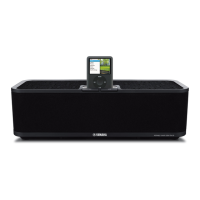
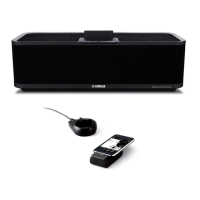
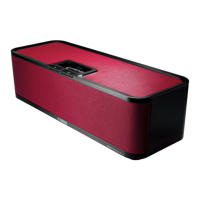
Portable Player Dock
PDX-11
Owner's manual
mma
"
·~-
;!0~
~
-J~
-·
-
-
--~
Supplied
Accessories
I
Please confirm that the following accessori
es
are included be
fo
re
:_]
s
in
g
the unit.
•
Remote control
•
AC
ad
aptor
-.--..;;;------~
-
--
Features
l
e>
Multi-Source Mix
When an
iPhone/iPod
and another external device are connected
~
to
PDX-11,
audio can be enjoyed in many ways- for example, by
[
playing music while listening
to
the news.
..
• Integrated Volume
Control
You can control the
PD
X-
ll'
s
volume level
by
operating the volume
control function
on
the
iPhone/iPod.
~
Itt
Charge Your iPhone/iPod Battery
[
~
Battery Operation
J
~
~
u
can
enjoy
~~::~
~:
::
~
anytime
,
a
nywh
er
:_
_
__
_
(
Before
Use
)
-
"l
Conne
ct
the included AC
adaptor.
~
®
/t-~
--...rllY
~
CD
Con
ne
ct the
AC
adapt
or
to
PDX-11,
before connecting
the power cable to the
wa
ll
outlet.
~.--:.
Whe
n using
PO
X-II
with
batte
rie
s,
disconn
ec
t the
AC
ad
aptor f
ro
m the r
ea
r panel.
12V=
e
When Operating
PDX-11
Using Batteries
~·ft-:.
Us
e
6
co
mme
rcia
ll
y
ava
ilable
AA
batteri
es
.
I
OO
Hril
I ®
~
I
~
~,
®~
!
ril
\
~
To
remove the battery cover, push the tab
while lifting the c
ove
r upward.
Fo
llow th
e+
and - markings on
PDX
-11
when in
se
rting the batteries.
Repl
ace
the battery cover.
I
I
I
i
I
t
i
I
i
t
I
;
~~
j
During
ba
tt
e
ry-
po
w
ere
d operation,
if
PDX-
11
is
left
in th
e
po
wered-o
ff
state
without being operated for
30 minutes, power-savi
ng
m
od
e
will
be
ac
tiv
at
ed
a
nd
remote
c
ontr
ol will
not
work.
Push
th
e
<!}
on
the control panel
ofPD
X-
11
to
canc
el
the
power-saving m
ode
.
--
...
.
,
...
__
,.....
""''
'
""'
'"
.,.,-
-.
-~----
~
-
-
,
.,..,._
C2
0
1t
Ya
ma
ha
Co
rpora
ti
on
U
Turning
on
the
Power
)
Push the
<!)
(Power).
When the
po
w
er
is
on, the green status indi
ca
tor will l
ig
ht
up.
~vt-:.
When
PO
X-I
I
is left
in
the
powered-on sta
te
without
co
nnecti
ng
to
the
iPhon
e/
i
Po
d
and external device's
conne
ctor
cab
l
e.
it will
tum
o
ff
in
30
minutes.
fc
~
Control Panel
I
Status
indicator
I
1
(Green)
I
I
~
1
~'"m.
·
'""~
.
I
l
,_
,
______
~::~
-·----·
"''\
--S'
.
··.
•.
.
··
...
.
•
..
--
~
iPod d
oc
k
r
t!J
Connecting
Music
Dev
i
ces
)
a
Playing
Audio
)
Connect the
iPhone/IPod
to
the
iPod dock.
Th
e battery of the connected
iPhone/iPod
will be
c
ha
rged.
mm
•lbe
iP
h
on
e/
iP
od
batte
ry
cannot
be
charged w
he
n
PDX-
11 is
be
in
g operated
by
ba
tt
er
i
es
.
• Be
su
re to use a dock
ad
aptor included yo
ur
iPhone/
i
Pod
or a
pp
licable
comm
ercially availa
ble
dock
adaptor.
If
yo
u
do
not
u
se
an a
dap
tor or the
ada
ptor is
no
t
co
mp
at
ible, the
conn
ec
tion may
be
loose or poor,
ca
u
si
ng
da
mage to the
con
nector. F
or
mor
e inf
onna
tion
abo
ut the d
ock
ada
p
to
r,
ref
er
to
Ap
p
le
's
website.
• If the
iPh
one/iPod
is
f
orc
ib
ly
connected
whi
le still
in
a pr
ot
ec
tive
ca
se,
the co
nne
c
tor
m
ay
be
damag
ed. M
ake
s
ur
e
to
re
mo
ve
an
y prote
ct
ive
i
Ph
o
ne
/
iPod
ca
se
befo
re connecting.
•
When
the
unit is
used
with
the
iP
ho
ne/iP
od
's
shake
shu
ffl
e
fun
ct
ion on,
the
iP
h
on
e/
iP
od
might shuffie
du
e to the vibration
of
spea
ker depend
ing
on the music p
la
ye
d
bac
k. If this h
ap
pen
s,
tum the sh
ake
shu
ffl
e function
of
f. (
Re
fer to the
instru
ct
i
on
ma
nu
al of the
iPh
one/ i
Po
d
to turn the
func
ti
on o
ff
.)
•
Alwa
ys di
sco
n
nect
i
Ph
on
e/
iPod
f
rom
P
OX
-
II,
bef
ore
ca
rry
in
g it by its
ha
ndle.
~'fl
-:.
• If
the
iPhon
e/
iP
od
is co
nn
ec
ted while p
lay
i
ng
vid
eo
s or
music
on the
iPhon
e/
iP
od
,
PD
X
-1
1
will
tu
m on automat
ic
ally and contin
ue
the
pl
ay
(
exc
ep
t when
PD
X-1 1
is in power-
sav
i
ng
m
od
e)
.
•
You
can alwa
ys
conn
ec
t and disconnect
the
iP
ho
n
e/
i
Pod
.
•
The
PDX-11
's v
ol
ume
le
ve
l can be
adju
s
te
d usi
ng
the
iP
ho
ne/
iPod
.
The
vo
l
um
e level will also
be
displ
aye
d
on
the
i
Ph
on
el
iPod.
•
PO
X-
II
turns o
ff
au
toma
t
ica
lly, when
th
e
iP
hon
e/
iPod
and
ext
ern
al
d
evice
's co
nnector
cab
le
are
disconnected.
~
·
~~;
;:c;;;:;
·
;:;
n:
~~
--~
Co
nnect
lo
th
eA
U
Xon
t
h<
«
"P'
""
~
-
/'~/
~:~o
nne
ot
a
n
ex
tema
l
dev
JCc
~
~
7
~
~
"I
to P
DX-ll
. u
se
ac
ommercmlly
~
~
_.......-
availabl
e35m
m (l/8 m ) /
st
e
reo
mm
1
plug cable
.._
__________
.
:::....
,,.;
.....
.....
~
,;~
....
;
·~~·
r
~
;--
If
you start playback
on
the connected device,
so
und will come
from
t
he
PDX-
11
's speak
ers
.
iPhone/iPod's
playback can be controlled usi
ng
either the includ
ed
re
mote control or the
iP
ho
ne
/iPod
itself.
Po
we
r on/off
.-
---1--
Sh
ow
iP
hone
fiPod"s
menu
Se
l
ec
t
menu
- -
-+
+ -
-i
Se
l
ec
t fol
der
Skip
I
~
I
Backward/Forward
Vol
ume c
ont
rol
--1---
e
Operate
by
the
Remote Control
0
l:
Withi~
6
m~
(
20fee
t)
ao
·+ao·
~
Play/Pau
se
@
YAMAHA
ii
\11
Remove the
insulation
sheet
be
fore usi
ng
.
e
Replacing
the
Battery
Pull
out the battery case
as
shown in
the
diagram below
and
change
a batte
ry
.
C
A202
5
button
~
coll
ba
tte
'Y
~
....
'?
~
m-
"'"
~1K
.......
While pushing the release
tab
in
~
direction
CD
,
slide out
the
battery
holder in
direction @.
•
Status Indicators (LED)
Indicate
the sta
tu
s of PDX-11 and the connected iPhone
/i
Pod.
Green
st
a
tu
s ind
ica
tor
:
PDX
-1
1
is
turned
on
and
opera
ting no
nna
11
y.
R
ed
s
tatu
s in
di
ca
to
r:
An e
rror
has
occurr
ed
or
t
he
vo lu
me
h
as
r
eac
hed
it
s
ma
xi
mu
m or mi
ni
m
wn
level.
~
V~
~
The st
at
us of exte
rn
al
device
(connected through
AU
X)
is
not indicated
LED
Green
Red
•
0
-
-
~:
0
~
0
Bl
i
nk
sooce
•
~
•
--
-:.ll
.:
Bl
inks
once
Sta
tus
The
PDX
-l
l's
power is
ON. The iP
ho
ne/iPod
is conn
ec
ted c
orr
ectly.
*
If
PDX
-11
is
not
operat
ed f
or
30
seconds, the
gre
en
st
a
tu
s
indi
ca
t
or
is di
mme
d.
Co
nne
ction with
iPhone/
iPo
d
is
in progress, pl
ease
wait.
An op
era
ti
on
has
bee
n pe
rf
o
nn
ed usi
ng
the
PD
X- l l's
con
iT
ols, the
remote
con
iT
ol,
or the iPhone/iPod
it
se
lf.
R
efer
to
the
"TR
OU
BLESH
OO
TI
NG
".
Th
e vol
um
e is
at
the maximum
or
mi
ni
mu
m level.
•
. .
Gr
een
in
dicator
lit
-:.lP:
..
R
ed
indicat
or
bli
nk
ing
~
.. Gr
ee
n indic
ato
r bli
nk
i
ng
0 ..
.I
nd
icator
not
lit

 Need help?
 General

 To Next Page