EasyManua.ls Logo

Yamaha PDX-31 - User Manual

Yamaha PDX-31
50 pages
Print Icon
To Next Page IconTo Next Page
Loading...
G
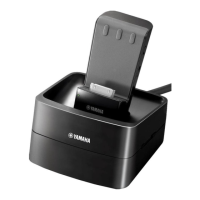
PDX-31
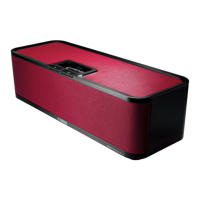
Portable Player Dock
Station d’accueil pour Baladeur
OWNER’S MANUAL
MODE D’EMPLOI
BEDIENUNGSANLEITUNG
BRUKSANVISNING
MANUALE DI ISTRUZIONI
MANUAL DE INSTRUCCIONES
GEBRUIKSAANWIJZING
ИНСТРУКЦИЯ ПО ЭКСПЛУАТАЦИИ
En
Fr
De
Sv
It
Es
Nl
Ru

Questions and Answers

Summary

Safety Precautions

General Warnings and Handling

Covers installation, usage, liquid exposure, heat, force, cleaning, modifications, and power.

Product Features

iPhone;iPod and Music Playback

High-quality sound, easy operation, and intelligent volume for iPhone/iPod playback.

Multi-source and External Device Input

Simultaneous playback of iPhone/iPod and external sources.

Special Notes for UK and EU Customers

UK plug instructions, EU warranty, and disposal information for electronics and batteries.

Introduction and Specifications

Manual Symbols and Supplied Accessories

Identifies manual symbols and lists all included accessories with identifiers.

Remote Control Battery Replacement

Step-by-step guide to replace the battery in the remote control.

Technical Specifications

Details on supported devices, power requirements, dimensions, and weight.

Controls and Operations

Device Connections: iPod Dock and AUX

Connect and play music from iPhone/iPod and external devices via dock or AUX input.

Volume Control and AC Adaptor

Adjusting volume levels and connecting the AC power adaptor.

Status Indicators and Operations

LED Status Indicators

Interpreting the unit's status through green and red LED indicators.

Available Operations Overview

Summary of controllable operations for connected devices via iPhone/iPod or remote.

Troubleshooting

Problem Solving Guide

Solutions for common operational problems, connection issues, and device control errors.

Yamaha PDX-31 Specifications

General IconGeneral
BrandYamaha
ModelPDX-31
CategoryDocking Station
LanguageEnglish

Related product manuals