EasyManua.ls Logo

Yamaha PDX-W61 - User Manual

Yamaha PDX-W61
12 pages
Print Icon
To Next Page IconTo Next Page
Loading...
U
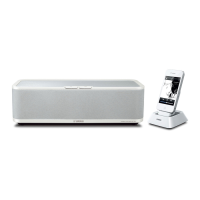
PDX-W61
Portable Player Dock
Station d’accueil pour Baladeur
OWNER’S MANUAL
MODE D’EMPLOI
MANUAL DE INSTRUCCIONES
En
Fr
Es

Questions and Answers

  • R
    robertsonstefanieAug 18, 2025
    Why Yamaha Portable Speakers are not connected?
    • S
      stephenclarkeAug 18, 2025
      If your Yamaha Portable Speakers aren't connecting, it could be due to a few reasons. The speaker unit and transmitter might be set to different groups; in this case, set them to the same group. Alternatively, the speaker unit or transmitter might be connected to another yAired device; select a different group by changing the group selection switches on both the speaker unit and the transmitter. Also, if a connection is in progress, please wait for a while.
  • M
    Matthew MartinezAug 23, 2025
    What to do if the red status indicator is flashing continuously on my Yamaha Docking Speakers?
    • S
      Sandra AdamsAug 23, 2025
      A flashing red status indicator usually means the iPhone/iPod battery is low, so charge it. If that's not the issue, ensure the iPhone/iPod is securely connected and try restarting it. You might also need to update the iPhone/iPod firmware. Try selecting a different group by changing the group selection switches on both the speaker unit and the transmitter. As a last resort, disconnect the power cable, wait a bit, and then reconnect it.
  • M
    Michael MartinezAug 26, 2025
    Why does the sound stop intermittently on my Yamaha Docking Speakers when connected wirelessly?
    • M
      Mrs. Debra MartinAug 26, 2025
      If the sound stops intermittently when connected wirelessly, it is not a malfunction. The speaker unit and transmitter might be switching to another frequency due to noise interference. Relocate the speaker unit and transmitter away from devices like Wi-Fi routers to minimize this.
  • A
    Andrew JenkinsAug 28, 2025
    What to do if the transmitter’s status indicator does not turn off on my Yamaha Docking Speakers?
    • T
      Timothy DillonAug 28, 2025
      If the transmitter’s status indicator remains on after disconnecting the iPhone/iPod, it might be connected to another AirWired device. Try selecting a different group by adjusting the group selection switches on the speaker unit and the transmitter.
  • V
    valerie88Aug 30, 2025
    Why is there no sound coming from my Yamaha PDX-W61?
    • J
      Jill GreenAug 30, 2025
      Several factors could be causing the lack of sound. Ensure the transmitter's signal isn't blocked by your body or metal objects by adjusting its position. Interference from devices like microwave ovens or wireless LANs operating on the 2.4 GHz frequency band may be the cause, so try relocating the speaker unit and transmitter. Also, make sure the transmitter is not too far from the speaker unit. Check that your iPhone/iPod is charged and that the speaker unit is powered on with a secure AC adapter and power cable connection. If the unit is connecting, wait a moment. Confirm that both the speaker unit and transmitter are set to the same group and not connected to another AirWired device. Finally, excessive volume may have activated the protection circuitry; try turning the volume down.
  • J
    jeremysmithSep 1, 2025
    What to do if red status indicator is flashing continuously on Yamaha PDX-W61?
    • Z
      Zachary HendersonSep 1, 2025
      A continuously flashing red status indicator suggests a couple of potential issues. First, check if the iPhone/iPod battery is low and charge it if necessary. If the battery is not the issue, it could indicate a connection failure or an error with the speaker unit or transmitter. In this case: * Ensure the iPhone/iPod is securely connected. * Restart the iPhone/iPod. * Update the iPhone/iPod firmware to the latest version. * Try selecting a different group using the group selection switches on both the speaker unit and the transmitter. * Disconnect the power cable, wait briefly, and then reconnect it.
  • G
    Gerald Park MDSep 3, 2025
    Why does the sound stop intermittently when connected wirelessly to Yamaha Docking Station?
    • B
      Brian ContrerasSep 3, 2025
      If the sound stops intermittently during wireless connection, it may be due to frequency interference. The speaker unit and transmitter search for an unused frequency when noise occurs. To resolve this, try relocating the speaker unit and transmitter away from devices like Wi-Fi routers that could be causing interference.
  • D
    Dr. Holly AdamsSep 5, 2025
    What to do if Transmitter’s status indicator does not turn off after the iPhone/ iPod was disconnected from Yamaha PDX-W61?
    • J
      Jay MurphySep 5, 2025
      If the transmitter's status indicator remains on after disconnecting your iPhone/iPod, it could be because the speaker unit or transmitter is connected to another AirWired device. Try selecting a different group by changing the group selection switches on the speaker unit and the transmitter.
  • C
    Cindy WestSep 8, 2025
    Why is there no sound coming from my Yamaha Portable Speakers?
    • J
      Jesse MurraySep 8, 2025
      Several factors can cause a lack of sound from your Yamaha Portable Speakers. Here's what to check: * Ensure the volume isn't turned down; adjust it accordingly. * Verify that your iPhone/iPod or external device is securely connected. * If using earphones with your iPhone, remove them. * Make sure the speaker unit is powered on by securely connecting the AC adapter and power cable. * Confirm that the speaker unit and transmitter are set to the same group. * Also, check that neither the speaker unit nor the transmitter is connected to another yAired device; if so, select a different group. * If the protection circuitry has been activated due to excessive volume, reduce the volume.
  • K
    Kenneth SmithSep 12, 2025
    What to do if my Yamaha Portable Speakers have no sound?
    • J
      Jason WoodSep 12, 2025
      If your Yamaha Portable Speakers aren't producing sound, try these solutions: 1. Increase the volume. 2. Ensure your iPhone/iPod is securely connected. 3. For external devices, securely connect the 3.5 mm (1/8 in) stereo mini plug cable to both the speaker unit and the device. 4. Remove any earphones connected to the iPhone. 5. If the iPhone/iPod battery is low, charge it. 6. Make sure the speaker unit is turned on by connecting the AC adapter and power cable securely.

Summary

Important Safety Instructions

Regulatory Compliance and Notices

FCC Modifications and Cable Guidelines

Warns against modifications and specifies using approved shielded cables for FCC compliance.

Safe Operation and Precautions

Installation and Environmental Care

Covers proper installation, ventilation, cleaning, power, and environmental considerations.

Product Specifications

Controls and Operations Guide

Transmitter and Wireless Pairing

Details connecting the transmitter to iPhone/iPod and group selection for wireless connection.

Status Indicators and Troubleshooting

LED Status Indicator Meanings

Explains the meaning of Green and Red status indicators for the speaker unit and transmitter.

Troubleshooting Common Problems

Provides solutions for common issues like no sound or connection failures.

Yamaha PDX-W61 Specifications

General IconGeneral
BrandYamaha
ModelPDX-W61
CategoryDocking Station
Power Output30 W
BluetoothNo
Dimensions10.3 x 6.6 x 6.5 inches
Weight4.2 lbs
Audio OutputStereo
Output Power30 W
TypeSpeaker Dock
CompatibilityiPod, iPhone
Input3.5mm Aux Input
Speaker Configuration2.1 Channel

Related product manuals