EasyManua.ls Logo

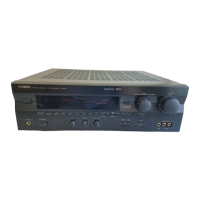
Yamaha R-V1105 - User Manual

Yamaha R-V1105
92 pages
Print Icon
To Next Page IconTo Next Page
Loading...
OWNER’S MANUAL
MODE D’EMPLOI
Natural Sound AV Receiver
Ampli-tuner audio vidéo
R -V1105
U C A T

Questions and Answers

  • J
    Jon Cannon DVMAug 20, 2025
    How to fix Yamaha Receiver that fails to turn on?
    • B
      Bradley SmithAug 20, 2025
      If the Yamaha Receiver fails to turn on or suddenly enters standby mode, ensure the power cord is firmly plugged in. Also, check that the IMPEDANCE SELECTOR switch on the rear panel is set to either end while the unit is in standby mode.
  • K
    Kevin HerreraAug 22, 2025
    What to do if Yamaha Receiver has no sound or no picture?
    • S
      stacey12Aug 22, 2025
      If your Yamaha Receiver has no sound or picture, check the output cord connections to ensure they are properly connected and not defective. Verify that you've selected the correct input source using the INPUT SELECTOR or the TAPE/MD MON/EXT. DECODER button. Also, make sure the speaker connections are secure. If you're playing a CD-ROM, confirm it uses signals the unit can reproduce, such as PCM audio or Dolby Digital/DTS encoded signals.
  • W
    William MorganAug 25, 2025
    Why does only one side speaker output sound on my Yamaha Receiver?
    • G
      Gregory MillsAug 25, 2025
      If you only hear sound from one side speaker on your Yamaha Receiver, check the BALANCE control and adjust it to the appropriate position. Also, ensure that all cords are correctly connected and not defective.
  • J
    Jennifer CraigAug 26, 2025
    What to do if Yamaha R-V1105 does not operate properly?
    • X
      xbishopAug 27, 2025
      If your Yamaha Receiver is not operating properly, unplug the AC power cord from the wall AC outlet, and then plug it back in after about one minute. This can resolve issues caused by external electric shocks or low voltage.
  • L
    Lauren BowersAug 28, 2025
    What to do if Yamaha R-V1105 Receiver does not work normally?
    • M
      melodyevansAug 28, 2025
      If your Yamaha Receiver is not functioning normally, try turning it into standby mode, disconnecting the AC power cord from the AC outlet, waiting about 30 seconds, and then reconnecting the power and operating the unit again. This can help if the unit is affected by strong external noise or a misoperation.
  • T
    Timothy LivingstonAug 30, 2025
    Why is there no sound from the effect speakers on my Yamaha Receiver?
    • N
      nataliebellAug 30, 2025
      If you hear no sound from the effect speakers on your Yamaha Receiver, ensure the EFFECT button is turned on. Also, if you are using a Dolby Surround (or DTS) decoding program, make sure you are using material encoded with Dolby Surround (or DTS). If not, try a different sound field program.
  • C
    cperkinsSep 1, 2025
    Why no sound from the center speaker on my Yamaha R-V1105 Receiver?
    • C
      Carlos MccormickSep 1, 2025
      If no sound comes from the center speaker of your Yamaha Receiver, check that the function “1. CENTER SPEAKER” in the SET MENU mode is not set to the “NONE” position; select the appropriate position. If you're using one of the DSP programs No. 6 to No. 10, and the input signal is 2-channel stereo, select another program. Also, if the input signals are encoded with Dolby Digital or DTS, refer to the source instructions to ensure they have center channel signals.
  • K
    Kari SmithSep 3, 2025
    How to improve bass reproduction on Yamaha Receiver?
    • L
      Lisa DoyleSep 3, 2025
      If you're experiencing poor bass reproduction with your Yamaha Receiver, and you do not have a subwoofer, set the “4. LFE/BASS OUT” function in the SET MENU mode to the MAIN position. Also, ensure that the output mode selections for each channel (MAIN, CENTER, or REAR) are suitable for your speaker system.
  • C
    christina04Sep 5, 2025
    How to unlock settings on Yamaha R-V1105?
    • R
      Richard BowmanSep 5, 2025
      If you are unable to change DSP parameters and other settings on your Yamaha Receiver, check if the “11. MEMORY GUARD” function in the SET MENU mode is set to “ON”. If it is, set it to “OFF”.
  • R
    Robin BuchananSep 6, 2025
    Why does my Yamaha Receiver sound hum?
    • N
      Nicholas HornSep 7, 2025
      If you hear a hum from your Yamaha Receiver, firmly connect the audio plugs. If the problem persists, the cords may be defective. Also, if you are using a turntable, ensure there is a GND connection between the turntable and the unit.

Summary

Safety Instructions

Electrical Safety Precautions

Cautions on electric shock, opening unit, and user-serviceable parts.

General Operating Safety Guidelines

Covers installation, ventilation, heat, water, and handling of the unit.

FCC Information (for US customers only)

Important Notice: Do Not Modify Unit

Warning against unauthorized modifications to maintain FCC compliance.

Important Operating Precautions

General Safety and Handling Instructions

Detailed instructions on installation, handling, cleaning, and power management for safe operation.

Front Panel Controls and Functions

Control Descriptions (1-7)

Detailed explanation of the functions of front panel controls numbered 1 through 7.

Front Panel Controls and Functions (Continued)

Control Descriptions (8-26)

Detailed explanation of the functions of front panel controls numbered 8 through 26.

Speaker Setup Guide

Speaker System Recommendations

Guidelines for setting up a full five-speaker system and optional subwoofer.

Digital Audio Connections

Connecting to Optical and Coaxial Terminals

Instructions for connecting digital audio sources using optical or coaxial terminals.

Speaker Connections

Connecting Main Speakers

Instructions for connecting main speakers, including polarity and connector types.

Speaker Terminals and Impedance Selector

Connecting Rear and Center Speakers

Instructions for connecting rear and center speakers, including polarity.

IMPEDANCE SELECTOR Switch Usage

Explains how to select the IMPEDANCE SELECTOR switch based on speaker impedance.

Output Mode Selection via SET MENU

Selecting Speaker Output Modes

Guides on selecting modes for CENTER, REAR, MAIN speakers and LFE/BASS OUT.

Output Mode Selection via SET MENU (Continued)

Configuring Main Speaker and LFE;BASS Output

Details settings for MAIN SPEAKER (LARGE/SMALL) and LFE/BASS OUT (SW/MAIN/BOTH).

Speaker Balance Adjustment Procedure

Adjusting Speaker Levels with Test Tone

Procedure to adjust sound output levels for balanced sound from each speaker.

Speaker Balance Adjustment Procedure (Continued)

Adjusting Balance and Output Levels

Adjusting BALANCE control and output levels for center, rear, and main speakers.

Speaker Balance Adjustment Procedure (Final)

Using the Digital Sound Field Processor (DSP)

Applying DSP Effects to Audio Sources

Steps to turn on DSP and select sound field programs for playback.

Using the Digital Sound Field Processor (DSP) (Continued)

Selecting and Applying DSP Programs

Instructions for selecting suitable DSP programs and subprograms for various sources.

Enjoying Surround Sound Sources

Playing Dolby;DTS Encoded Video Sources

Explains how to enjoy video sources encoded with Dolby Pro Logic, Dolby Digital, or DTS.

Adjusting Speaker Output Levels

Adjusting Center, Rear, and Subwoofer Levels

Guides on adjusting output levels for center, right rear, left rear, and subwoofer speakers.

Advanced Features: SET MENU Mode

Navigating the SET MENU Mode

How to select and change settings for system performance.

SET MENU Function Descriptions

Speaker Output Mode Settings

Details for CENTER, REAR, MAIN SPEAKER, and LFE/BASS OUT output modes.

Dolby Digital Settings (LFE Level, Dynamic Range)

Explains how to adjust LFE level and dynamic range for Dolby Digital sources.

SET MENU Function Descriptions (Continued)

DTS Settings and Center Delay

Adjustments for DTS LFE level, center speaker delay, and parameter initialization.

SET MENU Function Descriptions (Final)

Memory Guard and Input Mode Selection

Locking DSP parameters, selecting initial TV/DBS input mode.

Creating Custom Sound Fields

Understanding Sound Fields

Explains what a sound field is and how reflections create it.

Selecting and Editing DSP Program Parameters

Editing DSP Program Parameters

Steps for selecting and adjusting parameters for DSP programs using the remote.

Digital Sound Field Parameter Descriptions

ROOM SIZE Parameters

Explains ROOM SIZE, P. ROOM SIZE, and S. ROOM SIZE parameters affecting perceived room size.

Initial Delay Parameters

Explains INIT. DELAY, P. INIT. DLY, and S. INIT. DLY parameters affecting perceived distance.

Digital Sound Field Parameter Descriptions (Continued)

LIVENESS Parameters

Explains LIVENESS, P. LIVENESS, and S. LIVENESS affecting wall reflectivity.

Reverberation Time Parameters

Explains REV. TIME parameter for controlling reverberation decay.

Digital Sound Field Parameter Descriptions (Final)

Reverberation Level and Surround Delay

Explains REV. LEVEL for reverberation volume and S. DELAY for surround delay.

Remote Controller Key Names and Functions

Remote Controller Key Names and Functions (Continued)

Remote Controller DSP Functions

Entering Manufacturer Codes

Restoring Default Remote Control Codes

Troubleshooting: General Problems

Unit Fails to Turn On or Operates Abnormally

Solutions for power-on issues, abnormal operation, and no sound/picture.

Troubleshooting: General and Remote Control

Remote Controller Not Working

Troubleshooting for remote controller not working, poor function, or unit control issues.

Troubleshooting: Tuner and DTS Playback

Yamaha R-V1105 Specifications

General IconGeneral
TypeAV Receiver
Power Output100 W
Total Harmonic Distortion0.08%
Input Sensitivity2.5mV (MM), 150mV (line)
Dimensions17 x 5.25 x 14.5 inches
Weight17.5kg
Frequency Response20Hz to 20kHz
Signal to noise ratio100 dB
Signal-to-Noise Ratio100 dB
Speaker load impedance4Ω to 16Ω
Video ConnectionsComposite video input/output

Related product manuals