EasyManua.ls Logo

Yamaha r-s202 - User Manual

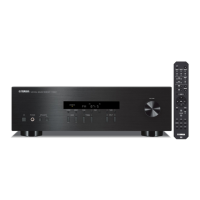
Yamaha r-s202
118 pages
Print Icon
To Next Page IconTo Next Page
Loading...
ES
FR
EN
OWNER’S MANUAL
MODE D’EMPLOI
MANUAL DE INSTRUCCIONES
Receiver
Ampli-Tuner Hi-Fi
EnglishFrançaisEspañol

Table of Contents

Other manuals for Yamaha r-s202

Questions and Answers

  • N
    Nicole GardnerAug 19, 2025
    Why is there no sound coming from my Yamaha Receiver?
    • J
      Jane GayAug 19, 2025
      If there is no sound from your Yamaha Receiver, check the input/output cable connections and ensure they are properly connected. If the issue remains, the cables may be defective. Make sure you have selected an appropriate input source using the Input selector buttons on the remote. Verify that the SPEAKERS A/B switches are correctly set. Ensure that all speaker connections are secure. Deactivate the mute function. Check that the MAX VOL or INITIAL VOLUME setting is not too low. Finally, confirm that the component connected to the selected input source is turned on and playing.
  • B
    Bonnie WatersAug 21, 2025
    How to fix Yamaha r-s202 remote control that is not working?
    • M
      michael35Aug 21, 2025
      If the Yamaha Receiver's remote control isn't working, ensure you are within a 6 m (20 ft) range and within 30 degrees of the front panel. If the batteries are weak, replace them with new ones.
  • E
    Elizabeth JenkinsAug 23, 2025
    Why does the sound suddenly go off on my Yamaha r-s202?
    • N
      Nathan WilsonAug 23, 2025
      If the sound on your Yamaha Receiver suddenly cuts out, check that the speaker wires aren't touching each other and restart the unit. Ensure that the top panel openings are not blocked to prevent overheating. If the SLEEP function is enabled, cancel the sleep timer. Also, check the AUTO POWER STANDBY setting and change it to a longer setting or turn it OFF via the Option menu by pressing MENU.
  • K
    Kristina Cochran MDAug 26, 2025
    Why is there no sound or interrupted sound during playback on my Yamaha Receiver via Bluetooth?
    • H
      Hannah AlexanderAug 26, 2025
      If no sound is produced or the sound is interrupted during playback on your Yamaha Receiver, perform Bluetooth connection operations again. Move the Bluetooth device closer to the unit and away from devices emitting radio-frequency signals. Ensure the Bluetooth function of the device is on and set to send audio to the receiver. Verify the pairing setting of the Bluetooth device is set to this unit. Increase the volume level on the Bluetooth device.
  • C
    Christian HernandezAug 28, 2025
    What does “OVER HEAT” mean on my Yamaha r-s202 Receiver display?
    • S
      Stephen WaltersAug 28, 2025
      If “OVER HEAT” appears on the front panel display of your Yamaha Receiver, ensure that the openings on the top panel are not blocked.
  • K
    Kyle SnyderAug 29, 2025
    What does “CHECK SP” mean on my Yamaha r-s202 display?
    • B
      Bryan KellyAug 30, 2025
      If “CHECK SP” appears on the front panel display of your Yamaha Receiver, twist bare wires of speaker cables firmly, and then connect to this unit and speakers properly.
  • J
    Joanne OrtegaSep 1, 2025
    What does “NO PRESET” mean on my Yamaha r-s202 Receiver?
    • C
      Charles AdamsSep 1, 2025
      If “NO PRESET” is displayed on your Yamaha Receiver, register stations you want to listen to as preset stations before operation.
  • D
    Daniel BallardSep 3, 2025
    Why does my Yamaha r-s202 Receiver display “NO PRESET”?
    • E
      esullivanSep 3, 2025
      If “NO PRESET” is displayed on your Yamaha Receiver, register stations you want to listen to as preset stations before operation.
  • G
    Gary MartinSep 5, 2025
    What to do if I can't establish a Bluetooth connection on my Yamaha Receiver?
    • A
      Amanda WilsonSep 5, 2025
      If you can't establish a Bluetooth connection with your Yamaha Receiver, try performing the pairing operations again. Also, check that BLUETOOTH is set to ON in the option menu.
  • A
    Andrew WillisSep 7, 2025
    Why is FM stereo reception noisy on my Yamaha Receiver?
    • R
      Randall LeonardSep 7, 2025
      If the FM stereo reception on your Yamaha Receiver is noisy, check the antenna connections. Consider using a high-quality directional FM antenna.

Summary

Safety Instructions and Precautions

Important Safety Instructions

Essential safety guidelines for operating the apparatus.

General Precautions for Safe Use

Precautions to prevent harm and property damage during use.

Safety Warnings and Product Handling

Fire Hazards and Handling Guidelines

Warnings about fire risks and proper product handling to avoid damage.

Battery Safety and Management

Guidelines for safe battery usage, storage, and disposal.

Operational Precautions and Information

Handling, Maintenance, and Disposal

Guidance on product handling, cleaning, and environmental disposal.

Important Usage Notes

Key notes and precautions for using the product effectively.

Product Features and Setup

Useful Features and Supplied Accessories

Highlights key features and lists all supplied accessories for the unit.

Manual Conventions and Notes

Explains manual symbols and provides important notes for users.

Controls and Functions - Front Panel

Front Panel Control Identification

Identifies and describes the main controls on the front panel of the unit.

Controls and Functions - Display

Front Panel Display Indicators Explained

Explains the meaning and function of front panel display indicators.

Controls and Functions - Rear Panel

Rear Panel Connections and Features

Details the rear panel connectors and the voltage selector for power.

Controls and Functions - Remote Control

Remote Control Button Functions

Describes the primary functions of the remote control buttons.

Remote Control - Specific Operations

Radio, CD, and Bluetooth Remote Controls

Explains remote controls for radio, CD player, and Bluetooth functions.

Remote Control - Usage Guide

Battery Installation and Operation Range

Guide on installing batteries and optimal remote control operating range.

Connections - Audio Sources

Connecting Speakers and Source Components

Instructions for connecting speakers and audio source devices correctly.

Connections - Speaker and Output Jacks

Speaker Cables, Output Jacks, and Bi-wiring

Explains OUT jacks, speaker cable connection, and bi-wiring method.

Connections - Antennas and Power

Antenna and Power Cable Setup

Instructions for connecting FM/AM and DAB/FM antennas and the power cable.

Playback Operations Guide

Playing Sources and Using the Sleep Timer

Guides on playing audio sources and setting the automatic sleep timer.

Bluetooth Audio Playback

Initial Bluetooth Pairing and Music Playback

Steps for pairing a Bluetooth device and starting wireless music playback.

Bluetooth Device Management

Connecting and Disconnecting Bluetooth Devices

Procedures for connecting already-paired devices and disconnecting Bluetooth.

FM;AM Tuning (R-S202)

Tuning Stations and Auto Preset Functions

How to tune FM/AM stations and use automatic preset registration.

FM;AM Presets (R-S202)

Manual Presetting and Recalling Stations

Steps for manually saving and retrieving radio stations.

FM;AM Station Management (R-S202)

Recalling and Clearing Preset Stations

Instructions for recalling specific stations and clearing presets.

FM;AM Clearing All Presets (R-S202)

Clearing All Preset FM;AM Stations

Procedure to clear all registered FM/AM radio stations.

FM Tuning - Radio Data System (R-S202)

Receiving Radio Data System Information

How to receive and display RDS information from FM stations.

FM Tuning (R-S202 D)

Tuning FM Stations and Auto Preset Functions

How to tune FM stations and use automatic preset registration.

FM Presets (R-S202 D)

Manual Presetting and Recalling FM Stations

Steps for manually saving and retrieving FM stations.

FM Station Management (R-S202 D)

Recalling and Clearing Preset FM Stations

Instructions for recalling specific stations and clearing presets.

FM Clearing All Presets (R-S202 D)

Clearing All Preset FM Stations

Procedure to clear all registered FM radio stations.

FM Tuning - Radio Data System (R-S202 D)

Receiving Radio Data System Information

How to receive and display RDS information from FM stations.

DAB Radio Listening (R-S202 D)

DAB Tuning and Station Selection Process

Initial scan and selection of DAB radio stations for listening.

DAB Radio Presets (R-S202 D)

Registering and Recalling DAB Radio Stations

Steps for saving and retrieving registered DAB radio stations.

DAB Radio Station Management (R-S202 D)

Clearing DAB Preset Stations

Procedures for clearing individual and all preset DAB stations.

DAB Radio Information Display (R-S202 D)

Displaying and Checking DAB Information

How to view DAB station information and signal quality.

Setting the Option Menu

Configuring Input Source Options

Guide to setting various options per input source for customization.

Troubleshooting - General Issues

Resolving Unit Power and Sound Issues

Solutions for power problems and lack of audio output.

Troubleshooting - Connectivity and Remote

Bluetooth and Remote Control Problems

Troubleshooting steps for Bluetooth connectivity and remote control malfunctions.

Troubleshooting - Reception Issues

Diagnosing FM;AM Reception Problems

Steps to fix noisy or distorted FM/AM radio reception.

Troubleshooting - DAB and Disposal

DAB Reception Issues and Disposal Information

Troubleshooting DAB reception and guidelines for product disposal.

Product Specifications

Technical Specifications Summary

Detailed technical specifications for audio, radio, and connectivity sections.

Yamaha r-s202 Specifications

General IconGeneral
Signal-to-Noise Ratio100 dB (CD)
Minimum RMS Power100 W + 100 W (8 ohms, 40 Hz-20 kHz, 0.2% THD)
Input Impedance47 k-ohms
Standby Power Consumption0.5 W
Tuner SectionFM/AM
AM Sensitivity300 μV/m
BluetoothYes (Version 4.2, A2DP, AVRCP)
Weight6.7 kg
Input Sensitivity500 mV / 47 k-ohms
FM 50dB Quieting Sensitivity3 μV (75 Ω)
Speaker Impedance8 ohms
THD0.2% (40 Hz-20 kHz, 8 ohms)
Total Harmonic Distortion0.2 %

Related product manuals