EasyManua.ls Logo

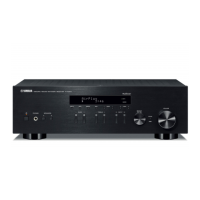
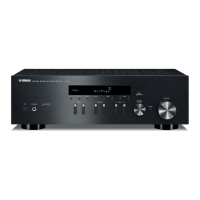
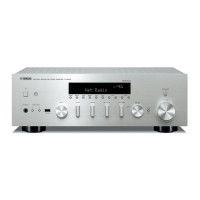
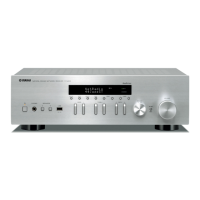
Yamaha R-N803D - User Manual

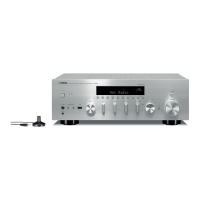
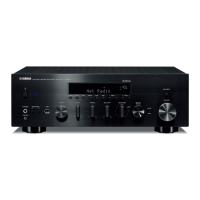
Yamaha R-N803D
75 pages
Print Icon
To Next Page IconTo Next Page
Loading...
G
Owner's Manual
EN
The R-N803 and R-N803D network receivers allow you to play back sound in
high-quality stereo at your own home.
This manual explains preparations and operations for everyday users of the unit.
Network Receiver

Table of Contents

Other manuals for Yamaha R-N803D

Questions and Answers

  • V
    Vicki HillSep 23, 2025
    Why Yamaha R-N803D Receiver files on the PC (server) cannot be viewed or played back?
    • J
      John KingSep 23, 2025
      If the files on the PC (server) cannot be viewed or played back on your Yamaha Receiver, the file format may not be compatible with the unit or the PC (server). Use a file format that is compatible with both the unit and the PC.
  • S
    staceysmithAug 23, 2025
    Why is my Yamaha Receiver remote control not working?
    • D
      donald92Aug 25, 2025
      If the Yamaha Receiver's remote control isn't working, make sure you're within a 6-meter range and within 30 degrees of the front panel. Reposition the unit if direct sunlight or strong lighting is interfering with the remote sensor. If that doesn't work, replace all the batteries in the remote.
  • D
    Diamond JamesAug 25, 2025
    Why my Yamaha R-N803D Receiver cannot connect to a Bluetooth device?
    • A
      Adam SanchezAug 25, 2025
      If your Yamaha Receiver won't connect to a Bluetooth device, first ensure that the Bluetooth function is enabled in the 'Setup' menu. If it is already connected to another device, disconnect from that device first. Make sure the Bluetooth device is close to the receiver and that no devices emitting electromagnetic waves are nearby. Check that your Bluetooth device supports the A2DP protocol. If problems persist, delete the connection profile on your Bluetooth device and reconnect, or ensure the passkey is set to '0000'.
  • L
    lcardenasAug 27, 2025
    Why Yamaha R-N803D has no sound or sound cuts off intermittently via Bluetooth?
    • G
      greencharlesAug 27, 2025
      If you're experiencing intermittent sound or no sound via Bluetooth on your Yamaha Receiver, increase the volume on the Bluetooth device. Ensure the sound output on the Bluetooth device is set to this unit. If the connection is cut off, try reconnecting. Also, make sure the Bluetooth device is close to the Yamaha Receiver and that there are no devices emitting electromagnetic waves nearby.
  • M
    Maria ScottAug 27, 2025
    What to do if firmware update via the network is failed on my Yamaha R-N803D Receiver?
    • A
      Alyssa SteeleAug 28, 2025
      If a firmware update fails via the network on your Yamaha Receiver, try connecting again after a while. You can also use a USB storage device to update the firmware.
  • J
    johnsonchristopherSep 17, 2025
    What to do if Yamaha R-N803D Receiver cannot detect the PC (server)?
    • X
      xwolfeSep 18, 2025
      If your Yamaha Receiver cannot detect the PC (server), the media sharing settings on the PC (server) might be incorrect. Adjust the media sharing settings to allow the unit to access the folder on the PC (server).
  • D
    davidsullivanSep 14, 2025
    How to troubleshoot the network function on a Yamaha Receiver?
    • A
      Amanda LopezSep 14, 2025
      If the network function on your Yamaha Receiver isn't working, make sure the network information (IP address) has been properly acquired. Enable the DHCP server function on your router and set 'DHCP' to 'On' in the 'Setup' menu on the unit. If configuring manually, ensure the unit's IP address is different from other devices on the network.
  • B
    Brooke LaneSep 15, 2025
    What to do if Yamaha R-N803D Receiver does not detect the USB storage device?
    • S
      Steven PowellSep 16, 2025
      If your Yamaha Receiver isn't detecting the USB storage device, first, turn off the unit, reconnect the USB device securely, and then turn the unit back on. Also, ensure that the file system of the USB storage device is formatted as FAT16 or FAT32.
  • A
    Abigail LongSep 6, 2025
    Why Yamaha Receiver cannot tune into any DAB stations?
    • K
      Kathleen JamesSep 6, 2025
      If you cannot tune into any DAB stations with your Yamaha Receiver, ensure that the initial scan has been performed. If the signal is weak, try changing the antenna height, direction, or placement. Also, verify that there is DAB coverage in your area.
  • J
    julie61Sep 3, 2025
    Why is the sound level low on my Yamaha R-N803D?
    • J
      johnsondanielSep 3, 2025
      If the sound level is low on your Yamaha Receiver, the loudness control function may be active. Try turning down the volume, setting the LOUDNESS control to the FLAT position, and then adjusting the volume again.

Summary

PRECAUTIONS

WARNING and CAUTION Statements

Highlights risks of serious injury, death, or minor injury from improper use.

Power Supply and Cord Safety

Guidelines for safe handling of the power cord and preventing electrical hazards.

Water and Fire Safety

Precautions against water exposure, fire hazards, and incompatible environments.

Controls and functions

PREPARATION

Connections Guide

Guide to connecting various audio components, speakers, and antennas.

Network Connection Methods

Overview of methods for connecting the unit to a network.

Connecting to Network

Details different methods for establishing a network connection.

BASIC OPERATION

ADVANCED OPERATION

Optimizing Speaker Settings (YPAO)

Automatic room acoustic calibration for optimal sound.

Configuring Various Functions (Setup Menu)

Accessing and modifying unit settings via the Setup menu.

Configuring System Settings (ADVANCED SETUP Menu)

Accessing system-level configurations via the front panel.

Updating Firmware via Network

Procedure for downloading and installing firmware updates over the network.

Troubleshooting

General Troubleshooting

Common problems and solutions for general unit operation.

Reception Troubleshooting

Resolving issues with FM, AM, and DAB radio reception.

Connectivity Troubleshooting

Resolving issues with Bluetooth, USB, and network connections.

Error indications on the front display

Access Denied;Error Messages

Explains messages related to access permissions and device errors.

Yamaha R-N803D Specifications

General IconGeneral
Signal-to-Noise Ratio100 dB (CD)
Weight11.0 kg
Channels2
USB Ports1 (Front)
Optical Input2
Coaxial Input2
HDMINo
Frequency Response10 Hz-100 kHz (+0 dB, -3 dB)
Total Harmonic Distortion0.019% (50 W/8 ohms)
Dimensions435 x 151 x 392 mm
ConnectivityWi-Fi, Bluetooth
Inputs2 x Optical, 2 x Coaxial
Outputs2 x Speaker
Rated Output Power100 W + 100 W (8 ohms, 20 Hz-20 kHz, 0.019% THD)
Input Sensitivity200 mV
Speaker Impedance4 ohms
Tuner TypeDAB+, FM
Bluetooth Version4.2
Wi-Fi Standard802.11 a/b/g/n
Phono InputYes
Power Output100 W + 100 W (8 ohms, 20 Hz-20 kHz, 0.019% THD)
TypeNetwork Stereo Receiver

Related product manuals