EasyManua.ls Logo

Yamaha R-N301 - User Manual

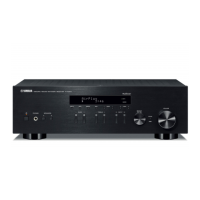
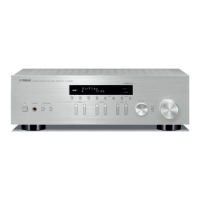
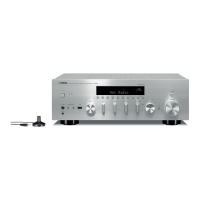
Yamaha R-N301
64 pages
Print Icon
To Next Page IconTo Next Page
Loading...
AB
Network Receiver
OWNER’S MANUAL

Table of Contents

Questions and Answers

  • L
    Lee CarlsonSep 12, 2025
    How to fix Yamaha R-N301 application for smartphone/tablet that does not detect the unit?
    • C
      Courtney WallsSep 12, 2025
      If the Network Player Controller app isn't detecting your Yamaha Receiver, check if the MAC address filter is enabled on the unit; if so, disable it or specify the MAC address of your smartphone/tablet in the Network Setup. Also, ensure that both the unit and your smartphone/tablet are connected to the same network.
  • X
    xflemingAug 25, 2025
    Why is there no sound coming from my Yamaha R-N301 Receiver?
    • J
      Jeremy EspinozaAug 25, 2025
      If you're not getting any sound from your Yamaha Receiver, here are a few things to check: * Make sure your input and output cables are connected properly. * Select the correct input source using the INPUT selector on the front panel or the remote control. * Ensure the SPEAKERS A/B switches are turned on as needed. * Check that your speaker connections are secure. * Verify that the mute function is turned off. * Make sure the Max volume or Initial volume setting isn't set too low. * Ensure the connected component is turned on and playing. * If using a digital audio input (COAXIAL/OPTICAL), confirm the connected device's audio output is set to PCM.
  • D
    Dana HuntAug 25, 2025
    Why is there no sound from my Yamaha R-N301 Receiver?
    • P
      Phillip ThompsonAug 26, 2025
      If you're not getting any sound from your Yamaha Receiver, check these things: Ensure all input and output cables are correctly connected, and replace them if they are defective. Select the correct input source using the INPUT selector. Verify that the SPEAKERS A/B switches are properly set. Secure all speaker connections. Make sure the receiver is not muted. Check that the Max or Initial volume isn't set too low and increase it. Confirm that the connected component is turned on and playing. If using a digital audio input (COAXIAL/OPTICAL), ensure the device's audio output is set to PCM.
  • B
    bwellsSep 12, 2025
    How to improve noisy FM stereo reception on Yamaha R-N301?
    • R
      Ronald DaltonSep 12, 2025
      If you're experiencing noisy FM stereo reception on your Yamaha Receiver, check the antenna connections. Consider using a high-quality directional FM antenna.
  • S
    Sydney RossSep 17, 2025
    Why can I only hear the speaker on one side of my Yamaha Stereo Receiver?
    • F
      Frederick BennettSep 18, 2025
      If you're only hearing sound from one speaker with your Yamaha Stereo Receiver: * First, check the cable connections to ensure they are properly connected. If the problem continues, the cables may be defective. * Second, verify the speaker balance setting in the “Setup” menu is correctly positioned.
  • R
    Robert GrantSep 5, 2025
    How to fix Yamaha R-N301 when the power does not turn off?
    • D
      davidsimsSep 5, 2025
      If your Yamaha Receiver won't turn off, hold down the power button on the front panel for more than 15 seconds to initialize and reboot the unit. If the problem persists, disconnect the power cable from the AC wall outlet and plug it in again.
  • T
    thomasjoyceSep 6, 2025
    Why the application for smartphone/tablet “Network Player Controller” does not detect my Yamaha unit?
    • R
      Rachel DanielSep 6, 2025
      If the MAC address filter is enabled on the unit, disable the MAC address filter in “MAC Filter” in the “Network Setup”, or specify the MAC address of your smartphone/tablet to allow it to access the unit. Also, check the network connections and your router settings, and then connect the unit and smartphone/ tablet to the same network, because they might not be in the same network.
  • D
    davidlewisSep 18, 2025
    How to fix a humming sound coming from my Yamaha Stereo Receiver?
    • F
      fosterjoshuaSep 18, 2025
      If you're hearing a humming sound from your Yamaha Stereo Receiver: * Ensure that the audio plugs are firmly connected. If the issue persists, the cables might be defective. * If you have a turntable connected, make sure there is a GND connection between the turntable and the unit.
  • B
    brian41Aug 30, 2025
    What to do if my Yamaha R-N301 Receiver does not detect the PC?
    • M
      Mrs. Robin MendezAug 30, 2025
      If your Yamaha Receiver isn't detecting your PC, first ensure the media sharing setting is correctly configured and the unit is selected as a device for sharing music. Check the settings of any security software on your PC that might be blocking access. Verify that both the unit and PC are on the same network, checking connections and router settings. Finally, if the MAC address filter is enabled on the unit, disable it or specify your PC's MAC address in the Setup menu.
  • K
    Kevin GarzaAug 30, 2025
    What causes continuous crackling and hissing noises on my Yamaha R-N301?
    • L
      Laura DaughertyAug 31, 2025
      Continuous crackling and hissing noises on your Yamaha Receiver may result from interference from lightning, fluorescent lamps, motors, thermostats, or other electrical equipment. Try using an outdoor antenna and a ground wire to help reduce the noise, but it's difficult to eliminate all noise completely.

Summary

Safety Precautions Before Operation

What you can do with this unit

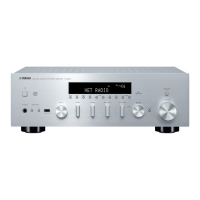
Controls and functions

Front panel

Explains the layout and purpose of each control on the unit's front panel.

Connections

Connecting speakers and source components

Instructions for connecting external speakers and various audio input devices.

Playback

Playing a source

Comprehensive steps to select an input source and start audio playback.

Listening to FM;AM radio

FM;AM tuning

Procedure for tuning to FM and AM radio stations and optimizing reception.

Using the Spotify service

Playing back music stored on media servers (PCs;NAS)

Listening to Internet radio

Playing back iPod;iTunes music via a network (AirPlay)

Listening to Pandora

Account setup for Pandora

Guide to setting up a Pandora account for using the personalized radio service.

Configuring playback settings for different playback sources (Option menu)

Configuring various functions (Setup menu)

Network Setup

Detailed guide for configuring network settings like IP address, MAC filter, and DMC control.

Configuring the system settings (ADVANCED SETUP menu)

Updating the units firmware via the network

Procedures for downloading and installing new firmware for the unit.

Troubleshooting

General

Solutions for common issues related to power, sound output, and general operation.

Remote control

Specific troubleshooting steps for when the remote control does not function correctly.

Tuner

Addresses problems with FM/AM radio reception, tuning, and sound quality.

Network

Solutions for network connectivity issues, PC detection, and failed firmware updates.

Error indications on the front display

Specifications

Yamaha R-N301 Specifications

General IconGeneral
Receiver typestereo
Audio output channels2.0 channels
Signal-to-Noise Ratio (SNR)100 dB
Total Harmonic Distortion (THD)0.2 %
Power output per channel (1KHz@8 Ohm)140 W
Power output per channel (20-20KHz@8 Ohm)100 W
HDMI in0
Digital audio optical in1
Speakers connectivity type-
Audio formats supportedAAC, FLAC, MP3, WAV, WMA
Video formats supportedMPEG4
Wi-FiNo
Ethernet LANYes
Supported radio bandsAM, FM
Preset stations quantity40
Audio input6
Product colorSilver
Apple docking compatibilityNot supported
Power consumption (standby)0.1 W
Weight and Dimensions IconWeight and Dimensions
Depth333 mm
Width435 mm
Height141 mm
Weight6950 g

Related product manuals