Need help?
Do you have a question about the Yamaha R1000 and is the answer not in the manual?
Controls power supply to the unit. Indicator lights up when powered on.
Selects one of four reverb mode ranges (1.5 to 2.4 seconds) for realistic effects.
Displays input signal levels, showing transit through controls and terminals.
Adjusts input signal level for high signal-to-noise ratio and dynamic range.
Parametric equalizer for wide reverb effects with adjustable low, mid, and high frequencies.
Controls the mixing balance between direct and reverb signals.
Controls the output level, affecting bypass and reverb signals.
Bypasses reverb and equalizer stages, supplying input signals directly to output.
Enables remote operation of bypass on/off switching.
Highlights versatile mixing, adjustable reverb time, foot switch terminal, and stable performance.
Advises on placement, handling, cleaning, manual safekeeping, and voltage selection.
Details frequency response, dynamic range, hum/noise, and reverberation time modes.
Specifies impedance and level for input, output, and insert connections.
Defines the frequency ranges for low, mid, and high adjustments in the equalizer.
Lists power requirements, consumption, dimensions, and weight.
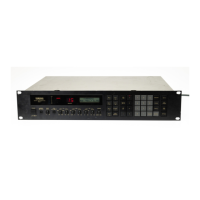
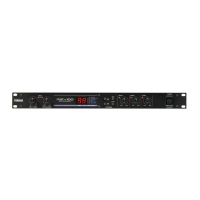
The Yamaha R1000 is a high-performance digital reverberation unit designed for a wide range of instruments, stage equipment, and mixers. It incorporates advanced digital signal processing to provide versatile and affordable reverb effects.
The R1000's primary function is to add reverberation to audio signals, simulating the natural echo and decay of sound in various acoustic spaces. It achieves this through digital processing, offering a clean and stable alternative to traditional spring-type reverb units, which can be susceptible to physical vibrations.
Reverb Modes: The unit features a MODE SELECTOR that allows users to choose from four distinct reverb time settings: 1.5, 1.6, 2.3, and 2.4 seconds. These progressively longer delay times enable the creation of more realistic effects, suitable for different environments such as large auditoriums or concert halls. The selected mode is indicated by a corresponding illuminated lamp on the front panel.
Parametric Equalizer: A key feature of the R1000 is its three-band parametric equalizer, which provides extensive control over the reverb sound. This equalizer allows for continuous adjustment of low, mid, and high frequencies, enabling users to tailor the reverb's tonal characteristics precisely.
Mixing Control: The MIXING CONTROL knob allows for continuous adjustment of the balance between the direct (unprocessed) signal and the reverberated signal. Turning the knob towards "DIRECT" emphasizes the original sound source, while turning it towards "REVERB" increases the prominence of the reverb effect. At the extreme "DIRECT" position, only direct signals are output, and at the extreme "REVERB" position, only reverb sounds are produced.
Input and Output Level Controls:
Bypass Functionality: The R1000 includes a BYPASS SWITCH on the front panel and a FOOT SWITCH TERMINAL for remote operation. When bypass is activated, the input signals completely bypass the reverb and equalizer stages, being routed directly to the output terminals. This allows for quick switching between processed and unprocessed sound, particularly useful during live performances. The foot switch terminal overrides the front panel bypass switch.
Insert In/Out: The INSERT IN/OUT terminals provide flexibility for integrating external effects processors. By plugging into the INSERT IN jack, the internal circuitry is shorted, allowing external signals to be applied to the input. This is useful for incorporating compressors, faders, or other effect units into the signal chain.
Ease of Use: The R1000 is designed with simple controls, making it easy to operate while still offering flexible sound shaping capabilities.
Input Level Monitoring: A 4-segment LED INPUT LEVEL METER provides a clear visual indication of input signal levels. This helps users set appropriate input levels to prevent clipping and maintain a high signal-to-noise ratio. The meter displays the level of signals transiting through the input level control and insert in/out terminals, or specifically the level of INSERT IN signals when those terminals are used.
Connectivity:
Delay Machine Integration: The R1000 can be used effectively with a delay machine to create pre-delay effects. Pre-delay simulates the natural time gap before reverberation occurs in a real acoustic space, enhancing the realism and pronounced effect of the reverb. The delay time can be set from several to 10 milliseconds.
Rack Mountable: The unit is designed for mounting in standard 19-inch audio racks, making it convenient for studio or live sound setups.
Durability and Stability: The R1000's digital design eliminates the physical vibration issues common with spring-type reverb units, ensuring highly stable operation in virtually all situations.
Power Supply:
Care and Handling:
 Frequency Response
| direct frequency response | 20Hz ~ 20kHz |
|---|---|
| reverb frequency response | 30Hz > 10kHz |
Dynamic Range and Noise| dynamic range | 75dB |
|---|---|
| hum and noise level | -60dB |
| reverb noise level | -50dB |
Reverberation Time| mode 1 reverberation time | 1.5 sec |
|---|---|
| mode 2 reverberation time | 1.6 sec |
| mode 3 reverberation time | 2.3 sec |
| mode 4 reverberation time | 2.4 sec |
Power Requirements| us and canadian models voltage | 120V AC, 60Hz |
|---|---|
| general model voltage | 110 ~ 120 or 220 ~ 240 AC Selectable, 50/60Hz |
| power consumption | 26W |
 Weight and Dimensions
| dimensions | 480 x 45 x 311.5 mm |
|---|---|
| weight | 4.8 kg (10.6 lbs) |
| output dimensions | 18-7/8 x 1-3/4 x 12-1/4 |

 To Next Page